



If you create for a living, your attention is your most valuable asset. But there is a tension at play; the platforms that make your work visible are the same ones that fracture your focus. To survive, you must treat your digital boundaries as infrastructure, not an afterthought.
Here are seven rules to help you stop reacting to every ping and start building steady momentum. You can set these up tonight to move from a state of constant exhaustion to a rhythm of sustainable output.
Table of Contents
Why digital boundaries for creators matter more than discipline
Most people fall for two common myths: first, that they simply need more discipline; and second, that boundaries are only for people who already “have it together.” Both ideas are flawed. While discipline is useful, boundaries are what make discipline sustainable. They eliminate decision fatigue, establish predictable work windows, and shield your highest-value work from constant interruption.
Think of a boundary as a guardrail for attention: not to lock you in, but to keep your creativity on the road.
1. Choose your small set of presence (where you show up and why)
Creators often spread themselves too thin across multiple platforms, leading to burnout and a diluted impact. The first boundary you must set is strategic: decide where you will invest your presence and where you won’t.
How to Curate Your “Small Set”
- Audit your channels: List everywhere you currently post (YouTube, Instagram, Newsletter, etc.).
- Score the impact: For each channel, weigh two specific metrics:
- Business Value: Does it move the needle on sales or reach?
- Creative Payoff: Do you actually enjoy the process, and does the format fit your skills?
- Commit to the top 2–3: Focus exclusively on these for the next 90 days. Pause the rest to reclaim your focus.
This single rule reduces the mental load of “always being everywhere.” It’s not withdrawal; it’s focused distribution that protects creative bandwidth and builds momentum. If you want frameworks for prioritising content types and repurposing efficiently, see the Content Repurpose Engine.
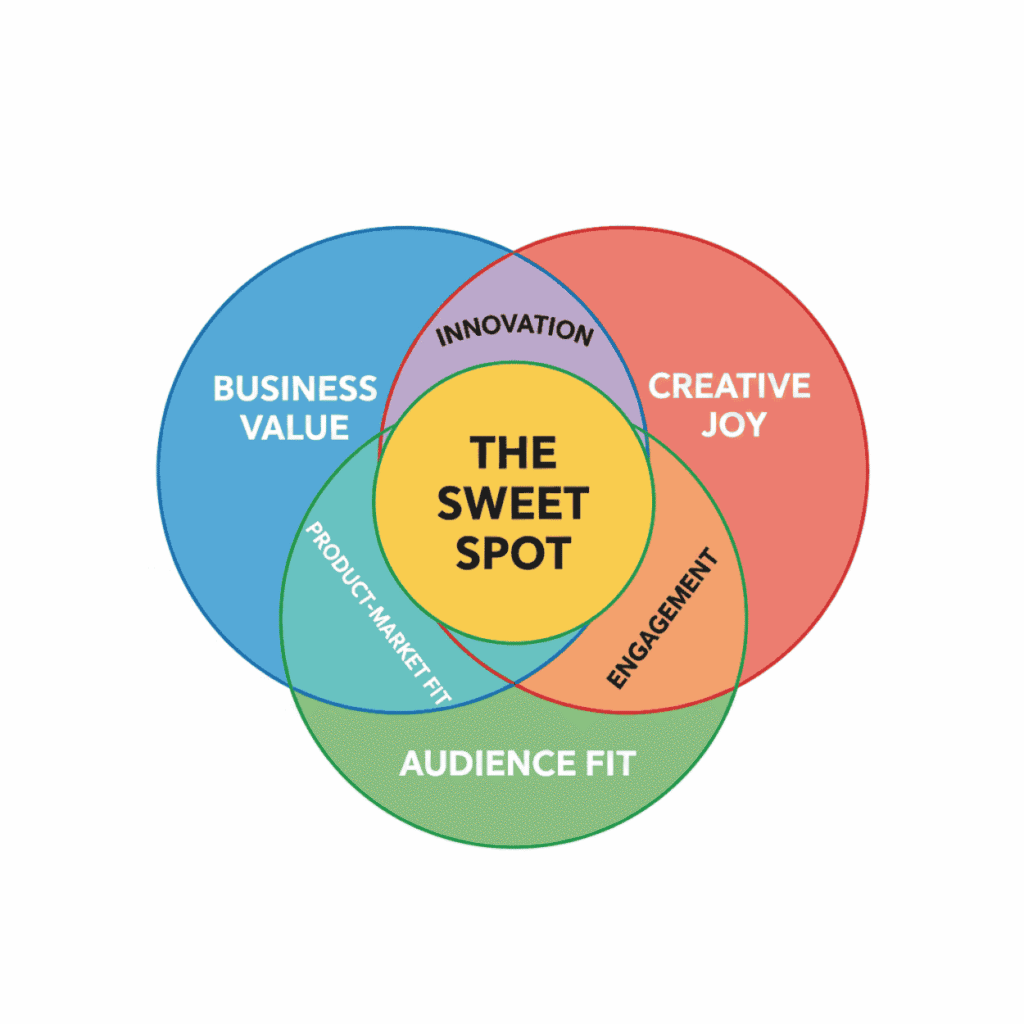
A Venn diagram showing the overlap of business value
2. Block your calendar by energy, not tasks
Time-blocking is a common buzzword, yet it is rarely applied effectively. Creators see the most gain when they align their schedule with their natural energy states. Instead of fighting your biology, schedule deep-creation tasks for when you are most alert, and save administrative “busy work” for your afternoon lulls.
The Energy-Aligned Template
- Deep Creation (High Energy): 2 × 90-minute blocks per week. Use these for your most difficult, high-leverage work.
- Production & Edits (Moderate Energy): 3 × 60-minute blocks. Perfect for refining ideas or recording content.
- Community & Replies (Low Energy): 2–3 × 30-minute windows. Use these to engage with your audience when your focus is lower.
- Admin & Buffer (Maintenance): 1 block per week for “Ops”, invoicing, scheduling posts, and organising your files.
When you schedule by energy, not to-do lists, interruptions become smaller problems, not trajectory changers. For batching and editorial calendar examples you can plug directly into Notion or Airtable, check /productivity-systems-remote-workers.
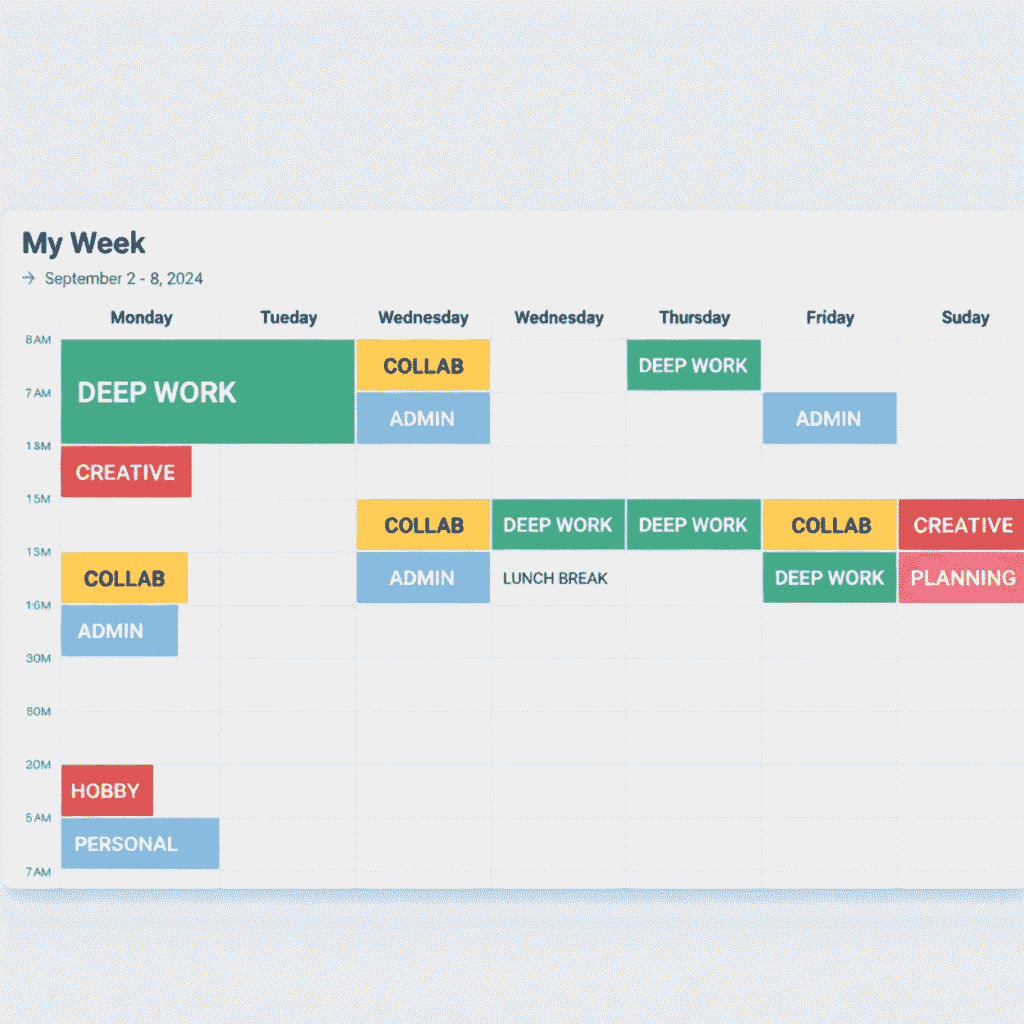
Weekly calendar showing blocks
3. Build “focus armour” for deep work.
When it’s time to create, you need a short, repeatable sequence that signals to your brain it’s game time. This is your focus ritual, or what I call “focus armour.”
A practical focus armour routine (5 steps):
- Close unnecessary tabs and apps.
- Turn on Do Not Disturb for 90 minutes.
- Open a single document with one clear micro-goal (e.g., “Write 600 words on X”).
- Use a lightweight timer (Pomodoro or 50/10).
- Record a 30-second voice note of the session’s outcome (for repurposing later).
This ritual reduces friction dramatically. Tools like Focus Mode in Mac, Focus Assist in Windows, or simple site-blockers help — but rituals matter more than tools.
For more insight on deep work, Cal Newport’s book on focused attention is foundational.
4. Create input and rest boundaries (the diet of attention)
Your consumption eventually dictates your output. Because of this, establishing “input boundaries” is just as critical as protecting your “output windows.” If you don’t curate what goes in, you’ll struggle with what comes out.
Two Essential Input Guardrails
- The Curated Input Window: Dedicate 30 minutes, three times per week, to high-quality consumption, think books, long-form essays, or a select list of industry mentors. Simultaneously, cap passive feed scrolling at 20 minutes per day to avoid “digital noise.”
- Screen-Free Recovery: Unplug for one full evening a week or a half-day every month. This isn’t just a break; it is a necessary period to replenish your curiosity and allow new ideas to surface.

Image of screen-free rest practice
5. Design tech boundaries that automate the busywork
Boundaries are more than just walls; they are also connectors. They link you to your most important work by filtering out the noise. To keep these boundaries strong without constant effort, use automation to handle routine friction.
Automation Ideas to Protect Your Focus
- Content Distribution: Automatically schedule social media updates whenever you publish a new post (e.g., using Zapier to link your CMS to Buffer or X).
- Client Triage: Streamline incoming requests by sending them an automated email containing a short intake form or a Calendly link.
- Community Management: Set up autoresponders for social DMs that list your “office hours” and provide links to frequently asked questions.
These automations reduce the number of times you must interact with notifications and let you keep focus on what’s important.
6. Make community a scheduled feature, not a 24/7 drain
Community is a powerful asset, but without guardrails, it can become a constant drain on your energy. The goal is to structure your community so it amplifies your work without depleting your creative capital.
Ways to Structure Your Community
- Automate Public Content: Use tools to schedule and repurpose your public posts automatically, keeping you visible without requiring you to be “always on.”
- Host Dedicated Community Hours: Instead of responding to comments all day, set one weekly 60-minute window for meaningful chats, AMAs, or live discussions.
- Tiered Access: Reserve deep, one-on-one support for paid members. This creates clearer expectations and ensures your most invested followers get your best energy.
- Establish a Response Framework: Be transparent about your “office hours.” Set clear expectations regarding your turnaround times and the topics you are available to discuss.
This tiered approach lets the community function as momentum fuel, not a distraction factory. If you need a full system for scaling a community while avoiding burnout, read Scale Without Burnout for more on processes and SOPs.
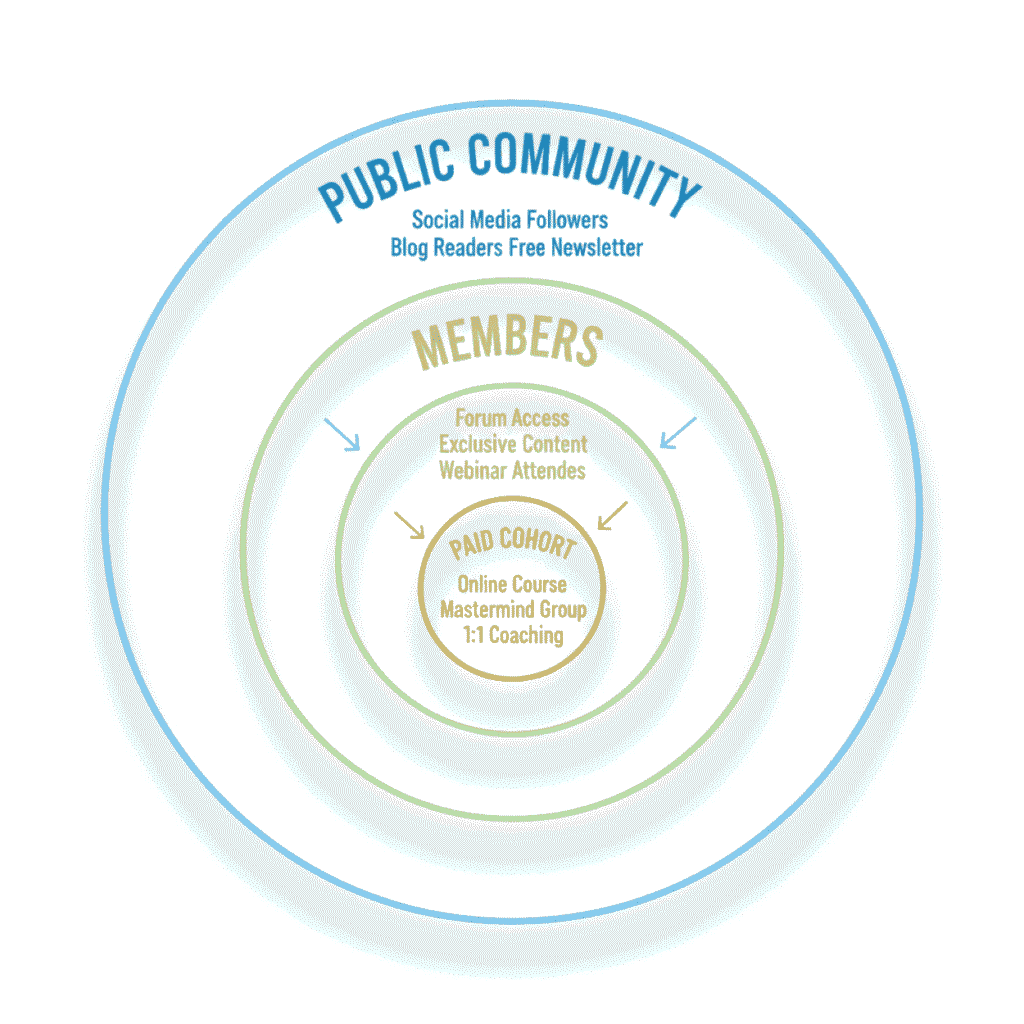
Tiered community model graphic showing levels
7. Audit, iterate, and keep margin sacred
Boundaries are a living system, not a “set and forget” task. To stay on track, schedule a monthly Boundary Audit to identify where your attention is leaking and where you need to reclaim your time. Use this time to ask: What can be paused? Where can I add a 20% margin for the unexpected?
Monthly Audit Checkpoints
- Interruption Count: How many times was your “Deep Creation” time broken by notifications or unplanned tasks?
- Platform Alignment: Are you sticking to your “Small Set,” or have you drifted back into spreading yourself thin?
- Average Energy Score: On a scale of 1–10, how energised did you feel this month? If you’re consistently below a 6, your boundaries need tightening.
- Efficiency Check: Compare your “Time-to-Publish” goal against your actual performance. Is “routine friction” slowing you down?
Regular audits ensure that your boundaries evolve as your career grows, keeping your creative output sustainable and your focus sharp.
Keep a “margin day” every month, an unscheduled day for exploration, recovery, and small experiments. Margin is the secret weapon that turns brittle workflows into resilient systems.
Putting the 7 rules into a 30-day boundary sprint (practical plan)
If you implement one rule per week, at the end of 30 days, you’ll have a durable boundary system. Here’s a compact sprint:
Week 1: Small Set & Calendar Blocks
- Choose 2–3 channels.
- Set energy-based calendar blocks and protect them with DND.
Week 2: Focus Armour + Input Diet
- Create the 5-step focus ritual and enforce 30-minute curated input windows.
- Start one weekly screen-free rest block.
Week 3: Automations & Community Rules
- Build two automations (publish → social; new inquiry → triage).
- Publish a community hours policy and schedule one session.
Week 4: Audit & Margin
- Run the monthly audit.
- Add a margin day and iterate on any leaking boundaries.
This sprint is intentionally small; it focuses on systems, not perfection. You’ll quickly see productivity gains and better creative energy.
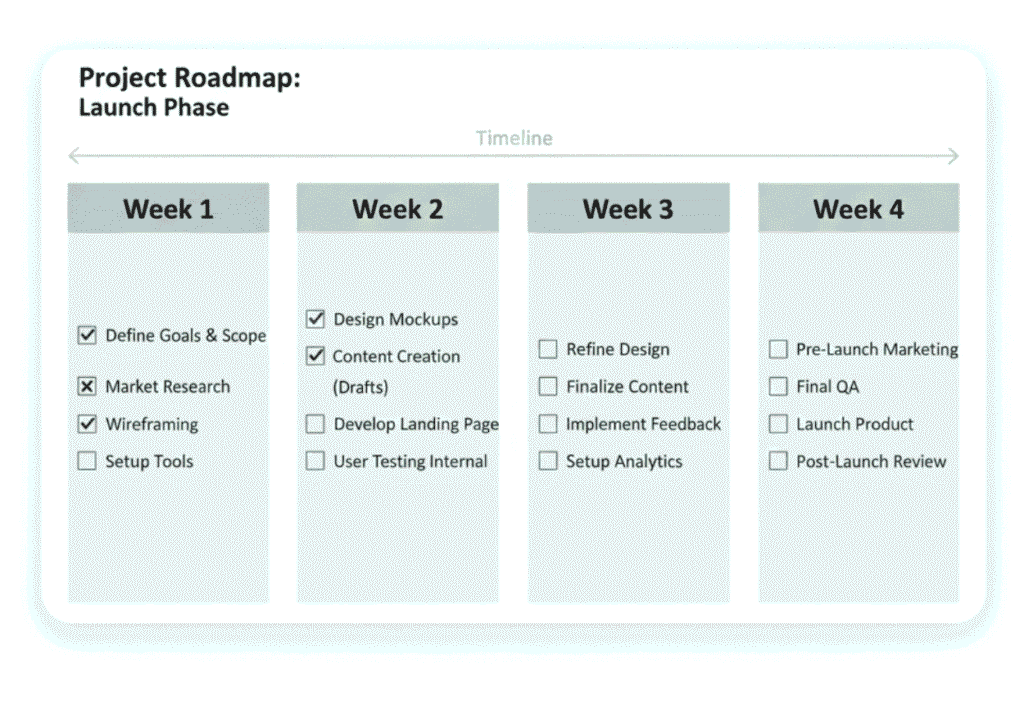
Four-week sprint roadmap with weekly tasks
Common friction points and exact fixes
- Friction: “I miss opportunities if I’m offline.”
Fix: Publish a weekly “availability” update and have an autoresponder that captures leads. - Friction: “My audience expects immediate replies.”
Fix: Set public expectations, pinned post or bio line: “Replies within 72 hours; join my community for live sessions.” - Friction: “I’m tempted to toggle between tasks.”
Fix: Use the focus armour plus a micro-goal for each block. Track outcomes, not hours. - Friction: “I can’t reduce apps, I need them.”
Fix: Audit tools quarterly; remove any tool not used weekly or not saving you 30 minutes per week.
Quick templates
Availability Autoresponder (Email & DM):
“Thanks for reaching out. I’m currently in focused work blocks. I check messages on [days]. If this is urgent, please add the word ‘URGENT’, and I’ll review within 24 hours. For bookings, use [Calendly link].”
Community Hours Announcement (Pinned):
“Community Hour: every Tuesday, 4–5 pm. Bring one question. Limited spots for live feedback. Missed it? Replay in the members’ channel.”
Monthly Boundary Audit Checklist:
- Deep-work interruptions count
- Platforms active vs. planned (Small Set)
- Energy score avg
- Tools removed this month
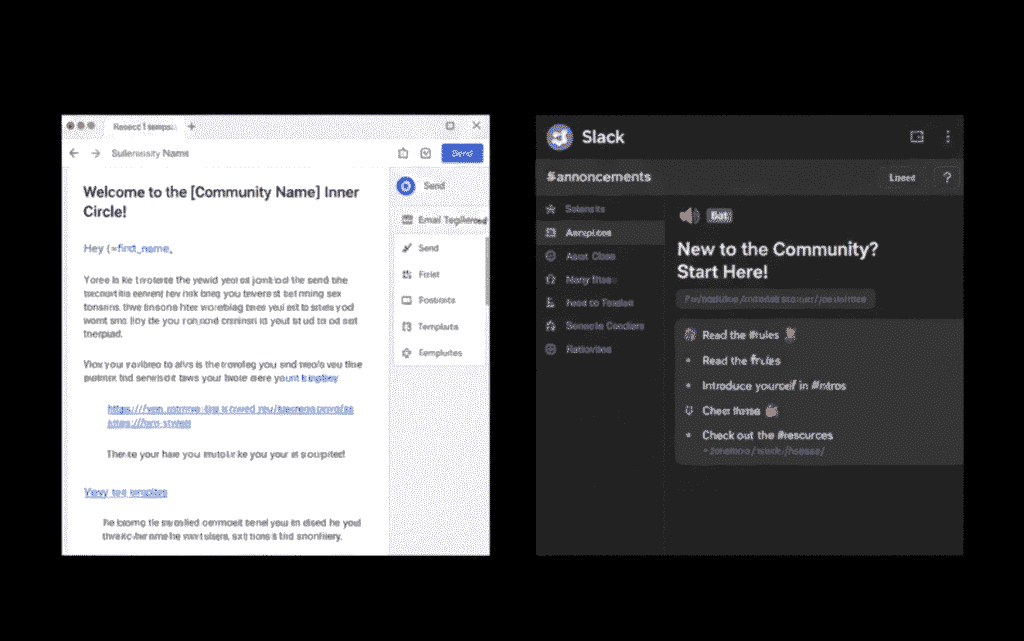
Email autoresponder and community announcement templates
Tools & integrations that strengthen boundaries (keep the stack tight)
- Notion / Airtable: single source of truth for ideas and editorial calendars.
- Calendly: triage incoming requests and preserve your calendar.
- Zapier / Make: automate the routine (publish → social; forms → task).
- Buffer / Later / Hootsuite: schedule and queue content so you’re not chained to posting.
- Focus tools: Freedom, Cold Turkey, or browser extensions to block distractions.
A tight stack keeps your boundary system lean and resilient.
Measuring success: signals that the boundaries are working
Look for these improvements:
- Longer deep-creation sessions are completed per month.
- Reduced revision cycles (fewer disruptive edits driven by last-minute pings).
- Stable or rising energy score.
- Increased time-to-ship efficiency (ideas to published piece shrinks).
These metrics matter more than follower spikes because they reflect durable creative capacity.
Boundaries are the scaffolding, not the walls.
When you put digital boundaries in place, you don’t withdraw from the world; you choose your fight. You protect the work that matters and create reliable pathways for opportunity to find you, on your terms.
Start with the Small Set, protect deep work with focus armour, automate the routine, and audit faithfully. Use the 7 rules above as your operating system, not a to-do list. Do that, and the noisy digital life becomes a runway, not a treadmill.
To strengthen your digital focus systems, explore proven frameworks designed for modern creators. Learn how to streamline creativity and structure output in Systemise Your Creative Workflow, Build Momentum, and optimise your cadence and collaboration in Productivity Systems for Remote Workers. Together, these resources form the foundation of a distraction management framework that aligns your attention, systems, and success.