




In a noisy digital world where apps constantly compete for your attention, staying organised can feel like managing chaos instead of achieving clarity. For creators, founders, and freelancers, the difference between burnout and balance often comes down to one essential thing: your system. That’s where Notion Systems comes in.
Notion Systems are more than just a productivity tool; they’re a personalised ecosystem for your creative life. Notion isn’t simply a workspace; it’s a mental operating system, a structured digital planning system that gives your brain room to breathe. It’s where you can design dashboards that simplify life, structure creativity, and calm the constant noise of digital overload.
The right Notion dashboards transform confusion into clarity by uniting all your ideas, projects, and tasks in one seamless productivity setup. When you use a customised Notion System, you don’t just stay productive, you stay grounded, focused, and calm.
If you’ve ever opened too many tabs, chased too many ideas, or lost track of what truly matters, this guide is your reset button. Below, we’ll break down 7 easy Notion dashboards that will help you feel instantly organised and calm, systems that don’t just look good, but that actually work for your creative workflow.
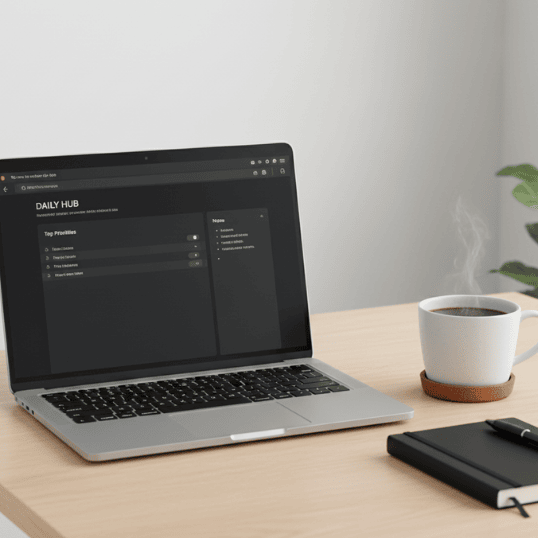
Minimalist Notion system dashboard
Table of Contents
Dashboard 1: The Daily Command Centre: Your Anchor for Every Morning
If your mornings feel scattered, your day will follow suit. That’s why the Daily Command Centre is the first dashboard every creator should build in their Notion System.
This dashboard serves as your morning hub, combining your to-do list, top priorities, focus blocks, and daily affirmations into one clean, focused Notion workspace. It’s the command centre that replaces sticky notes, multiple apps, and mental clutter with a simple, grounded productivity setup.
How to Build It
- Use a Today’s Focus section to highlight one big goal that sets the tone for your day.
- Add quick-capture boxes for ideas, reminders, and small wins.
- Embed a short reflection section at the bottom with prompts like “What worked today?” and “What can I improve?”
You can customise templates like this in the Notion Official Templates Gallery.
Tip: Link your Daily Command Centre to your 7-Day Focus Reset ritual. Begin each morning with five quiet minutes in this dashboard, setting a clear intention before diving into work.
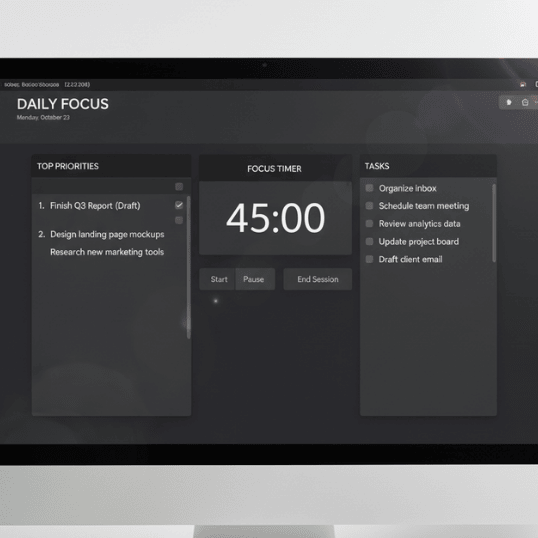
Notion daily command centre template
Your Notion System starts here, with calm mornings, clear focus, and one dashboard that brings peace to your day.
Dashboard 2: The Project Planner: Simplify Complex Workflows
Every creator juggles multiple projects, client work, content creation, brand development, and personal learning. Without structure, it’s easy to lose track and feel overwhelmed. The Project Planner dashboard within your Notion System solves that problem by organising every project with clarity and flow.
This Notion dashboard works like a digital planning system that lets you zoom out for a bird’s-eye view and zoom in for daily details. You can see your big-picture goals while still tracking every small action.
Core Sections
- Project Overview: Deadlines, deliverables, and key outcomes
- Task Tracker: Subtasks and progress bars for visual motivation
- Status Board: A Kanban-style layout for at-a-glance updates
Pair this with Thomas Frank’s Notion setup for inspiration; he combines simplicity and functionality in a way that enhances any Notion workflow.
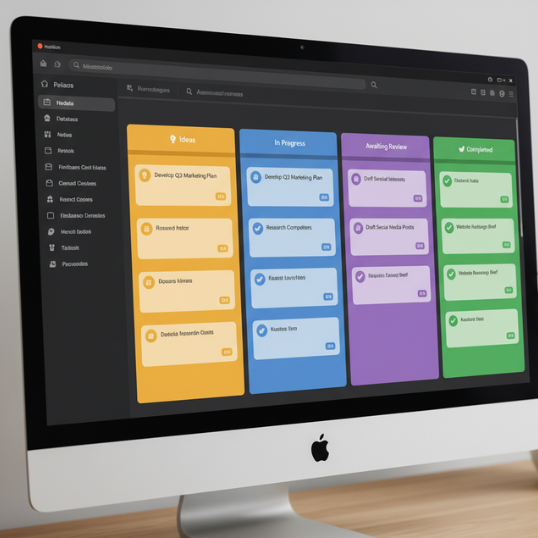
Notion project planner dashboard
This Notion System dashboard becomes the foundation of your creative discipline. It ensures your energy flows toward completion, not confusion.
Read Focus First: The 80/20 Sprint: 4 Rules to Cut Noise and Multiply Output
Dashboard 3: The Content Hub: A Calm System for Creators
For writers, designers, and digital creators, content chaos is a real concern. Files live in too many places, ideas vanish, and publishing schedules fall apart. That’s where the Content Hub inside your Notion System brings calm back to your creative process.
The Content Hub centralises your brainstorming, drafting, scheduling, and publishing in one Notion dashboard. This structure supports a smoother Notion workflow, helping creators build consistency without experiencing creative burnout.
What to Include
- Idea Bank: Tag ideas by stage (concept, draft, ready).
- Editorial Calendar: Embed a timeline or calendar view of scheduled posts.
- Asset Library: Link Canva or Google Drive assets directly into your Notion workspace.
- Performance Log: Track engagement, reach, and post metrics.
This Notion System not only saves time, but it also creates a repeatable rhythm for consistent publishing and creative focus.
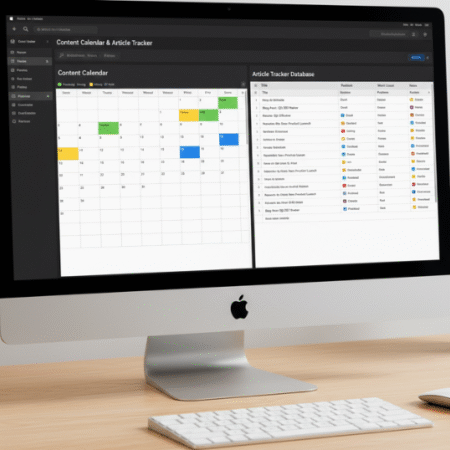
Notion content hub dashboard
Explore Marie Poulin’s Notion workflows for building powerful creative systems that align perfectly with your creator productivity tools.
Dashboard 4: The Life OS: Balance Work and Wellness
Your Notion System shouldn’t just manage your work; it should help manage you. The Life OS dashboard integrates wellness, habits, and reflection. It’s your personal foundation for a calm workspace and sustainable productivity.
By uniting wellness and workflow, this dashboard creates harmony between your digital and mental spaces, transforming your Notion setup into a holistic creative workspace.
Components
- Habit Tracker: Include small daily reset habits that reinforce focus and discipline.
- Mood Log: Track emotional energy to identify when you need rest or inspiration.
- Wellness Hub: Embed workout plans, meditation links, or breathing exercises.
When used consistently, this dashboard becomes your personal balance system, a reminder that real productivity includes rest, reflection, and recovery.
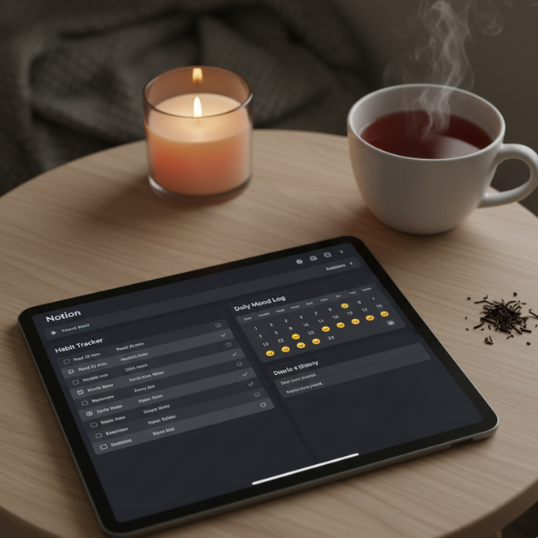
Life OS Notion dashboard
Try pairing this with Digital Boundaries for Creators: 7 Rules to Protect Focus in a Hyperconnected World.
Dashboard 5: The Idea Vault: Capture Every Spark
A calm mind doesn’t mean a quiet one; creativity thrives on new ideas. But without a trusted capture system, those ideas vanish as fast as they come. That’s why every effective Notion System includes an Idea Vault.
The Idea Vault is your creative safety net, a place to store every spark before it slips away. From quotes and concepts to quick sketches or voice notes, this Notion dashboard ensures nothing valuable is lost.
Setup Tips
- Use categories like “Project Ideas,” “Quotes,” “Resources,” and “Future Content.”
- Add quick-capture forms accessible from your phone or browser extension.
- Review it weekly during your 7-Day Focus Reset to decide what deserves action.
The Idea Vault is more than storage; it’s a creative discipline. When your mind trusts your Notion System, it relaxes. You stop overthinking and start creating.
Dashboard 6: The Financial Tracker: Create Calm Through Clarity
Money management is mental management. Chaos in your finances leads to anxiety, and anxiety kills focus. The Financial Tracker dashboard brings calm through clarity by showing you exactly where your money flows.
This Notion System dashboard helps you track income, expenses, goals, and subscriptions, all in one transparent view. It’s an essential part of any digital planning system for creators who want financial stability and creative freedom.
Core Components
- Income Log: Add tags for clients or projects.
- Expense Tracker: Log daily expenses and link payment methods.
- Goal Monitor: Set monthly and yearly saving targets.
- Subscription List: Keep an updated record to reduce unnecessary costs.
You can find starter templates in the Notion Template Gallery and easily adapt them to match your productivity setup.
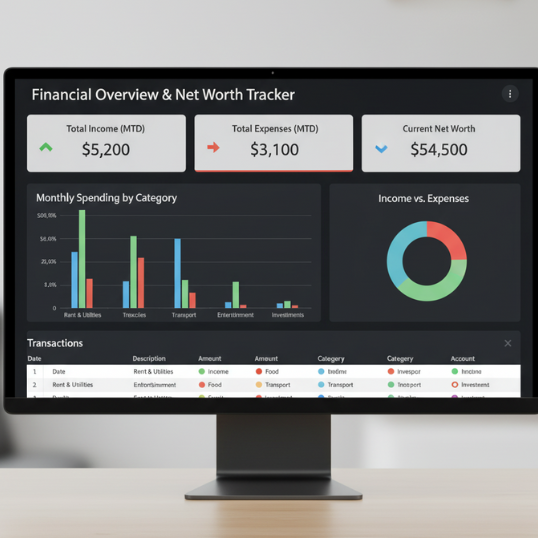
Notion financial tracker dashboard
This dashboard isn’t just about money; it’s about control and confidence. It reinforces that your Notion System works for both creativity and clarity.
Dashboard 7: The Weekly Reflection Hub: Review, Reset, Repeat
Productivity without reflection is just motion. The Weekly Reflection Hub is the soul of your Notion System, the dashboard that turns effort into measurable growth.
Reflection allows creators to see patterns, realign priorities, and celebrate progress. This dashboard helps you close the loop between action and awareness, the cornerstone of any mindful Notion workflow.
How to Use It
- Every Friday or Sunday, review your week’s accomplishments.
- Record what drained or energised you.
- Plan three core priorities for the next week.
This dashboard connects directly to your Daily Command Centre and Life OS, creating a continuous feedback loop that keeps your digital workspace balanced.
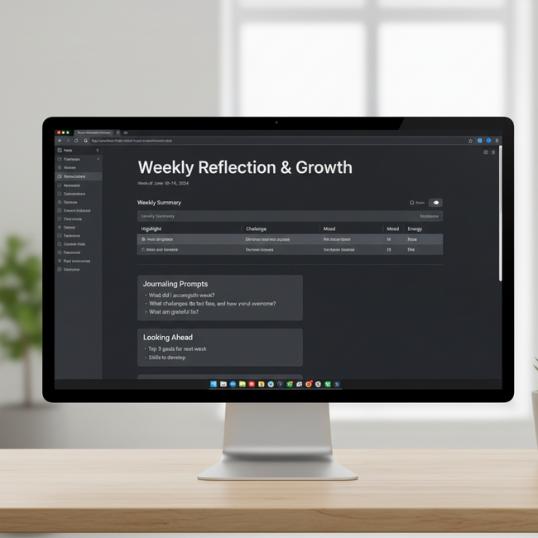
Notion weekly reflection dashboard
Your Notion System = Calm, Control, and Creative Freedom
Building an effective Notion System isn’t about adding complexity; it’s about creating clarity. These seven Notion dashboards form the backbone of a digital planning system that makes your life and work feel lighter, calmer, and more intentional.
When you can see everything, from ideas and projects to finances and wellness in one connected Notion workspace, you stop reacting and start leading your creative process. You reclaim your attention, structure your energy, and build momentum without burnout.
In a world of constant distractions, your Notion System becomes your calm space, your personal command centre for creativity, clarity, and consistent output.
So, don’t just read this guide. Open Notion, pick one dashboard, and start building. You don’t need all seven at once; you just need to begin. Every dashboard you add brings you closer to a calmer, more intentional creative workspace.
Start Your Calm Workspace Reset Today
You don’t need another productivity app; you need a Notion System that fits you.
Set up your first dashboard, connect it to your focus rituals, and watch your creative energy multiply.