


What if one change to your toolset could buy you back two full working days each month? In 2026, the smart entrepreneur does not hoard apps. They choose a tight stack that automates routine work, protects customer data, and surfaces insights that directly affect growth. This guide explains which digital tools for entrepreneurs 2026 deliver that payoff, why they matter, how to evaluate them, and how to implement them without adding friction.
I’ll show you ten tools that, used together, reduce busywork, make reporting instant, and keep your team aligned. You will finish this post with a practical 90-day plan and the exact prompts and integrations to get started.
Table of Contents
Why digital tools for entrepreneurs?
The pace of change in 2026 means tools no longer just “help.” They determine whether small businesses can scale, respond to customers, and compete. Recent reporting shows rapid AI adoption among small and mid-sized enterprises, but also a technology gap: many companies are adopting AI without first having core digital systems in place. That imbalance causes wasted effort and security risks. (Reuters)
A tight, opinion-backed, and scalable tech stack turns complexity into repeatable processes, which is the single biggest multiplier for small teams.
Top 10 digital tools for entrepreneurs 2026: what they solve and how to use them
To make this easier to implement, I have put together a selection of resources that help manage the background noise of a busy day. These are the systems I find most effective for staying on track, allowing you to focus on your actual work instead of the small decisions that usually get in the way.
1) Notion (Project, docs, and knowledge)
Why: Notion is a unified workspace for notes, SOPs, roadmaps, and lightweight project management. For teams that hate tool friction, Notion reduces context switching by centralising documentation and processes. Many entrepreneurs use Notion as their single source of truth. (Digital Adoption)
How to use: Build a company handbook, meeting templates, and a simple kanban board. Use Notion AI for summarising long meeting notes. Integrate with Zapier or Make to create tasks from form responses.
Pricing note: Free tier for individuals; paid plans add collaboration features and advanced permissions.
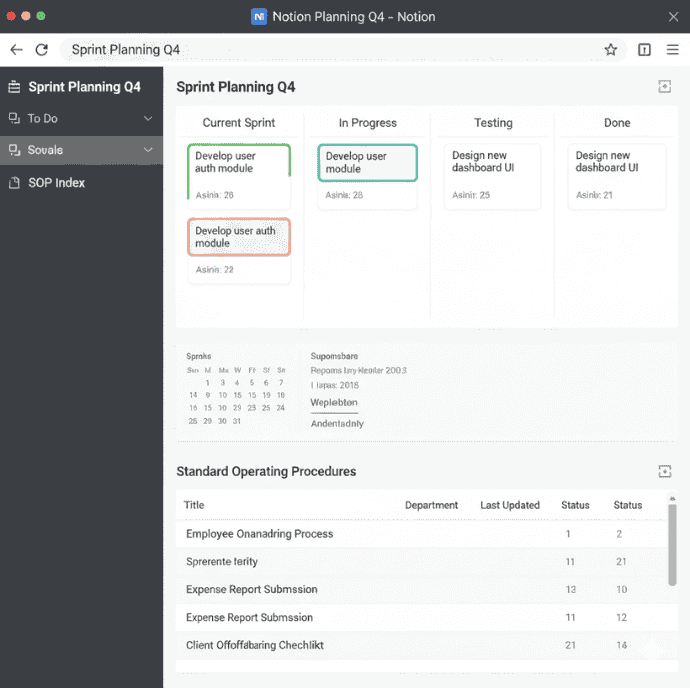
Notion sprint board
2) QuickBooks (or Zoho Books / Wave) Finance & invoicing
Why: Real-time bookkeeping and invoicing removes a huge operational drag. When bookkeeping is current, cash flow decisions are faster and hiring or marketing spend is less risky.
How to use: Automate your invoices and reconcile bank feeds to reduce manual steps. You can then export monthly reports directly to your accountant.
Pricing note: Options vary. Wave offers a low-cost entry, QuickBooks provides broader features and accountants’ integrations.
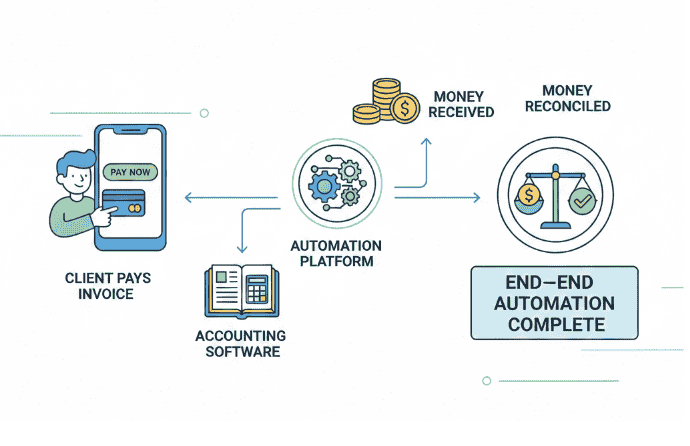
automated invoicing flow
3) Slack or Microsoft Teams (Communication & collaboration tool)
Why: Reduces long email threads and centralises team communication. Use channels for projects, threads for topics, and integrations for notifications.
How to use: Set up dedicated channels for core areas like sales, product, and support. You can also connect notifications from your CRM and project management tools directly, so updates happen in one place.
Pricing note: Slack is a popular choice for its vast integrations, and many teams start with the free version, upgrading only when they need more advanced admin controls or message history
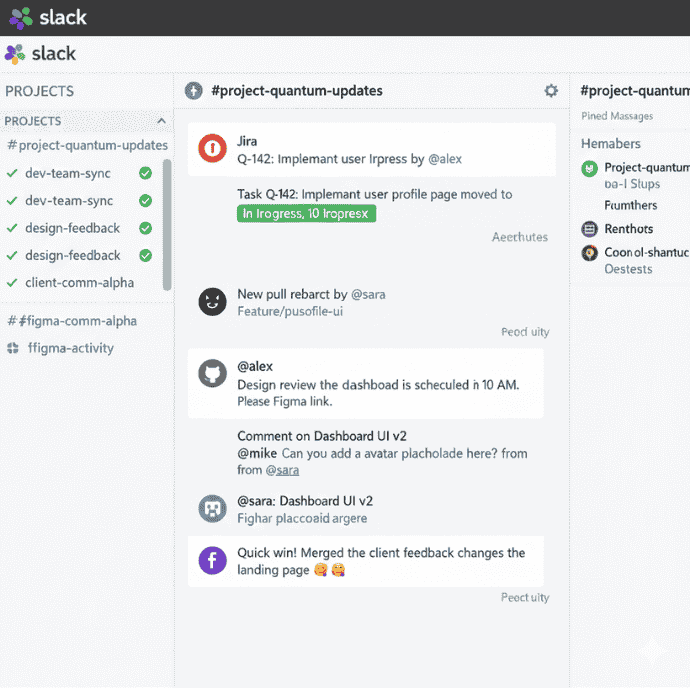
Slack channels for team collaboration
4) Zapier / Make (Automation & workflow orchestration)
Why: These tools act as a bridge between your different apps, handling repetitive tasks that usually require manual data entry. For instance, you can automatically create an invoice the moment a deal closes in your CRM, ensuring nothing slips through the cracks while you focus on the next project.
How to use: Start by mapping out your most common repetitive tasks and build automations in low-risk areas first, such as lead routing. It is also helpful to set up error notifications and logging so you can quickly identify and fix any broken flows
Pricing note: They typically offer an entry-level free plan, allowing you to pay only as your automation volume and complexity scale.
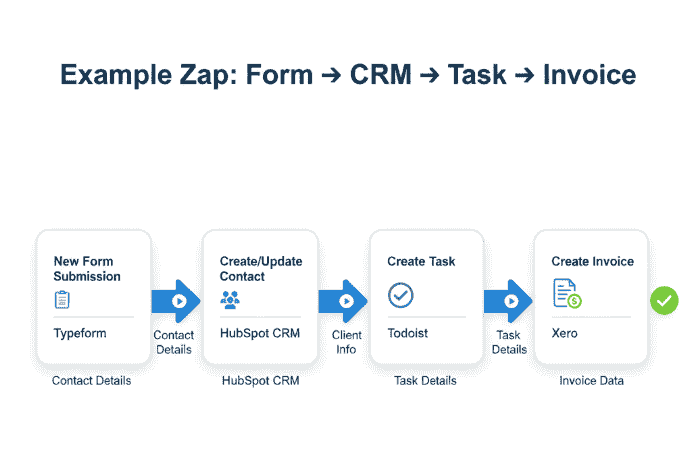
workflow automation diagram
5) ChatGPT (AI assistant for content & research)
Why: AI assistants accelerate writing, summarising, and ideation. Entrepreneurs use them for first drafts of emails, landing page copy, ad ideas, and internal documentation.
How to use: Give precise prompts, use system instructions for tone, and always fact-check outputs. Combine with automation tools to generate drafts that go into draft folders for human review.
Safety note: Use privacy-conscious settings for sensitive data. Train team on prompts and verification steps.

ChatGPT generating a product launch email
6) Canva / Figma (Design & brand assets)
Why: High-quality visuals are essential, but you do not need to be a professional designer to create them. Using the right platform allows for quick asset creation and lightweight collaboration, ensuring your brand stays consistent without the need for complex, time-consuming software.
How to use: Use Canva for rapid social media and marketing graphics, or lean on Figma when you need precision for product and UI design. You can streamline this further by connecting your designs directly to project trackers or exporting graphics straight to your social media scheduler.
Integrations: Connect Figma designs to project trackers; export Canva graphics for social schedulers.
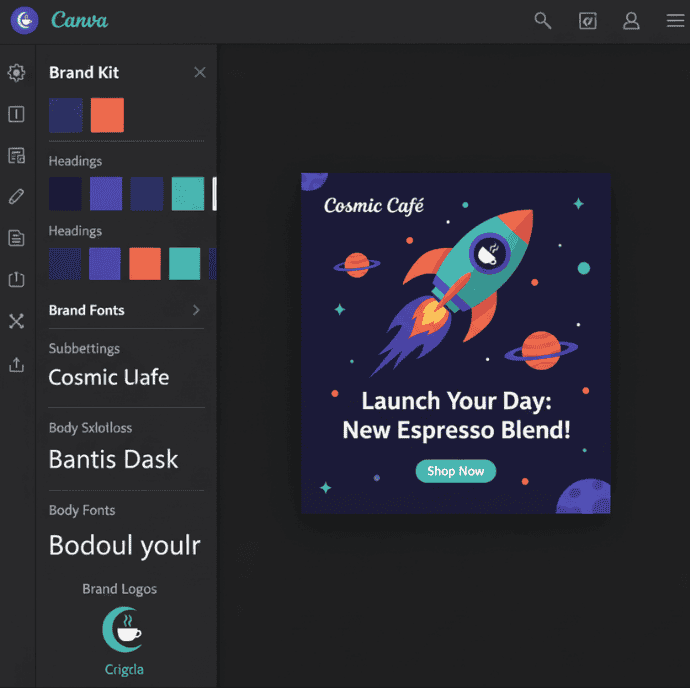
Canva social post template
7) HubSpot or Pipedrive (CRM & client workflows)
Why: A dedicated system for client relationships ensures that every lead, pipeline update, and customer interaction is kept in one place. By automating your CRM, you eliminate the risk of lost leads and significantly improve the accuracy of your financial forecasting.
How to use: Begin by setting up simple lead capture forms and stage-based automations to track progress. To save even more time, tie your contact records directly to your invoices and support tickets so you have a full history of every client relationship at a glance
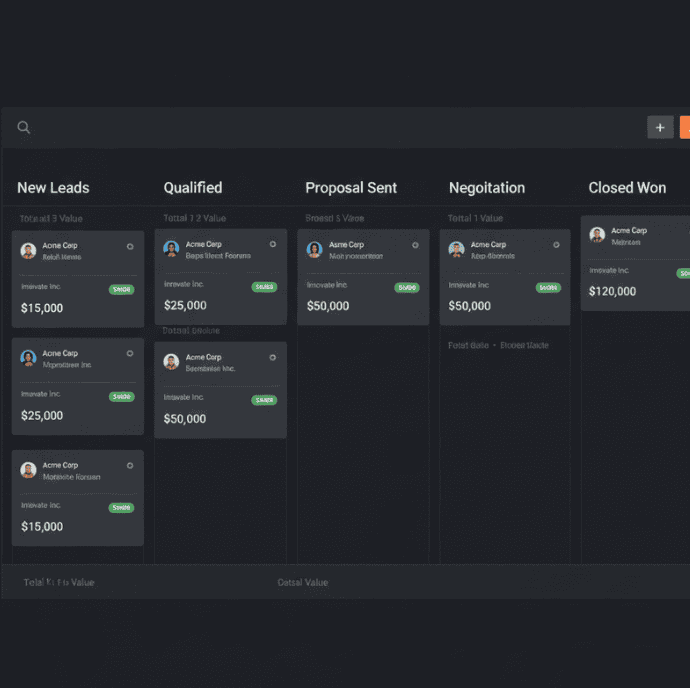
CRM pipeline stages
8) Google Workspace (Docs, Sheets, Drive collaboration)
Why: These familiar tools act as the essential glue between your creative output and daily operations. Because the platform is so widely used, it allows for lightweight, real-time collaboration that keeps everyone on the same page without the friction of incompatible file types. (Digital Adoption)
How to use: To keep your digital space tidy, standardise your folder structures from the start and use shared drives for team-wide files. You can also use simple forms for data intake and spreadsheets for lightweight reporting to keep track of your progress without needing complex software.

shared Google Workspace drive
9) 1Password / LastPass + zero trust identity tools (Security & identity)
Why: Weak or reused passwords are one of the leading causes of security breaches. Using a dedicated manager alongside multi-factor authentication (MFA) dramatically reduces your risk profile, ensuring that your sensitive business data stays protected without you having to memorise dozens of complex login details.
How to use: Enforce the use of company vaults to share credentials safely among team members and require MFA for all admin-level accounts. For even greater efficiency, combine these tools with Single Sign-On (SSO) for any applications that support it to further streamline your login process
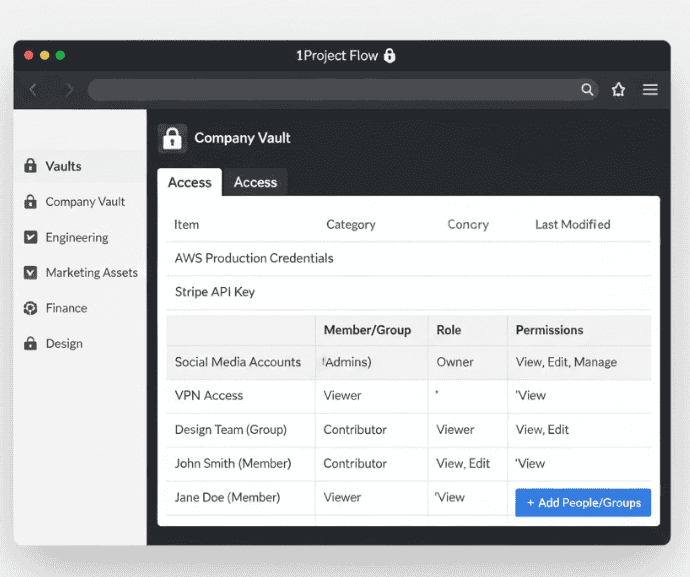
Password Manager Company Vault
10) GA4 + simple BI (Marketing & analytics)
Why: Data-driven decisions need good measurement. Google Analytics 4 and a simple BI tool (Looker Studio, Metabase) let you track funnels and ROI. Use dashboards to keep marketing honest.
How to use: Configure conversion events, tie revenue to campaigns, and create a weekly dashboard that updates automatically.
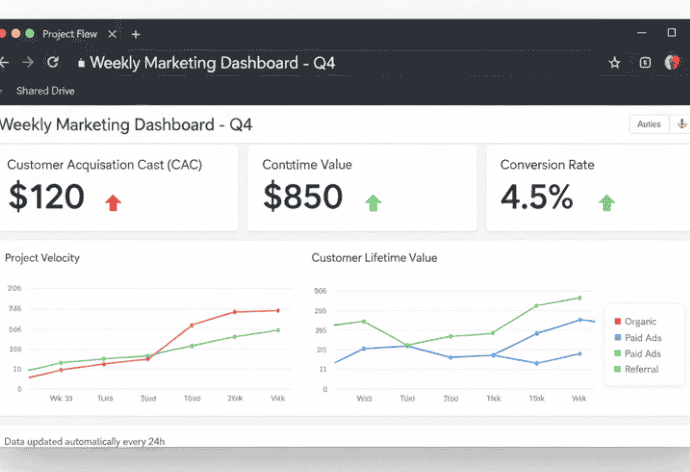
weekly marketing dashboard
How to choose the right digital tools for entrepreneurs
Choosing is more important than collecting. In choosing an entrepreneur tool stack, use this decision framework:
- Start with outcomes, not features. What repeatable task must improve? (e.g. invoice turnaround time, lead response time)
- Integration first. Choose tools that plug into your existing stack. If an app is isolated, it will create friction.
- Security & compliance. Confirm data residency, encryption, and role-based access. For regulated niches, check compliance statements. (Reuters)
- Scalability & vendor health. Pick vendors with steady product development records or robust community ecosystems. Recent 2025 product updates matter; companies releasing AI agents or automation features are moving faster. (Reuters)
- Cost per outcome. Always calculate cost relative to time saved or revenue enabled when choosing productivity apps.
Integrating tools so they actually simplify operations
Follow these practical rules:
- Map the workflow first. Draw the end-to-end process in a simple flow chart. Only then pick the points to automate.
- Automate low-risk tasks first. Lead routing, file naming, and report exports are good pilots.
- Use orchestration over duplication. Prefer a central automation layer (Zapier/Make) instead of building the same integration in many apps.
- Monitor and alert. Add logging and alerts for automation failures; don’t let errors silently drop tasks.
- Document everything. Keep runbooks in your Notion or equivalent.
Security, compliance and data handling checklist
- Enforce MFA for all admin and privileged accounts.
- Use a company password manager and rotate keys quarterly.
- Limit data exports for customer data; define retention policies.
- Ensure vendor contracts spell out responsibilities for data breach notifications.
- Run a monthly audit of app permissions and active integrations.
Implementation roadmap: 30 / 60 / 90-day plan
30 days: audit & quick wins
- Map current tools and workflows.
- Remove or pause apps with <5% usage.
- Implement a password manager and MFA.
60 days: integrate & automate
- Build 3 automations connecting lead capture → CRM → task creation.
- Standardise templates in Notion (SOPs, invoices, onboarding).
- Create a marketing dashboard in Looker Studio or Metabase.
90 days: measure & scale
- Measure time saved and errors reduced.
- Expand automations to billing and reporting.
- Conduct a staff training session and produce a “how we work” guide.
FAQs
Q: What is the minimal toolset for a two-person startup in 2026?
A: A single workspace (Notion or Google Workspace), a lightweight CRM, a bookkeeping tool (Wave/QuickBooks), a communication app (Slack), and a password manager. Add automation apps as you identify repetitive tasks.
Q: Will AI replace business tools?
A: No. AI augments them. In 2026, we see AI agents embedded into existing platforms to speed tasks, but the foundational tools (CRM, accounting, project management) remain necessary. Recent reporting shows many SMEs adopting AI before core systems is a risky order of operations. (Reuters)
Q: How many integrations should we maintain?
A: Keep integrations to the minimum required for seamless data flow. Many high-performing teams run with 10–15 active integrations, but the exact number depends on complexity.
Q: Are free tiers safe for business use?
A: Free tiers are fine for early-stage proof of concept, but for anything handling customer data or financials, move to paid tiers that offer admin controls, retention, and support.
Key takeaways
- Focus on outcomes first: the right toolset reduces busywork and unlocks capacity.
- Build a small, integrated stack. Quality over quantity.
- Automate low-risk processes first and measure impact.
- Prioritise security and vendor stability in 2026; AI features are powerful but should sit on a solid digital foundation. (Reuters)
Building a leaner, more focused workflow is an ongoing process rather than a one-time fix. It requires consistency and dedication.
Audit your tools this week. Start with one automation that removes a repetitive task.