


You open your laptop with every intention of doing real work. Within minutes, however, you find yourself lost in a web of twenty-seven open tabs, fifty-six unread emails, and a relentless flow of desktop alerts. By midday, your brain feels fried. Your energy is spent, and your productivity has dropped.
This is digital overwhelm in action. It is not necessarily about having too much to do. Rather, it is about having too much unprocessed digital clutter draining your focus and decision-making energy. When your brain is forced to constantly juggle notifications and half-finished tasks, your ability to reclaim focus and be productive collapses.
In this guide, you’ll discover four powerful digital overwhelm systems that process the flow for you, protect your attention, and rebuild clarity. These systems are not surface hacks; they’re the foundation to help you reduce digital clutter and work smarter every day.
Table of Contents
Why Digital Overwhelm Is a Focus Killer
Your mind has a limited capacity. Each alert, message, or tab left open adds invisible pressure. This constant background noise can cause you to feel overwhelmed, which research shows impairs memory, attention, and decision-making (Lone Star Neurology).
When you are in this state, you are not actually working. You are merely reacting. This “continuous partial attention” fragments your focus and prevents you from entering the deep work states required for high-level creative consulting or business growth.
System 1: Inbox Zero Processing (A.T.A.F. Method)
Why it matters
Your inbox should serve productivity, not chaos. When unmanaged, it becomes a core source of digital overwhelm. The Inbox Zero system transforms your inbox into a flow-based hub, helping you reduce digital clutter and complete more work with mental clarity (Asana).
The A.T.A.F. Method
Categorise every email into four simple buckets:
- Archive: If the email contains useful information but requires no action, archive it immediately. Use a robust search function rather than complex folders.
- Task: If the email requires more than two minutes of work, move the information to your task management system and archive the email. Your inbox is not a to-do list.
- Actionable Reply: If the response takes less than two minutes, respond immediately. This is the “Two-Minute Rule” from the Getting Things Done framework.
- File: Store the email in a specific project or topic folder if you are actively working on that theme this week.
This “touch once” approach prevents rereading the same email multiple times, one of the leading causes of digital overwhelm.
How to Implement
Begin with a dedicated “Clean Slate” session. If you have five thousand unread emails, do not try to process them one by one. Move everything older than thirty days into an “Old Archive” folder. Start fresh today. Use automated filters to pre-sort newsletters and notifications into a “Read Later” folder to keep your primary view clear. Read how to fix fatigue in a few steps.
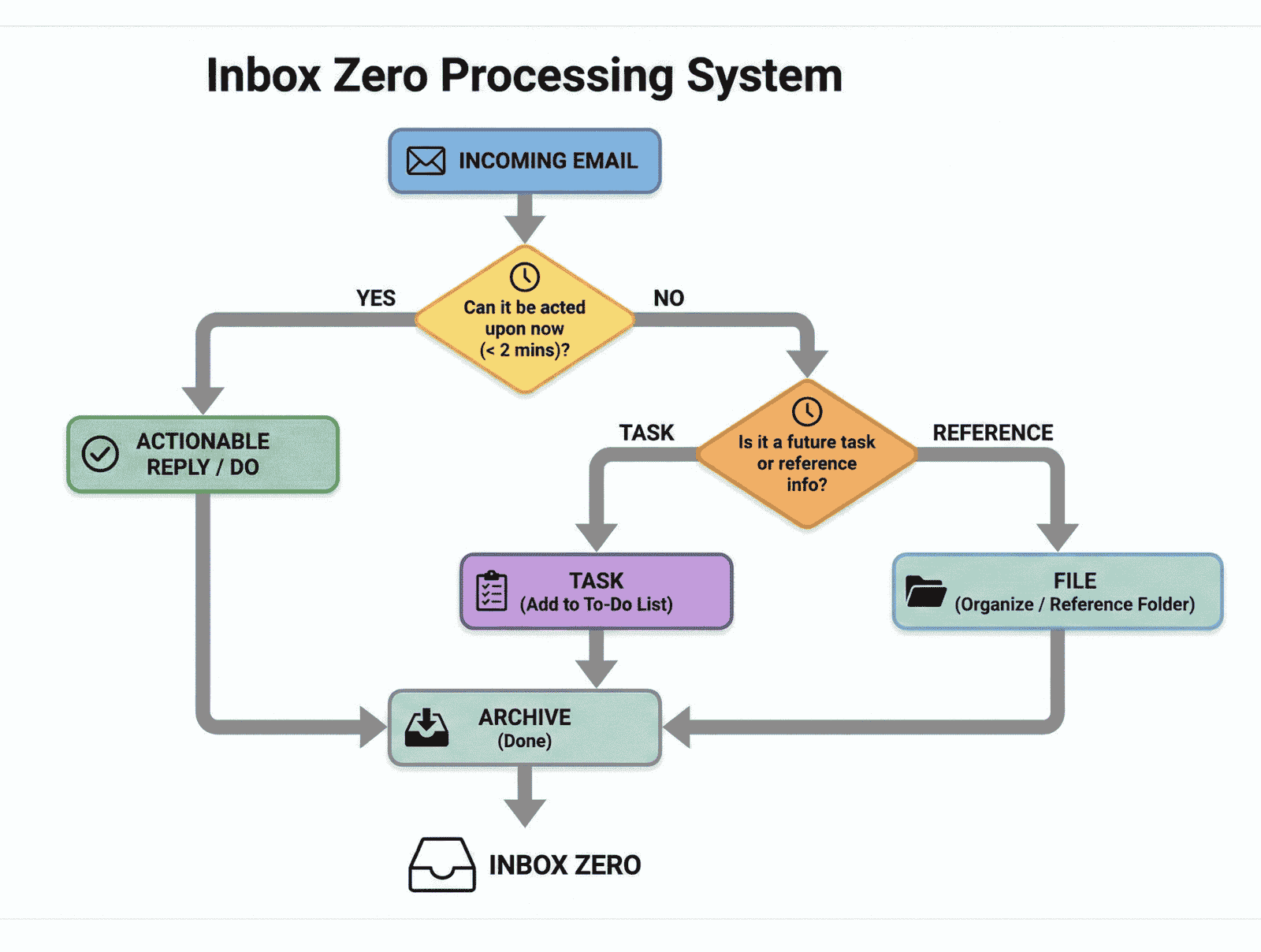
Diagram showing Archive, Task, Actionable Reply, and File steps in the Inbox Zero system
System 2: Single-Tab Focus Rule
Why it matters
The browser is the most dangerous tool in the creator’s arsenal. Every extra tab is a whisper of distraction, pulling at your subconscious. The Single-Tab Focus Rule is a deceptively simple digital overwhelm system that preserves your cognitive energy.
How to apply
- The Lockdown: When you begin a deep work session, close all browser windows. Open exactly one tab related to your primary task.
- The Log: If you feel the urge to “just check” something, write that thought down on a physical notepad. Do not open a new tab.
- The Extension Edge: Use tools like Onetab or Workona to save groups of tabs. This allows you to close your current clutter with the confidence that you can retrieve it later.
When practised consistently, this small system dramatically improves clarity and helps you do more in less time.
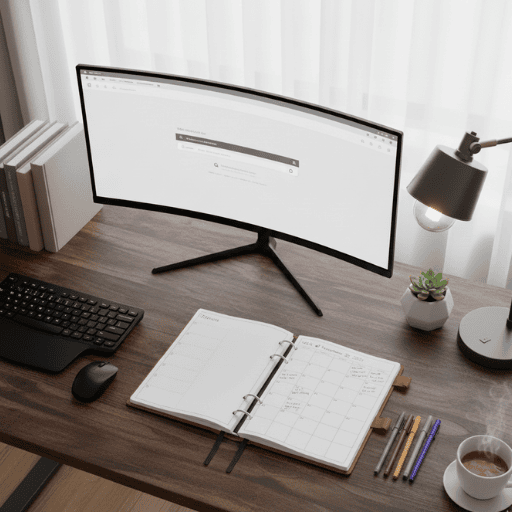
Clean digital workspace
System 3: The Daily Digital Desk Tidy
Why it matters
A messy digital environment breeds digital overwhelm. A quick, five-minute Daily Digital Desk Tidy helps reduce digital clutter, refresh your workspace, and reset your focus before ending the day.
What to include
- Clear your desktop and organise files
- Empty your Downloads folder
- Close all non-current files, apps, and windows
- Prune bookmarks and pinned tabs
- Archive old notes or stickies
A tidy digital workspace gives your mind a clean slate for the following morning. This habit ensures that you start every day in an assertive, proactive state rather than a reactive, overwhelmed one.
System 4: The Weekly Review Reset Block
Why it matters
Digital overwhelm creeps back in when systems aren’t maintained. The Weekly Review Reset Block is your anchor to reclaim focus and rebuild structure. It ensures nothing falls through the cracks and keeps your workflow synchronised.
What it includes
- Process Open Loops: Go through your “To Process” folders and your notepad from the week.
- Apply A.T.A.F.: Bring your inbox back to zero.
- Workflow Audit: Review your active projects. Are they still relevant to your goals?
- Strategic Scheduling: Block out your deep work sessions for the next seven days.
This block is where the Insightful and Valuable aspects of your work are protected. Without a weekly reset, you are simply a passenger in your own career.
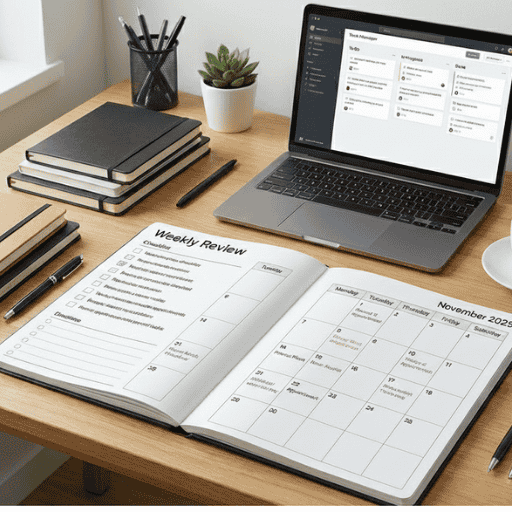
Visual of weekly review block
How to Embed the Systems Without Overwhelm
To make these digital overwhelm systems stick, roll them out gradually:
| Phase | Focus | Timeframe | Objective |
|---|---|---|---|
| 1 | Start with Inbox Zero + Single-Tab Focus Rule | 1–2 weeks | Stop the daily bleeding of focus. |
| 2 | Add Daily Digital Desk Tidy | 1 week | Maintain a clean daily routine. |
| 3 | Introduce Weekly Review Reset Block | 2 weeks | Build long-term structural integrity. |
| 4 | Integrate all systems together | Ongoing | Achieve holistic digital success. |
Pro Tips for Success:
- Use Visual Cues: Place a Post-it note on your laptop that says “A.T.A.F.” to remind you how to process emails.
- Track Your Output: Notice how much faster you finish projects when you are not fighting your browser tabs.
- Forgive the Slip-ups: If you have a chaotic Tuesday where you end up with fifty tabs open, do not panic. Use the Desk Tidy that evening to reset.
Common Pitfalls & Adjustments
- Waiting for the perfect time: Start small today. Momentum is more valuable than a flawless launch.
- Backlog overwhelm: Schedule a cleanup weekend to clear the clutter, but keep your current brand systems running.
- Ignoring rest: Focus systems require recovery. High-performance architecture cannot function without scheduled downtime.
- Rigidity: Stay flexible. Adapt these methods to fit your specific workflow rather than forcing a perfect mould.
- Isolating your systems: Integration is key. Your brand becomes stronger when all four pillars work together as a single unit.
Each of these mistakes feeds digital overwhelm. Staying flexible and iterative helps you sustain long-term clarity and consistently finish more work.

A fulfilled artist
FAQs
Q1. Isn’t Inbox Zero overhyped?
No, it’s about reducing digital clutter, not obsessing over literal zero. The focus is on clarity and reclaiming focus, not perfection (Asana).
Q2. What if my work requires multiple tabs open?
Apply the Single-Tab Rule for deep work only. Use separate windows for references; this maintains structure and minimises digital overwhelm.
Q3. How long before these systems feel natural?
Usually 2–4 weeks. Once routine, these digital overwhelm systems become automatic aids to reclaim focus.
Q4. What if I skip a weekly review?
Simply reschedule. The goal is momentum, not perfection; that’s how you consistently finish more work.
Q5. Can these systems pair with decision fatigue fixes?
Absolutely. Reducing decisions helps prevent digital overwhelm and keeps your focus flow steady.
Digital overwhelm is a choice, though it often feels like an inevitability. By implementing these four digital overwhelm systems: the A.T.A.F. Method, Single-Tab Focus, Daily Desk Tidy, and Weekly Review, you are choosing to protect your most valuable asset: your attention.
The journey to reduce digital clutter is not about being “perfectly organised.” It is about being empowered to do your best work. Start with Phase 1 tomorrow. Reclaim your focus, finish more work, and begin to thrive in the digital age.
Ready to Reset?
If you are tired of feeling fried by midday, join the Thrinspire Nation community for more deep dives into productivity frameworks. Share this guide with a colleague who is currently drowning in tabs!