




What if the biggest barrier between your idea and a working app was simply knowing where to start?
In 2025, Collins Dictionary named “vibe coding” its Word of the Year. In 2026, it stopped being a trending term and became a serious development strategy. According to Taskade’s State of Vibe Coding 2026 report, the vibe coding market hit $4.7 billion this year, with 63% of its users being non-developers. That figure alone should stop you in your tracks. The majority of people building software right now are not software engineers.
Andrej Karpathy, co-founder of OpenAI, coined the phrase in February 2025, describing it as “fully giving in to the vibes, embracing exponentials, and forgetting that the code even exists.” That framing is bold, but the underlying idea is straightforward: you describe what you want in plain language, and an AI generates the code. You review, refine, and ship.
This guide covers 17 of the best vibe coding tools available in 2026, from Claude Code and Cursor to Windsurf, Antigravity, Kiro, Qoder, and a range of browser-based builders. Whether you are a developer who wants to move faster or a creator who has never opened a terminal, there is a tool on this list built for you. The goal is to give you the clarity to choose well, not just the most popular option, but the right one for where you are and what you are building.
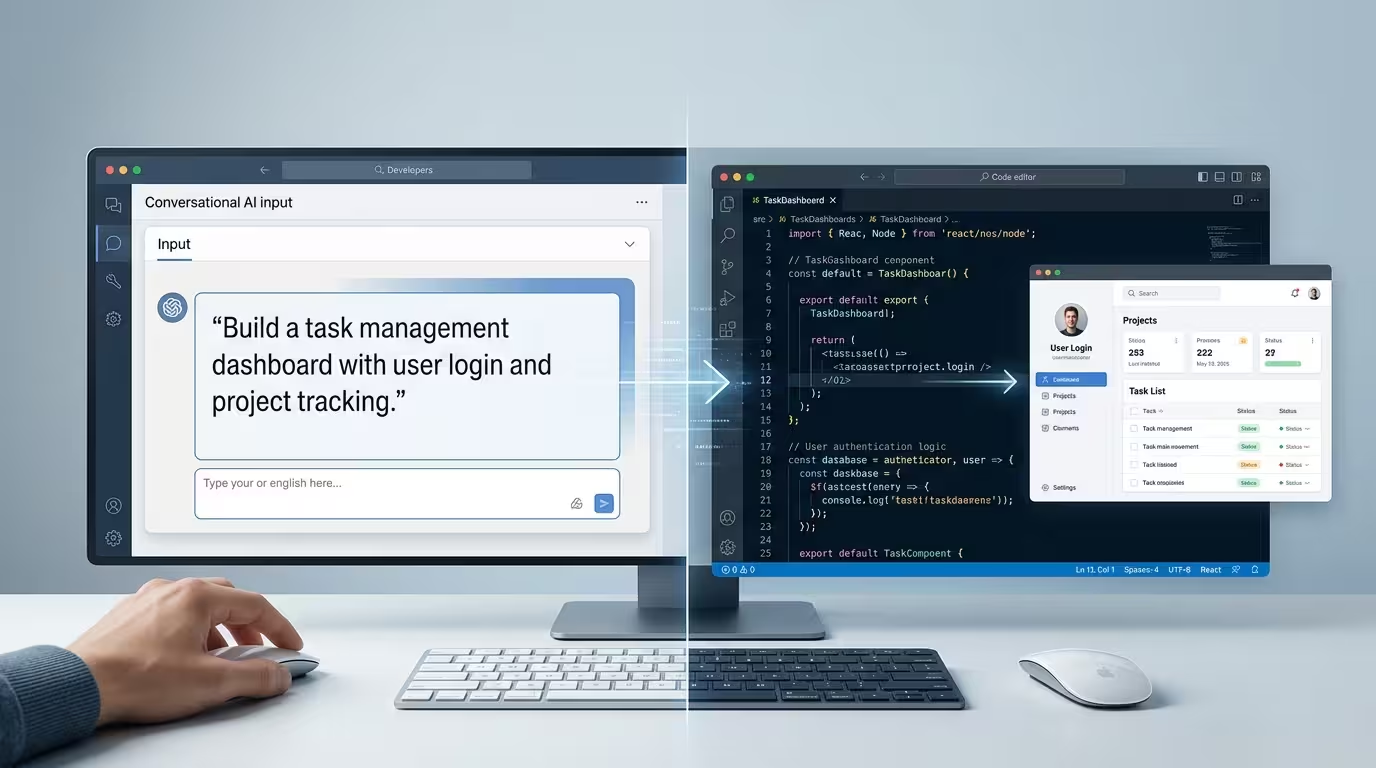
Table of Contents
Disclosure: Our content is designed to help you experience digital transformation across your areas of interest and needs. Digital Solutions Edge is reader-supported; when you engage with our recommendations or click certain links, we may receive a commission. This support allows us to continue delivering the digital solutions you rely on. Thank you for being part of our community.
What Is Vibe Coding and Why Does It Matter?
Vibe coding is an AI-assisted development workflow where you describe what you want in natural language and let the AI generate, refactor, and debug code on your behalf. You stay in the role of director: you define the goal, review the output, and guide the iteration. The AI handles the syntax.
This is beyond autocomplete. Early tools like GitHub Copilot started with line-by-line suggestions. The 2026 generation of tools can plan features, create multi-file implementations, run terminal commands, fix their own errors, and in some cases, deploy to production. 92% of US developers now use AI coding tools daily, and 46% of all code written globally is AI-generated Secondtalent, 2025. Those numbers reflect a genuine shift in how software gets made
For builders in Nigeria and across Africa, vibe coding matters for a different reason. The cost and time required to hire full development teams have historically been the single biggest barrier between an idea and a product. Vibe coding does not eliminate the need for engineering judgment, but it compresses what used to take weeks into days, and what used to require a team into something a solo founder can attempt.
The tools on this list fall into three broad categories:
Agentic IDEs are full code editors, usually built on VS Code, with deep AI integration. Cursor, Windsurf, Google Antigravity, Kiro, and Qoder belong here. They understand your entire codebase, suggest changes across multiple files, and can execute multi-step tasks autonomously.
Terminal agents run in your command line and operate without a graphical editor. Claude Code is the strongest example. You describe a task, and it reads your files, writes code, runs tests, and commits changes without you managing every step.
Browser-based builders require no local setup at all. Tools like Lovable, Bolt.new, Replit, and Base44 run entirely in a web browser. You describe an app, the tool builds it, and in many cases, it also hosts and deploys it. These are the entry points for non-coders.
How to Choose the Right Vibe Coding Tool
Before you read 17 individual reviews, pause and answer four questions. Your answers will narrow the list considerably.
What is your technical background? If you have never written code, a browser-based builder like Lovable or Replit will serve you better than a terminal agent. If you are an experienced developer, the agentic IDEs offer far more control and depth.
What are you building? A landing page for a small business is a different problem from a multi-user SaaS product. Tools like v0 are exceptional for UI components but less useful for backend logic. Claude Code is excellent for complex, large-scale refactoring but less beginner-friendly than Bolt.
What is your budget? GitHub Copilot Pro at $10/month is the cheapest capable option. Claude Code Teams can reach $150 per user per month. Some tools, including Google Antigravity and Qoder’s preview, are currently free. A team of 10 developers on GitHub Copilot Business pays roughly $2,280 per year, while the same team on Claude Code Teams pays close to $18,000. That is a meaningful difference.
Do you need ownership of your code? Browser-based tools often abstract away the underlying code. If you plan to hand work off to a developer or maintain the codebase long-term, prefer tools that export clean, readable files you can version-control in Git.
The Best Vibe Coding Tools in 2026
1. Claude Code
Best for: Deep reasoning and complex codebases

Claude Code is Anthropic’s terminal-native coding agent, and it works differently from every other tool on this list. There is no graphical editor. You open your terminal, run claude, and describe what you want. From there, Claude reads your files, writes code, runs commands, fixes errors, and iterates. You watch it work and redirect it when needed.
The defining strength is reasoning depth. Powered by Claude Opus 4 on Max plans, it handles the kind of architectural decisions and multi-step refactors that overwhelm simpler tools. Its context window extends to 1 million tokens, which means it can load and understand an entire large codebase in a single session. No other tool in this comparison matches that for raw scale.
Claude Sonnet 4 scores 72.7% on SWE-bench, making it one of the highest-performing models for real-world software engineering tasks. That benchmark matters because SWE-bench tests agents on actual GitHub issues from open-source projects, not toy problems.
Claude Code also integrates with VS Code, Cursor, Windsurf, and JetBrains as an extension, so you do not have to abandon your existing editor. It can sit alongside other tools rather than replace them.
The limitations are real. Token usage burns fast during intensive sessions. On the Pro plan ($20/month), heavy coding sessions can exhaust your allocation, triggering a five-hour reset. Teams pricing at $150 per user per month is 3 to 8 times more expensive than comparable tools. And if you prefer visual diff reviews over terminal interaction, the workflow may feel unfamiliar at first.
Key features: 1M token context window, terminal-native operation, IDE extension support, Claude Opus 4 access on Max plans, CLAUDE.md for project-specific instructions.
Pricing: Pro at $20/month (5x usage); Max 5x at $100/month; Max 20x at $200/month; Teams at $150 per user per month.
Best for: Senior developers building complex, large-scale projects who want the deepest reasoning model available.
2. Cursor
Best for: Professional developers who want the most polished AI-native IDE experience
Cursor is a fork of VS Code rebuilt from the ground up with AI at its centre. It looks and behaves like the editor developers already know, but underneath, every major feature has been rethought for AI interaction. Composer mode generates multi-file code from a single prompt. Agent mode executes autonomous multi-step tasks. Background Agents let you run multiple tasks in parallel. The codebase indexing handles repositories exceeding 100,000 lines without noticeable slowdown.
Cursor has surpassed $2 billion in annual recurring revenue as of late 2025, making it the commercially dominant player in the developer-facing AI coding category with a $29.3B valuation Taskade. That scale brings a large community, extensive documentation, and a growing ecosystem of plugins and .cursorrules configuration patterns.
The .cursorrules file is one of Cursor’s most practical features. You define project-specific instructions once, and the AI follows them consistently across every session. Coding standards, preferred libraries, naming conventions, and error-handling patterns can all be encoded there. For teams, this means the AI behaves predictably regardless of who is prompting it.
Cursor supports multiple AI models, including Claude, GPT-4o, and others. You can switch models per task, which gives experienced users real flexibility. The tradeoff is cost: the Pro plan at $20/month uses a credit system, and heavy usage on powerful models can push you toward the $200/month Ultra tier.
Key features: VS Code fork with full extension compatibility, Composer and Agent modes, Background Agents, .cursorrules for project instructions, multi-model support.
Pricing: Free tier with 2,000 completions; Pro at $20/month; Business at $40 per user per month; Ultra at $200/month.
Best for: Developers already using VS Code who want the deepest AI integration without changing their workflow entirely.
3. Windsurf
Best for: Developers who want agentic AI at a lower cost than Cursor
Windsurf came out of Codeium, the AI coding assistant that earned a strong reputation for its generous free tier. Google acquired the Windsurf team in late 2025, which signals continued investment. The IDE is built around a core feature called Cascade, an autonomous agent that does not wait for you to micromanage every step. It pulls in context from your project, decides what changes are needed, and executes multi-step tasks on your behalf.
The Memories feature is distinctive. Windsurf builds a persistent understanding of your project over time, so context does not have to be re-established in every session. For long-running projects, this compounds into a meaningful productivity gain.
Windsurf’s credit-based system starts at $15/month for 500 credits. Teams plan at $30/user includes admin features. The tool is held back by two key issues. The first is its pricing model, which caps requests at 500 per month on its base paid tier, a limit that professional developers can hit quickly. The second is a lack of trust in its long-term direction, especially after its founders departed for Google Appwrite.
For developers who find Cursor’s pricing steep but want genuine multi-step agentic capabilities rather than just code completion, Windsurf is the natural alternative. Frontend-heavy projects in particular benefit from Cascade’s ability to handle iterative UI changes across multiple files without losing track of context.
Key features: Cascade agentic execution, Memories for persistent project context, VS Code-compatible extensions, multi-model support, clean and responsive UI.
Pricing: Free tier with 25 credits/month; Pro at $15/month; Teams at $30 per user per month; Enterprise at $60 per user per month.
Best for: Cost-conscious developers who want genuine agentic capabilities without paying Cursor prices.
4. GitHub Copilot
Best for: Teams already embedded in the GitHub ecosystem
GitHub Copilot is the tool that started the mainstream conversation about AI-assisted coding in 2021. Today, it has over 15 million developer users worldwide, more than any other AI coding tool. That user base, combined with Microsoft’s backing and deep GitHub integration, makes it the default choice for organisations that want minimal setup friction and a strong enterprise security posture.
The February 2026 update opened Claude and Codex model access to all paid users, not just the Enterprise tier. GitHub Copilot Pro at $10/month now offers unlimited inline suggestions and unlimited agent mode requests, though other premium features like chat and code review are limited to 300 requests per month. Agent Mode has matured significantly since its 2025 launch. It can plan features from a GitHub issue, edit files across the repository, run terminal commands, and propose a pull request. Lushbinary
Copilot lives inside editors you already use: VS Code, JetBrains IDEs, Neovim, and the GitHub web interface. Installation takes minutes. For organisations with IT security requirements, this is the path of least resistance. No new IDE to learn. No new billing relationship to manage. It simply extends the tools already in place.
The honest limitation is that Copilot’s inline completion falls behind Cursor and Windsurf on context understanding. It is less adept at grasping project-wide patterns and more dependent on the surrounding file. For simple to medium complexity tasks, it performs well. For deep architectural work, developers tend to complement it with a more context-aware tool.
Key features: Works inside existing IDEs, Agent Mode for multi-step tasks, Copilot Workspace for GitHub Issues, Claude and Codex model access on paid plans, generous free tier for students and open-source contributors.
Pricing: Free tier (50 agent requests/month); Pro at $10/month; Business at $19 per user per month; Enterprise at $39 per user per month.
Best for: Teams in GitHub-first organisations who prioritise security, compliance, and minimal onboarding friction.
5. Google Antigravity
Best for: Full-stack developers who want true multi-agent parallelism
Google Antigravity launched in November 2025 alongside Gemini 3 and immediately stood apart. Every other tool in this comparison either started as an assistant and added agentic features, or started as a single-agent system. Antigravity was built agent-first from scratch. Multiple specialised AI agents work in parallel across your editor, terminal, and a built-in Chromium browser simultaneously. One agent plans. Another edits files. A third runs tests. A fourth browses the web to check documentation.
The Mission Control interface is the most distinctive feature. It gives you a real-time view of what each agent is doing, why, and what it has produced. No other tool offers this level of visibility into the AI’s reasoning. For developers who want to stay in control of an autonomous process rather than simply trust a black box, this transparency is genuinely useful.
The built-in browser deserves attention. Agents can render your running app, run end-to-end tests, scrape data, and capture screenshots, all without leaving the IDE. For frontend and full-stack work, this removes a significant amount of context-switching. You can describe a UI issue in plain language and watch an agent open the browser, identify the problem, and propose a fix.
Antigravity’s free preview offers the most generous free tier of any serious AI coding tool in 2026, with rotating rate limits and full Pro feature access. Paid pricing at $20/month for Gemini 3 Ultra access is competitive. Lushbinary. The caveats are that it is still in beta: occasional UI stalls, slower planning for small edits, and no MCP support yet. Safety awareness matters here too, as agents can issue aggressive file system commands, so running inside a sandbox or virtual machine is recommended.
Key features: Multi-agent orchestration, built-in Chromium browser, Mission Control interface, artefact transparency, multi-model support (Gemini 3, Claude, GPT-OSS), Google Cloud deployment.
Pricing: Free preview (generous rotating limits); Pro at $20/month; Enterprise (custom pricing).
Best for: Full-stack developers comfortable with beta software who want to experiment with the most architecturally ambitious tool in this category.
6. OpenAI Codex
Best for: Developers who prefer cloud-based agents with no local setup
The 2026 OpenAI Codex bears little resemblance to the 2021 model that originally powered GitHub Copilot. The current iteration is a cloud-based autonomous coding agent, bundled into ChatGPT subscriptions, and available as a standalone macOS desktop app launched in February 2026. It runs in a secure cloud sandbox: you give it a task, it writes code in an isolated environment, runs tests, and when ready, pushes a pull request to your GitHub repository.
The cloud-sandbox model means zero local setup. No Python installation, no Node version management, no Docker configuration on your machine. For developers who work across multiple computers or who want to run long-running background tasks without tying up a local machine, this is a practical advantage.
The desktop app extends the concept by letting you manage multiple Codex agents simultaneously across different projects. Each runs in its own isolated environment. You define a mission, step away, and review the results when they are ready. OpenAI Codex Web and CLI are bundled with ChatGPT Plus ($20/month), making it a strong value proposition for developers who already subscribe to ChatGPT. There’s also a free, open-source Codex CLI available separately. Lushbinary
The limitation of Codex relative to IDE-based tools is that the development experience is less tactile. You are interacting with an agent in a cloud sandbox rather than watching changes appear in your local editor. Developers who prefer hands-on control over each edit will find tools like Cursor or Windsurf more comfortable.
Key features: Cloud sandbox with no local setup, macOS desktop app for multi-agent management, GitHub integration, Automations for scheduled tasks, powered by codex-1 (built on o3).
Pricing: Limited-time trial free; ChatGPT Plus at $20/month; Business at $25 to $30 per user per month; Pro at $200/month (10x usage).
Best for: Developers who want to run autonomous coding tasks in the background without local machine overhead.
7. Kiro by AWS
Best for: Teams building production software that needs to stay maintainable
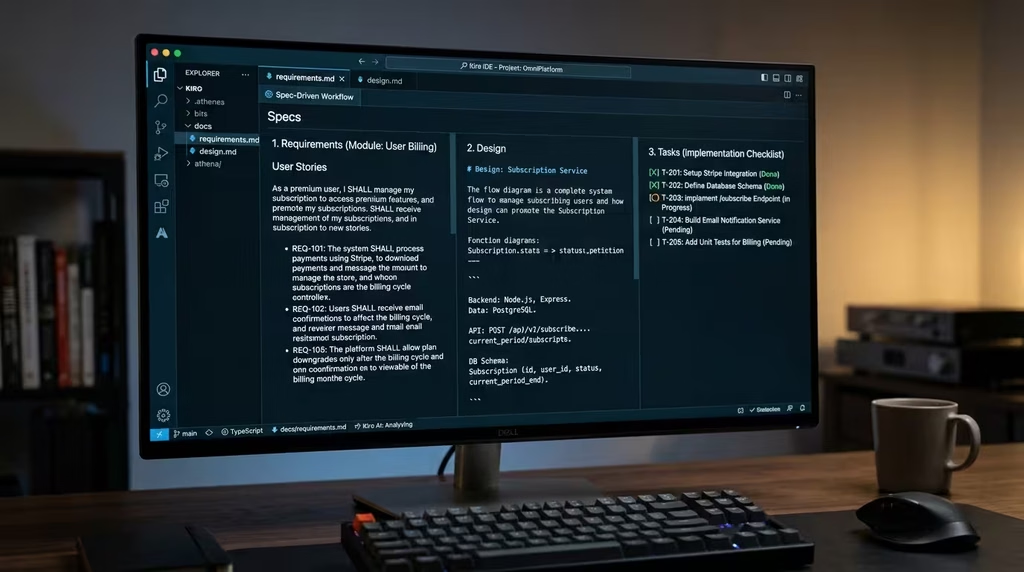
Kiro is Amazon Web Services’ entry into the AI IDE category, and its philosophy is different from every other tool here. Where most vibe coding tools optimise for speed, Kiro optimises for structure. Before the AI writes a single line of code, Kiro asks you to define a specification: a structured requirements document that captures what the feature should do, the data models involved, and the implementation plan.
This spec-driven development approach solves a real problem with standard vibe coding. When you describe a feature in natural language and the AI starts writing immediately, the result often works but lacks architectural coherence. Kiro’s spec step forces a pause and a plan, which produces code that is easier to maintain, extend, and hand off to other developers.
The Hooks feature adds another layer of intelligence. Hooks are event-driven automations: when you save a file, Kiro can automatically update related documentation, run relevant tests, or check for security vulnerabilities. This keeps your project in good shape without requiring you to remember every manual step.
Kiro’s Pro plan at $20/month includes 225 vibe coding requests and 125 spec requests per month. AWS-centric teams benefit from native integration with core services: S3, Lambda, DynamoDB, API Gateway, and RDS, eliminating friction between AI-generated code and AWS deployment. For teams already invested in the AWS ecosystem, Kiro’s steering files and spec-driven workflow reduce the translation layer between development and production infrastructure. Lushbinary
Key features: Spec-driven development, Hooks for event-driven automation, AWS-native integration, Steering files for project conventions, MCP support.
Pricing: Free tier with 50 credits/month; Pro at $20/month (225 vibe + 125 spec requests); Pro+ at $40/month; Power at $200/month.
Best for: Development teams building complex features on AWS infrastructure who want AI assistance that produces maintainable, documented code.
8. Qoder by Alibaba
Best for: Developers who want a fast, context-aware IDE with enterprise roots
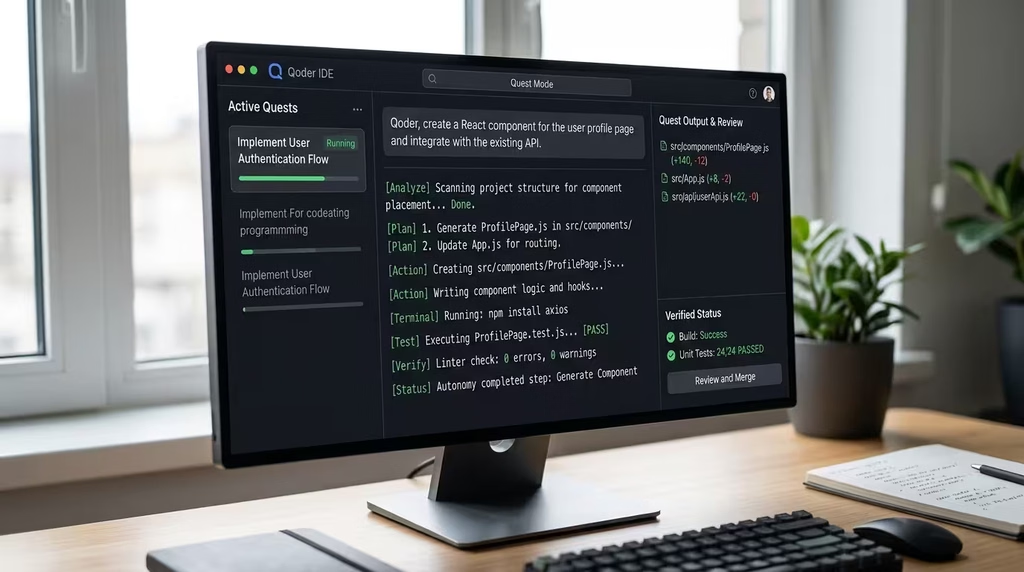
Qoder is Alibaba’s answer to the agentic IDE category, launched in public preview in August 2025 and built on a thoughtful philosophy: that context is the real problem in AI-assisted coding, not model capability. Rather than simply connecting a powerful language model to a code editor, Qoder built a custom context engine that combines deep codebase analysis with adaptive memory. Over time, it learns your coding patterns and adjusts its suggestions accordingly.
Qoder integrates across multiple surfaces: an AI-native IDE, a JetBrains plugin, a CLI tool, and a desktop workspace, each customised for how developers actually work in that environment. The JetBrains plugin, in particular, handles dependency indexing natively through the IDE’s own mechanisms, reducing configuration overhead for Java and Kotlin developers who find other tools cumbersome in enterprise environments.
Qoder offers two distinct working modes. Chat Agent Mode provides a conversational pair-programming experience with persistent memory of your coding style. Quest Mode is the fully autonomous option: you provide a high-level specification, and Qoder plans, implements, and tests the feature independently. Repo Wiki automatically generates comprehensive project documentation, including architecture summaries, dependency graphs, and design decisions.
The underlying model is Qwen-Coder, Alibaba’s proprietary coding model trained specifically for this tool. Early testers found Qoder’s indexing and suggestion speed competitive with Cursor on large codebases, with the Qwen Coder model described as giving Claude Sonnet serious competition. The current limitation is model choice: Qoder locks you into its proprietary engine, whereas Cursor and others allow model switching. Pricing is still in preview at this writing, with a generous 14-day Pro trial on signup.
Key features: Custom context engine with adaptive memory, Chat Agent and Quest (autonomous) modes, Repo Wiki documentation generator, JetBrains plugin, MCP support, Qwen-Coder proprietary model.
Pricing: Free preview with 2-week Pro trial (1,000 credits); paid plans launching soon.
Best for: Enterprise Java/Kotlin developers and teams who want a well-backed, context-intelligent alternative to Cursor with JetBrains support.
9. Lovable
Best for: Non-developers building web applications
Lovable is the most polished browser-based builder for people who want to create web applications without writing code. You describe your app in plain English, Lovable designs a beautiful UI, and then wires it up to a real backend using Supabase for authentication, data storage, and APIs. The design quality is the genuine differentiator: Lovable’s output tends to look professional without requiring any manual styling.
Lovable reported 100,000+ new projects created every single day as of early 2026, a scale that reflects its status as the mass-market entry point for vibe coding. Its iterative workflow is well-suited to non-technical founders who need to show a working prototype to investors or validate an idea with real users before committing to a full development budget. Lovable
The honest caveat for technical users: Lovable produces frontend-first applications. The auto-generated code works but may not meet the structural standards a professional developer would apply. For apps expected to scale significantly or integrate with complex backend logic, you may reach its ceiling and need to export the code and continue in a traditional development environment.
Key features: Design-first full-stack generation, Supabase integration, iterative AI refinement, no-code deployment, GitHub sync for code export.
Pricing: Free tier; Pro at $25/month (100 credits with rollover).
Best for: Non-technical founders, designers, and creators who want a production-quality web app without writing code.
10. Bolt.new
Best for: Rapid browser-based prototyping with no local setup
Bolt.new, built by StackBlitz, is the fastest path from a prompt to a running prototype. It works entirely in the browser, generates code, runs it in a real development environment, and shows you a live preview instantly. There is no local installation, no terminal, and no configuration. For developers who want to test an idea quickly without setting up a project, Bolt.new is hard to beat on speed.
The free tier offers one million tokens per month, which is generous for experimentation. The credit system can burn through quickly on larger projects because Bolt rewrites full files rather than applying targeted diffs. That is worth understanding before committing to it for anything beyond a prototype.
Bolt is excellent as a proof-of-concept tool. You describe your idea, get a functional skeleton in minutes, and then decide whether to extend it or use the output as a reference for a more structured build. For tutorials, demo apps, and hackathon projects, it is a natural fit. For production applications, most developers migrate to a more structured workflow once the initial build is done.
Key features: Zero local setup, live preview in browser, fast generation, broad framework support, free tier with 1M tokens/month.
Pricing: Free tier (1M tokens/month); paid plans with token top-ups available.
Best for: Rapid prototyping, hackathons, and idea validation where speed matters more than code quality.
11. Replit
Best for: All-in-one browser-based development and deployment
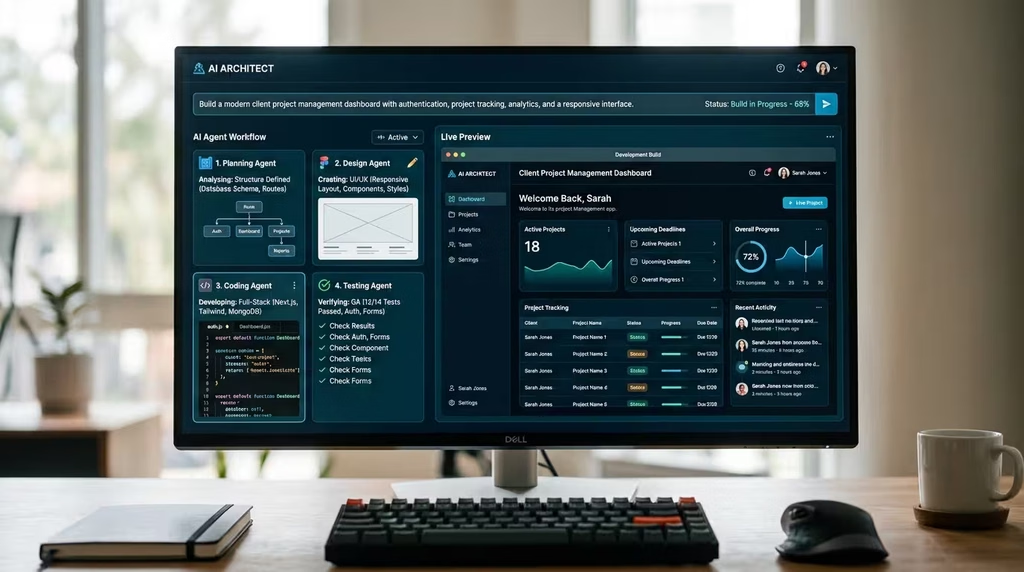
Replit takes the all-in-one promise furthest among the browser-based tools. It is not just a code generator: it is a full development environment, a hosting platform, and a deployment pipeline in a single browser tab. The Replit Agent can plan an entire application from a high-level description, write the code, provision a database, and deploy to a live URL, without any local setup. Replit also has an active community of developers and learners who share projects, which makes it a strong choice for education and collaborative development.
The cautionary note: Replit’s agent operates with significant autonomy. There was a documented incident in which Replit’s agent deleted a production database during an autonomous task. That incident has informed conversations about AI safety in automated development contexts and is worth knowing before you hand Replit autonomous access to anything consequential. For learning projects and low-stakes prototypes, it is excellent. For production data, apply proper safeguards.
Key features: Full browser-based IDE, Replit Agent for autonomous app building, built-in hosting and deployment, community of shared projects, support for 50+ languages.
Pricing: Free tier with limited compute; Core at $25/month; Teams plans available.
Best for: Educators, learners, and developers who want a complete development and hosting environment without managing local infrastructure.
12. v0 by Vercel
Best for: Generating polished React and Tailwind UI components
v0 is Vercel’s AI tool for generating UI components from text or image descriptions. You describe a component in plain English, and v0 produces clean React code using Tailwind CSS. The output is genuinely usable: it follows modern design patterns and can be dropped into an existing Next.js or React project with minimal modification.
v0 is not a general-purpose app builder. It occupies a specific, valuable niche: frontend UI generation. For designers who want to prototype layouts quickly, for developers who need a starting point for a component, and for teams building on the Vercel platform, it fills a real gap. The integration with Vercel’s deployment platform means you can go from generated UI to live preview in a single workflow.
Key features: React and Tailwind UI generation, image-to-code conversion, Vercel platform integration, clean exportable code.
Pricing: Free tier with limited generations; Pro plan available.
Best for: Frontend developers and designers who want fast, high-quality UI component generation for React projects.
13. Base44
Best for: Non-coders building full-stack applications with backend integrations
Base44 earned recognition in multiple 2026 roundups as a premier full-stack vibe coding platform for non-technical users. It offers integrated backends, connectors for external APIs including OpenAI and Notion, and a development environment that handles both frontend and backend concerns without requiring the user to manage either separately. For non-coders who need an app that connects to real data sources and external services, Base44 offers more depth than pure frontend builders like Lovable.
The emphasis on mobile app building is a differentiator. Where most browser-based tools focus on web applications, Base44 addresses mobile use cases with a security and scalability focus. For African entrepreneurs building for a mobile-first audience, this positioning is relevant.
Key features: Integrated backend, API connectors (OpenAI, Notion, and others), mobile-first approach, non-coder accessible, secure and scalable output.
Pricing: Free tier available; paid plans with additional features.
Best for: Non-technical founders who need apps connected to real APIs and data sources.
14. Emergent
Best for: Non-coders who want a multi-agent approach to app generation
Emergent takes a multi-agent approach to full-stack app generation targeted explicitly at non-developers. Rather than a single AI model generating all parts of an application, Emergent uses a team of specialised AI agents: one for planning and architecture, others for frontend, backend, and testing concerns. The coordination between agents produces more coherent results than single-model generation, particularly for apps with significant complexity.
Emergent’s positioning is clear: it competes directly with Lovable and Replit for the non-coder audience, with a differentiator in the depth of its agentic approach. For users who have tried simpler builders and found them insufficient for their project complexity, Emergent is a logical next step before reaching for a developer-focused IDE.
Key features: Multi-agent team for full-stack generation, planning mode before code generation, non-coder focused, full-stack output including backend and database.
Pricing: Free tier; paid plans available.
Best for: Non-technical founders building apps of moderate complexity who have outgrown simpler builders.
15. Figma Make
Best for: Designers turning prototypes into working code
Figma Make, Vercel’s AI feature within Figma, allows designers to turn natural language prompts and existing Figma designs into working, code-backed prototypes. This is genuinely useful in the design-to-development handoff, which is one of the most friction-filled transitions in product teams. Designers can go further than static mockups without handing off to an engineer, and engineers receive a closer-to-final starting point.
For designers already living in Figma, Make reduces the barrier to testing ideas in real browsers without learning a separate tool. The output is functional rather than production-ready, but for validating interaction patterns and communicating product intent, it removes a real bottleneck.
Key features: Design-to-code from Figma, natural language to prototype, React output, tight Figma ecosystem integration.
Pricing: Available within Figma plans; specific pricing tied to Figma subscription.
Best for: Product designers who want to take ideas further than static prototypes without a handoff to engineering.
16. Trae by ByteDance
Best for: Developers looking for a capable free alternative to Cursor
Trae is ByteDance’s AI-native IDE, and its primary pitch is access to powerful models at no cost. Where Cursor charges $20/month for serious usage, and Windsurf charges $15/month, Trae has offered a generous free tier that includes access to frontier models. For developers in cost-sensitive contexts who want agentic IDE capabilities without a subscription, Trae is worth testing.
The tool is newer than its competitors and lacks the community, documentation, and ecosystem maturity of Cursor or Windsurf. Early testers have generally found it capable for individual projects but less polished on complex multi-file work. Given ByteDance’s resources and engineering depth, the trajectory is worth watching.
Key features: AI-native IDE, generous free tier, frontier model access, multi-file editing.
Pricing: Free tier with generous limits; paid plans being introduced.
Best for: Budget-conscious developers who want an agentic IDE experience without paying Cursor prices.
17. Taskade Genesis
Best for: Non-technical teams who want apps built from prompts with embedded agents
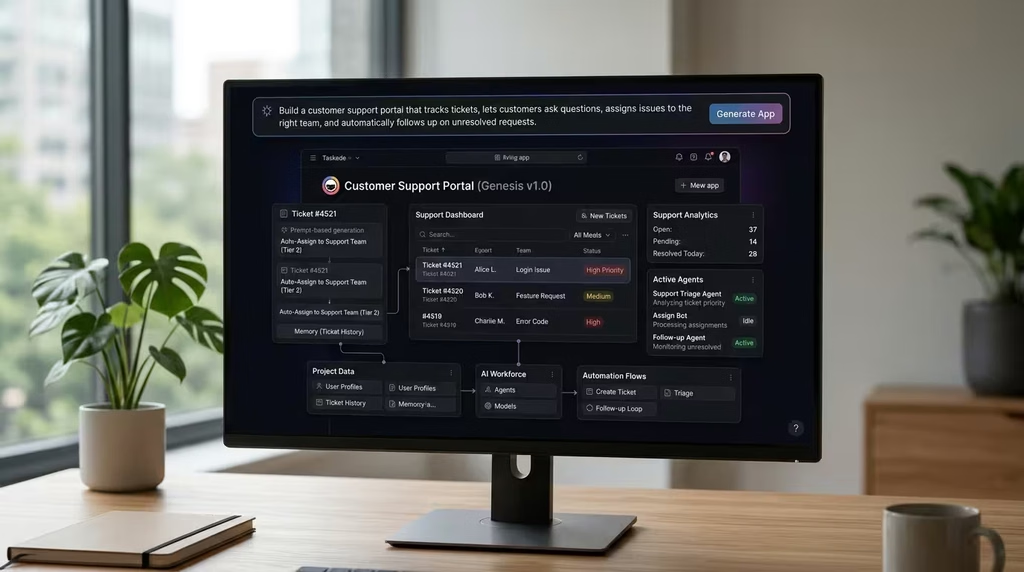
Taskade Genesis sits at the far end of the vibe coding spectrum. It is not an IDE, and it is not a code generator in the traditional sense. You describe what you need, and Genesis builds a living application with embedded AI agents, automation workflows, and integrations baked in. The output is not a set of code files you deploy: it is a running application hosted on Taskade’s platform.
Taskade Genesis has enabled over 150,000 apps to be built by its users, starting from $6/month (annual), with a free tier available. For non-technical teams who need internal tools, project management applications, or productivity workflows built quickly, Genesis removes almost all technical friction. The tradeoff is that you do not own the underlying code and cannot migrate the application to your own infrastructure.
Key features: Agent-powered app generation, 100+ integrations, automated workflows, no-code fully hosted output, free tier from $6/month.
Pricing: Free tier; paid plans from $6/month.
Best for: Non-technical teams who want internal tools and agent-powered workflows without any coding involvement.
Other Tools Worth Knowing
The tools above represent the strongest options in each category. A few additional tools deserve acknowledgement for specific use cases:
Devin 2.0 (Cognition AI): Positioned as the first “fully autonomous software engineer,” Devin attracted significant attention when it launched at $500/month. A 2026 price drop to $20/month brought it into the mainstream conversation. It is more autonomous than most tools here but also less predictable on complex tasks. Worth monitoring.
Cline (VSCode/Cursor Extension): An open-source agentic extension for VS Code and Cursor that adds autonomous capabilities to existing IDEs. Tested at 59.5/70 in DreamHost’s roundup, it is a strong choice for developers who want agentic features without switching editors.
Aider: An open-source, free, terminal-based coding assistant similar in spirit to Claude Code but without the monthly subscription. It works with multiple models via API keys. For developers comfortable with self-hosting and configuration, it is a serious option.
Firebase Studio (Google): Google’s web-based full-stack builder for Firebase applications. Strong for teams already using Firebase and Google Cloud as their backend infrastructure.
Tempo Labs: Specialises in generating React component-level UI, similar to v0 but with a different design philosophy and workflow. Worth comparing to v0 for React-heavy projects.
Sourcegraph Cody: An AI coding assistant with a focus on enterprise-grade codebase analysis. Its ability to understand entire private codebases is a strong differentiator for large engineering organisations with complex, proprietary code.
Vibe Coding Tools Compared: Side-by-Side Summary
| Tool | Best For | Experience Level | Starting Price | Runs In |
|---|---|---|---|---|
| Claude Code | Complex codebases, deep reasoning | Advanced | $20/mo | Terminal / IDE ext |
| Cursor | Professional developers, polished IDE | Intermediate to Advanced | $20/mo | Desktop IDE |
| Windsurf | Agentic IDE at a lower cost | Intermediate to Advanced | $15/mo | Desktop IDE |
| GitHub Copilot | GitHub-first enterprise teams | All levels | $10/mo | Any editor |
| Google Antigravity | Multi-agent full-stack work | Intermediate to Advanced | Free preview | Desktop IDE |
| OpenAI Codex | Cloud-first autonomous tasks | Intermediate | $20/mo (bundled) | Cloud + desktop app |
| Kiro | Spec-driven, maintainable code | Intermediate to Advanced | $20/mo | Desktop IDE |
| Qoder | Context-aware JetBrains development | Intermediate to Advanced | Free preview | IDE / JetBrains plugin |
| Lovable | No-code web apps | Beginners | $25/mo | Browser |
| Bolt.new | Rapid prototyping | Beginners to Intermediate | Free | Browser |
| Replit | All-in-one dev and hosting | Beginners to Intermediate | $25/mo | Browser |
| v0 by Vercel | React/Tailwind UI generation | Intermediate | Free | Browser |
| Base44 | Full-stack with API integrations | Beginners | Free tier | Browser |
| Emergent | Multi-agent no-code apps | Beginners | Free tier | Browser |
| Figma Make | Design-to-code | Designers | Figma pricing | Browser (Figma) |
| Trae | Free agentic IDE | Intermediate | Free | Desktop IDE |
| Taskade Genesis | No-code agent-powered apps | Beginners | $6/mo | Browser |
Best Practices for Vibe Coding in 2026
Choosing the right tool is step one. Getting results from it is a different skill. These practices apply across most tools in this guide.
Start with a clear specification, not a vague prompt. “Build me an app” will produce something generic. “Build a web app that lets a small business owner log daily revenue, display a weekly summary chart, and export the data as a CSV file using React and Supabase” gives the AI a concrete target. Tools like Kiro make specification a formal step. Even when using tools that skip straight to code, doing this thinking beforehand produces better output.
Iterate in small steps, not giant leaps. The temptation is to describe an entire application in one prompt. Resist it. Describe one feature at a time, review the output, and add the next feature once the previous one works. Refining an 80% result to 95% through quick follow-up prompts is faster than trying to get a perfect result on the first attempt.
Use vertical slices, not horizontal layers. Build one complete feature end to end before moving to the next, rather than building all the UI, then all the logic, then all the data layer. A login form that actually works, authenticates, and redirects is more useful than a beautiful UI mockup with no backend.
Tell the AI what not to do. Constraints improve outputs. If you specify which library to use (“use Tailwind for all styling,” “use PostgreSQL, not MongoDB”), the AI will not introduce unexpected dependencies. This is especially useful on longer projects where consistency matters.
Review everything before deploying. Vibe coding tools can generate code that passes tests and looks correct but does the wrong thing at scale. AI-generated code is fast to produce but carries the same verification requirement as any other code, and arguably more so because the author is not accountable in the way a human engineer is.
Manage your context window actively. For tools like Claude Code with token-based billing, long sessions accumulate context and cost. Clearing context between unrelated tasks keeps sessions efficient. Keeping your CLAUDE.md or .cursorrules file concise prevents unnecessary token usage on every interaction.
Vibe Coding for Nigerian and African Builders
The vibe coding movement has a specific kind of relevance for builders in Nigeria and across Africa. Funding for early-stage startups in the region is improving but remains constrained compared to Silicon Valley or European ecosystems. Development costs have historically been a ceiling on ambition: a founder with a strong idea and no technical background had to raise money before they could build anything. Vibe coding changes that equation.
Browser-based tools like Lovable, Bolt.new, and Base44 require no hardware investment beyond a laptop and a reliable internet connection. Monthly costs for capable tools range from free to $25. For a solo founder validating a product idea in Lagos, Accra, or Nairobi, that is a meaningful access point.
Payment infrastructure is worth noting. Most of these tools accept international cards. Flutterwave and Paystack virtual cards, as well as Geegpay and Payday cards issued against Nigerian accounts, work on most of these platforms. Dollar subscriptions in the $10 to $25 range fall within the limits of most virtual card services.
A practical entry path: start with Bolt.new or Replit to test your idea at no cost. If the prototype resonates, migrate to Lovable for a more polished build or shift to Cursor or Windsurf if you have basic coding knowledge and want more control. The tools are complementary, not mutually exclusive.
FAQ
What is vibe coding? Vibe coding is an AI-assisted development approach where you describe what you want in plain language and an AI generates the code. The term was coined by Andrej Karpathy in February 2025. It ranges from simple code completion to fully autonomous agents that plan features, write code, run tests, and deploy applications.
Which vibe coding tool is best for beginners in 2026? Lovable, Bolt.new, and Replit are the strongest options for beginners. All three require no local setup and work entirely in a browser. Lovable produces the most polished UI output. Bolt is the fastest for initial prototypes. Replit offers the most complete all-in-one environment, including hosting.
What is the best vibe coding tool for professional developers? Cursor is the commercially dominant choice, with the largest community and most polished IDE experience. Claude Code is preferred by developers who want the deepest reasoning capability and are comfortable with terminal workflows. Windsurf offers comparable agentic features at a lower price point.
Is Google Antigravity better than Cursor? They serve different needs. Antigravity’s multi-agent parallelism and built-in browser make it stronger for full-stack web development where you want simultaneous action across planning, coding, and testing. Cursor has a larger community, better documentation, and more stable performance. Antigravity is still in beta. Both are worth testing.
What is the difference between Claude Code and GitHub Copilot? Claude Code is a terminal-based autonomous agent that can plan and execute multi-step tasks across your entire codebase. GitHub Copilot is an IDE extension primarily known for inline completion and chat-based code generation, with Agent Mode added in 2025. Claude Code has deeper reasoning capability and a much larger context window. Copilot has broader IDE support, lower cost, and a larger user community.
What is Kiro and how is it different from Cursor? Kiro is AWS’s AI IDE with a spec-driven development approach: before writing code, it asks you to define structured requirements and implementation plans. Cursor does not enforce this planning step. Kiro’s Hooks feature adds event-driven automation, and it integrates natively with AWS services. Cursor has a larger community and more flexible model support.
What is Qoder, and who makes it? Qoder is Alibaba’s agentic coding platform, built on its Qwen-Coder proprietary model. It launched in public preview in August 2025. It operates across a native IDE, JetBrains plugin, CLI, and desktop workspace. Its custom context engine and adaptive memory distinguish it from tools that use off-the-shelf models without project-specific fine-tuning.
Can I use vibe coding tools for free? Yes. Google Antigravity, Trae, and Qoder currently offer free access during their preview phases. Bolt.new, Replit, GitHub Copilot, Lovable, and Taskade Genesis all have free tiers with usage limits. For sustained use, most serious tools fall in the $10 to $25 per month range.
Are vibe coding tools replacing software developers? Not replacing, but reshaping. The tasks that have changed most significantly are repetitive boilerplate generation, standard feature implementation, and initial scaffolding. The tasks that still require human judgment include architecture design, product decisions, security review, and debugging novel edge cases. The most productive developers in 2026 are those who use these tools to accelerate execution while retaining judgment over direction.
Which vibe coding tools work best for Nigerian and African users? All browser-based tools, including Lovable, Bolt.new, Replit, Base44, Emergent, and Taskade Genesis, work well from any location with a reliable internet connection. Payment via Flutterwave or Paystack virtual cards works on most platforms. Cursor, Windsurf, and GitHub Copilot also have no regional restrictions. Google Antigravity is available globally during its preview.
What should I do when a vibe coding tool produces wrong or broken code? Do not start over. Describe the specific problem to the AI and ask it to fix one issue at a time. Most tools can debug their own output when given clear feedback. If a tool consistently misunderstands a requirement, rewrite your prompt with more specific constraints. For complex failures, adding a test case that demonstrates the expected behaviour gives the AI a clearer target to fix toward.
Is vibe coding safe for production applications? Vibe coding can produce production-grade code, but it requires the same review and testing discipline as any software development process, and arguably more attention on security and edge cases. AI-generated code can contain subtle logic errors, insecure patterns, or dependencies with vulnerabilities. Treat AI-generated code as a capable colleague’s first draft, not a finished product.
Vibe coding in 2026 is a real development strategy with a real ecosystem. The tools exist. The benchmarks are improving. The market has voted with its wallets: $4.7 billion in annual value suggests this is not going back to being a niche experiment.
The right tool depends on three things: your technical level, what you are building, and your budget. If you have never written code, Lovable, Bolt.new, or Replit will get you from idea to prototype without friction. If you are a developer looking for a daily driver, Cursor and Windsurf represent the current standard, with Claude Code offering superior reasoning for complex projects. If you work in a team building production software, GitHub Copilot, Kiro, or Qoder address the governance and maintainability concerns that free-form vibe coding often ignores.
For builders in Nigeria and across Africa, the timing is genuinely encouraging. The cost of entry has dropped to the price of a single dinner out. The capability available at that price would have required a full engineering team five years ago.
Start somewhere. Pick one tool from this list, give it a real problem to solve, and spend a week learning its edges. The learning curve is shorter than you expect, and the productivity ceiling is higher than any single article can convey.
If you would like help mapping the right vibe coding tool to your specific project or team context, our DSE consultants offer a Transformation Clarity Call to work through your exact situation. Book yours below.