

What if every word you have ever spoken in a meeting, lecture, podcast, or interview could become a polished, searchable, shareable document in minutes?
That is the promise of modern transcription technology, and in 2026, it is no longer a promise. It is a practical reality for educators, content creators, entrepreneurs, journalists, coaches, and researchers who are tired of losing brilliant spoken content to the void.
Here is the honest reality: the transcription space has exploded. Some tools transcribe audio only, tools built specifically for video, and hybrid platforms that handle both. Each category serves a distinct workflow, and choosing the wrong one wastes time, money, and mental energy.
This guide cuts through the noise. You will find 18 carefully researched transcription solutions organised into three practical categories: audio-only, video-to-text, and full audio-and-video platforms. Each entry includes what it does best, who it is built for, where it falls short, and what it costs. Whether you are a solo creator in Lagos, a learning designer in London, or a media team in New York, this guide will help you match the right tool to your specific transcription needs.
Read this guide once. Bookmark the tool that fits. Get back to work.
Table of Contents
Disclosure: Our content is designed to help you experience digital transformation across your areas of interest and needs. Digital Solutions Edge is reader-supported; when you engage with our recommendations or click certain links, we may receive a commission. This support allows us to continue delivering the digital solutions you rely on. Thank you for being part of our community.
What Is Transcription Software and Why Does It Matter?
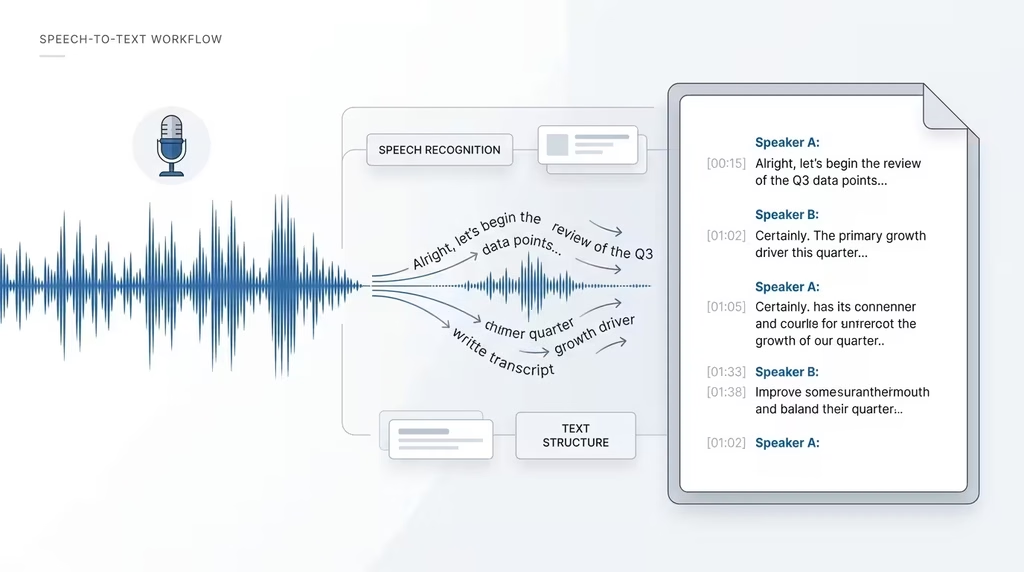
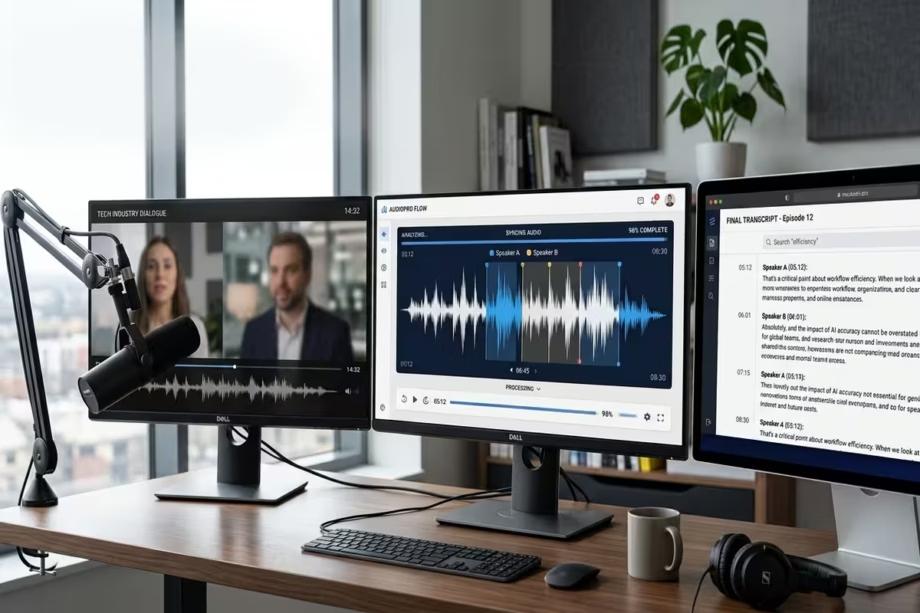
Transcription software converts spoken audio or video content into written text. At its most basic level, it listens, recognises speech patterns, and produces a written transcript. At its most sophisticated, it identifies multiple speakers, detects sentiment, generates summaries, translates into dozens of languages, and exports content in a variety of formats.
The global speech and voice recognition market was valued at over USD 23.70 billion in 2024, with projections suggesting it will exceed USD 53.67 billion by 2030 (Grand View Research, 2024). That growth reflects how central transcription has become across industries.
For DSE’s audience, the practical implications are clear:
- Educators and learning designers use transcription to create accessible, searchable learning materials from recorded lectures and workshops.
- Content creators and podcasters turn episodes into blog posts, social captions, and SEO-optimised articles without rewriting from scratch.
- Entrepreneurs and consultants convert discovery calls, strategy sessions, and client interviews into structured notes and action plans.
- Media creators and journalists produce interview transcripts quickly, reducing post-production time and improving editorial efficiency.
- Researchers and academics transcribe focus groups, field interviews, and qualitative data for analysis.
A good transcription solution does beyond saving time. It creates a new layer of content from existing work, making spoken knowledge retrievable, repurposable, and ultimately more valuable.
How to Choose the Right Transcription Solution for Your Needs
Before picking a tool, answer these four questions:
1. What is your source format? Is your content an audio recording (MP3, WAV, M4A), a video file (MP4, MOV), a live meeting, or a YouTube link? Some tools specialise in one format; others handle all three.
2. How important is accuracy to you? AI transcription tools typically deliver between 85% and 99% accuracy on clear audio. For legal, medical, academic, or broadcast content where every word matters, human-reviewed transcription is the standard.
3. Do you need multilingual support? If your audience or speakers work across languages, prioritise tools with strong multilingual models. Platforms like Notta (58 languages) and ElevenLabs (99 languages) lead this category.
4. What will you do with the transcript? If you need a raw text file, almost any tool works. If you need editable captions, speaker-labelled segments, SRT files, or AI-generated summaries, the platform matters significantly.
With those questions answered, the three categories below will help you match your workflow to the right class of tool.
Category 1: Audio-Only Transcription Solutions
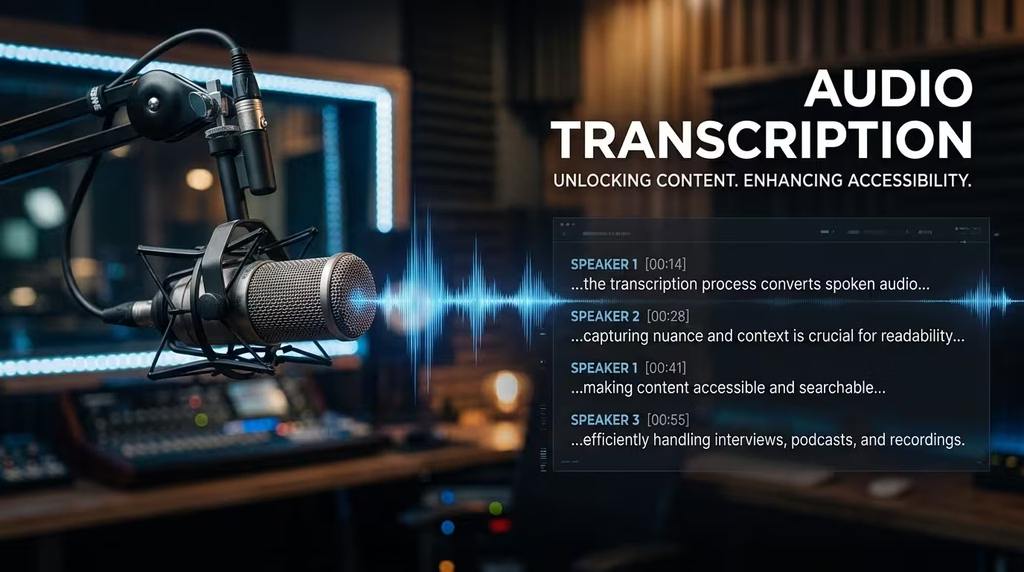
Audio-only transcription tools are built primarily around voice recordings, podcasts, interviews, meetings, and dictations. They excel at speaker identification, real-time transcription, and processing long audio files from a range of formats.
1. Otter.ai
Best for: Live meeting transcription and collaborative note-taking
Otter.ai has become the default meeting assistant for millions of professionals on Zoom, Google Meet, and Microsoft Teams. It joins your calls automatically, transcribes in real time, and produces a collaborative, searchable note that the whole team can access. Its AI summary feature distils long meetings into action points in seconds.
The accuracy sits between 85% and 95% on clear audio, which is solid for most professional contexts. Where it struggles is with heavy accents, technical jargon, and noisy environments. The free tier offers 600 minutes per month, making it a realistic option for solo professionals and small teams.
- Accuracy: 85–95%
- Best use case: Remote teams, educators running online classes, coaches transcribing client calls
- Pricing: Free (600 min/month); Pro from USD 8.33/month
- Limitation: Less accurate with multiple overlapping speakers or heavy accents
- Website: otter.ai
2. Sonix
Best for: Fast, accurate AI transcription with deep editing features
Sonix is consistently ranked among the top AI transcription platforms globally, and for good reason. It delivers up to 99% accuracy on clean audio and supports over 49 languages. Its automated workflow includes speaker detection, sentiment analysis, and chapter summaries, which means you get a finished document ready for use, not just a raw dump of words.
The in-browser editor lets you search, highlight, tag, and export transcripts in multiple formats (TXT, DOCX, SRT, VTT). Sonix is trusted by media companies, legal teams, and academic researchers who need speed without sacrificing quality.
- Accuracy: Up to 99%
- Best use case: Podcasters, researchers, legal professionals, media production teams
- Pricing: USD 10/hour pay-as-you-go; USD 22/month subscription
- Limitation: No free tier; subscription required for heavy volume
- Website: sonix.ai
3. Rev (Human Transcription Service)
Best for: Legal, professional, and broadcast-quality transcription where accuracy is non-negotiable
Rev offers two tiers: AI transcription at USD 0.25 per minute and human transcription at USD 1.50 per minute. The human tier delivers 99%+ accuracy with a standard 12-hour turnaround, making it the go-to choice for court proceedings, broadcast media, and any context where an error cannot be tolerated.
The platform also offers captions, foreign language subtitles, and a suite of API integrations. Rev is the tool you choose when the cost of inaccuracy outweighs the cost of premium service.
- Accuracy: 99%+ (human); ~85% (AI)
- Best use case: Legal teams, broadcasters, journalists, academic researchers
- Pricing: AI at USD 0.25/min; Human at USD 1.50/min
- Limitation: Human service turnaround is not instant; the cost adds up at volume
- Website: rev.com
4. GoTranscript
Best for: Affordable human transcription with free proofreading included
GoTranscript has built a strong reputation as the most accurate and most affordable human transcription service, with a 99.4% accuracy rating verified in independent testing by The New York Times. It supports human transcription in over 60 languages and includes free proofreading with every order, which Rev does not offer at its base rate.
It is the right choice for organisations and creators who need the precision of human transcription but are working with tighter budgets. The platform is also HIPAA and NDA compliant, which matters for medical and legal applications.
- Accuracy: 99.4% (human)
- Best use case: Medical, legal, academic, and media professionals requiring human-grade accuracy
- Pricing: From USD 0.84/min (human)
- Limitation: Not real-time; turnaround depends on order volume
- Website: gotranscript.com
5. Scribie
Best for: Hybrid accuracy combining AI speed with human review
Scribie takes a layered approach: AI produces the first draft, then a trained human transcriptionist reviews and refines it to reach 99.9% accuracy. This hybrid model delivers near-perfect results at a cost lower than fully manual services, making it attractive for organisations producing frequent, high-value audio content.
It also offers strict formatting options and verbatim transcription, which is essential for research or legal purposes where every “um” and “uh” may carry weight.
- Accuracy: 99.9% (hybrid)
- Best use case: Research interviews, legal depositions, academic content
- Pricing: From USD 0.80/min
- Limitation: Slower turnaround than pure AI tools
- Website: scribie.com
6. Whisper by OpenAI
Best for: Technical users who want free, local, open-source transcription
Whisper is OpenAI’s open-source speech recognition model, available freely on GitHub. It supports over 90 languages and performs impressively well on diverse accents, noisy environments, and technical vocabulary. For developers and technically literate users willing to run it locally, Whisper offers enterprise-grade quality at zero cost.
The trade-off is setup complexity. Whisper is a command-line tool, not a polished consumer app. You need a capable machine and some technical comfort to get it running. That said, for creators who handle high volumes of audio and want to avoid per-minute fees, Whisper is transformative.
- Accuracy: High (model-dependent)
- Best use case: Developers, technically capable creators, research teams with large audio libraries
- Pricing: Free and open-source
- Limitation: Requires technical setup; no GUI out of the box
- Website: github.com/openai/whisper
Category 2: Video-to-Text Transcription Solutions
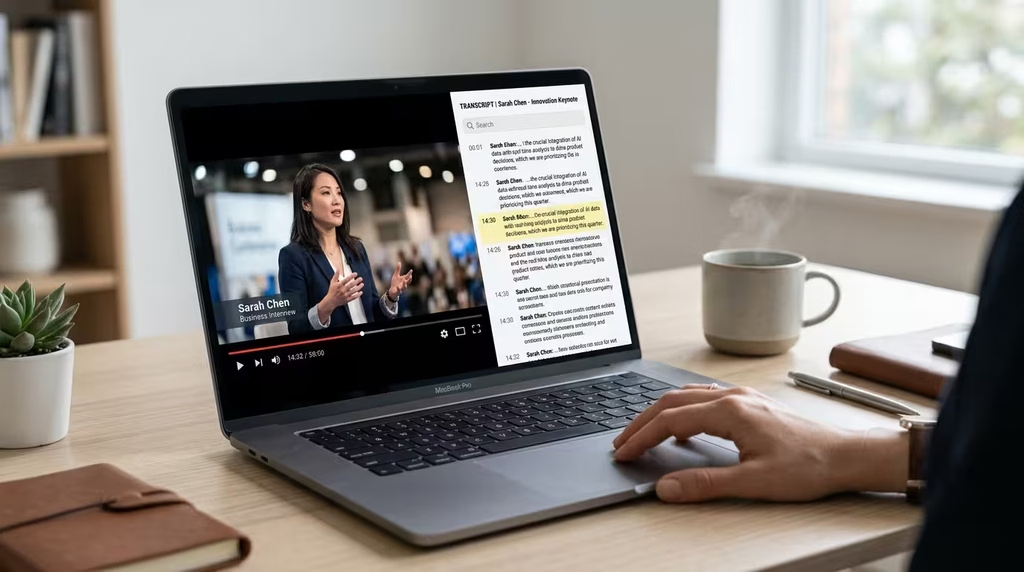
Video-to-text tools are optimised specifically for converting video content into written transcripts, captions, and subtitles. They often support direct URL imports from YouTube and Vimeo, handle MP4 and MOV files, and output SRT or VTT subtitle files alongside plain text. For content creators, educators, and social media managers, these tools are essential.
7. HappyScribe
Best for: Subtitle creation and multilingual video transcription
HappyScribe is one of the most versatile video transcription platforms available, supporting 80+ languages with accuracy between 85% and 99%, depending on audio clarity. It handles both automatic transcription and human proofreading, outputs subtitles in all major formats (SRT, VTT, TXT), and includes an in-browser transcript editor for quick corrections.
Its subtitle burn-in feature is particularly valuable for content creators who want captions embedded directly into video files for social media distribution.
- Accuracy: 85–99%
- Best use case: YouTubers, video marketers, e-learning producers, documentary creators
- Pricing: Free (limited); Paid plans from EUR 17/month
- Limitation: The free tier is restrictive for high-volume use
- Website: happyscribe.com
8. ElevenLabs Video to Text
Best for: High-accuracy multilingual video transcription with timestamp precision
ElevenLabs, better known for its voice synthesis technology, offers a robust video-to-text converter supporting 99 languages with character-level timestamps and speaker detection. Its accuracy in multilingual contexts is particularly strong, making it the best choice for international content teams working across language boundaries.
The character-level timestamp feature means you can sync transcripts to exact moments in a video, which is invaluable for caption alignment and content repurposing.
- Accuracy: High across 99 languages
- Best use case: International content teams, multilingual educators, global media producers
- Pricing: Pay-as-you-go; check current rates at elevenlabs.io
- Limitation: Primarily positioned as an add-on within the broader ElevenLabs platform
- Website: elevenlabs.io/video-to-text
9. Vizard.ai
Best for: Social media creators repurposing long-form video content
Vizard.ai transcribes video to text with 98.5% accuracy and adds subtitles and translations across 30+ languages, all without requiring a download. Its real strength is in the social media repurposing workflow: once your video is transcribed, you can clip segments, add captions, and export short-form content for platforms like Instagram, TikTok, and LinkedIn.
For content creators whose video production is directly tied to social media strategy, Vizard is the closest thing to a complete workflow in a single tool.
- Accuracy: 98.5%
- Best use case: Social media managers, YouTubers, content repurposing workflows
- Pricing: Free tier available; Pro plans from USD 16/month
- Limitation: Advanced features locked behind paid tiers
- Website: vizard.ai
10. NoteGPT Video to Text
Best for: Students and researchers converting YouTube lectures to text
NoteGPT’s video-to-text tool is designed with simplicity in mind. Upload a video file, paste a YouTube link, and the AI produces a clean transcript in minutes. Its three-step workflow (upload, convert, download) makes it the most accessible option for non-technical users who simply need text output without configuration.
It has earned a 4.9-star rating from over 67,000 reviews, reflecting its reliability and ease of use. For students converting lecture recordings or researchers processing interview footage, NoteGPT removes every barrier between the video and the text.
- Accuracy: Good on clear video and audio
- Best use case: Students, educators, researchers, and YouTube content processors
- Pricing: Free browser-based tool; premium features available
- Limitation: Limited editing and export features compared to paid platforms
- Website: notegpt.io/video-to-text
11. Evernote AI Transcribe (Video to Text)
Best for: Knowledge workers who want transcripts integrated directly into their note-taking system
Evernote’s AI transcription feature converts video files to text and stores them inside Evernote notes, making transcripts instantly searchable across your entire knowledge base. If you already use Evernote as your primary organisation and note-taking system, this integration removes the need to switch between tools.
It is not the most powerful transcription engine on the market, but its strength lies in friction reduction. Transcripts become notes automatically, tagged, filed, and retrievable the moment you need them.
- Accuracy: Good for clear video and audio
- Best use case: Knowledge workers, consultants, writers using Evernote as their second brain
- Pricing: Included in Evernote Personal and Professional plans
- Limitation: Only valuable if Evernote is already in your workflow
- Website: evernote.com/ai-transcribe/video-to-text
12. Video Transcriber AI
Best for: Free, unlimited video transcription for YouTube, Zoom, and MP4 files
Video Transcriber AI positions itself as the most accessible free video transcription tool available. It handles YouTube URLs, Zoom recordings, and standard MP4 files with no sign-up required and no file limit claimed on its free tier. For creators who need occasional transcripts without committing to a subscription, this tool removes every barrier to entry.
Accuracy is reasonable on well-recorded content. It will not replace Sonix or Descript for professional production, but for quick, zero-cost conversions, it is genuinely useful.
- Accuracy: Varies by audio quality
- Best use case: Occasional users, creators on tight budgets, YouTube content processors
- Pricing: Free
- Limitation: No advanced editing, export options, or speaker detection
- Website: videotranscriber.ai
Category 3: Audio and Video Transcription Solutions (Hybrid)
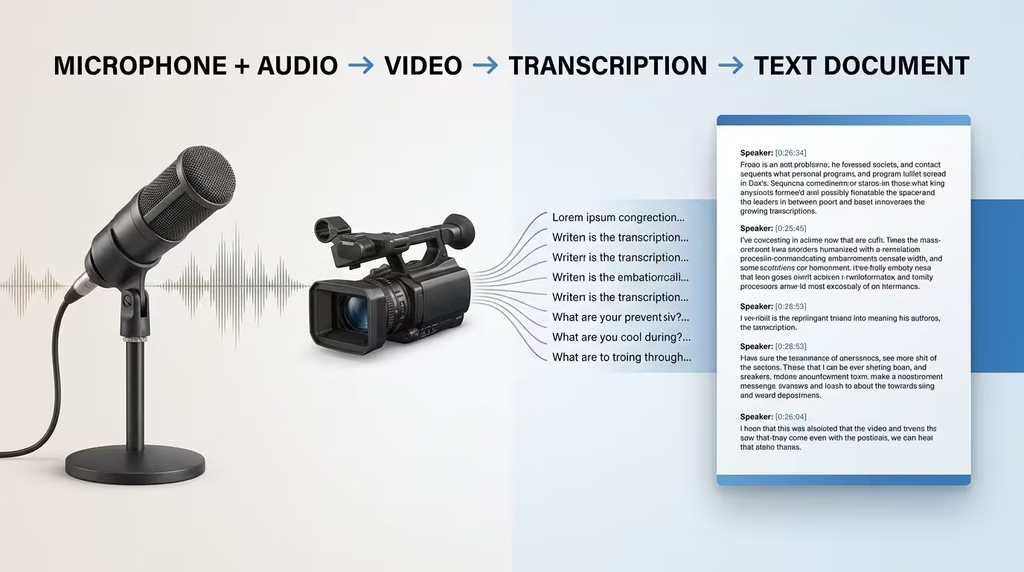
Hybrid transcription platforms handle both audio and video files within the same interface. They are built for professionals and teams who work across multiple content formats and need a single, consistent workflow for transcription, editing, and collaboration.
13. Descript
Best for: Content creators who edit audio and video by editing text
Descript is in a category of its own. It transcribes both audio and video files, then allows you to edit the actual media by editing the text. Delete a word in the transcript, and it disappears from the audio or video. This approach reshapes the entire editing workflow for podcasters, video producers, and online course creators.
It also includes AI voice cloning (Overdub), multi-track recording, screen recording, and a publishing suite. For creators who produce regular long-form content, Descript reduces post-production time dramatically.
- Accuracy: ~95% AI transcription
- Best use case: Podcasters, course creators, video marketers, YouTube producers
- Pricing: Free (limited); Paid from USD 12/month
- Limitation: Steeper learning curve than simple transcription tools
- Website: descript.com
14. Trint
Best for: Journalists and media teams who need to edit transcripts while listening
Trint is purpose-built for media professionals. It transcribes audio and video files, then provides a synchronised editor where you can play back the recording while editing the transcript in real time. Click any word in the transcript, and the audio jumps to that exact moment. For journalists, documentary makers, and broadcast editors, this is the most efficient way to work with transcribed media.
Trint also supports team collaboration, allowing multiple editors to work on the same transcript simultaneously. Rev’s own editorial team lists Trint as the leading choice specifically for journalists (Rev, 2026).
- Accuracy: High on clear audio
- Best use case: Journalists, documentary editors, broadcast media teams
- Pricing: From USD 48/month (individual); team plans available
- Limitation: Premium pricing makes it less accessible for solo creators
- Website: trint.com
15. Notta
Best for: Global teams requiring real-time transcription and translation across languages
Notta supports real-time transcription and translation in 58 languages, making it the strongest choice for multinational teams, international educators, and organisations serving diverse linguistic audiences. Its live translation feature means a meeting conducted in English can be read in Spanish or French simultaneously.
The import system handles audio files, video files, and YouTube links with equal ease, and the summary AI distils long recordings into structured action points and key topics. At USD 8.25/month for paid tiers, it is one of the most affordable multilingual solutions available.
- Accuracy: High; strong on diverse accents
- Best use case: Multinational teams, international educators, multilingual content creators
- Pricing: Free; Paid from USD 8.25/month
- Limitation: AI translation accuracy varies by language pair
- Website: notta.ai
16. Riverside.fm
Best for: Podcast and video creators who need high-quality recording and transcription in one place
Riverside.fm records studio-quality audio and video locally on each participant’s device, eliminating the degraded quality typical of video call recordings. Its AI transcription runs automatically after every session, and the free tier includes AI transcription for uploaded files with impressive accuracy.
For creators running interview-based podcasts or video shows, Riverside solves two problems at once: recording quality and transcription, without requiring two separate tools.
- Accuracy: High os locally recorded audio
- Best use case: Podcast producers, interview-based content creators, remote video studios
- Pricing: Free (transcription for uploads); Paid from USD 15/month
- Limitation: Full feature set requires a paid plan
- Website: riverside.fm
17. Fireflies.ai
Best for: Sales teams, recruiters, and meeting-heavy organisations
Fireflies.ai attends your meetings automatically, transcribes them, and then analyses the conversation using AI. It tracks talk time, sentiment, keywords, and action items across every meeting in your organisation. The conversation intelligence layer makes it beyond a transcription tool: it becomes a strategic asset for coaching sales teams, reviewing hiring interviews, and identifying recurring themes across client conversations.
It integrates with Zoom, Google Meet, Teams, Salesforce, HubSpot, Notion, and Slack, making it easy to embed into existing workflows.
- Accuracy: High on clear meeting audio
- Best use case: Sales teams, HR and recruiting, revenue operations, and team leaders
- Pricing: Free (limited); Paid from USD 10/month per seat
- Limitation: Less suited for creative or media production workflows
- Website: fireflies.ai
18. UniScribe
Best for: Students and researchers who want transcripts with built-in AI analysis
UniScribe handles audio files, video files, and YouTube link imports, and goes beyond plain transcription by generating summaries, mind maps, and key takeaways alongside the transcript. For students processing lecture recordings or researchers handling interview libraries, this combination of transcription and structured analysis reduces processing time significantly.
The tool is browser-based, requires no download, and offers a clean, straightforward interface that prioritises accessibility over feature complexity.
- Accuracy: Good on clear audio and video
- Best use case: Students, educators, researchers, and independent learners
- Pricing: Free tier available; premium features on paid plans
- Limitation: Not designed for professional media or legal production contexts
- Website: uniscribe.co
Quick Comparison Table: All 18 Tools at a Glance
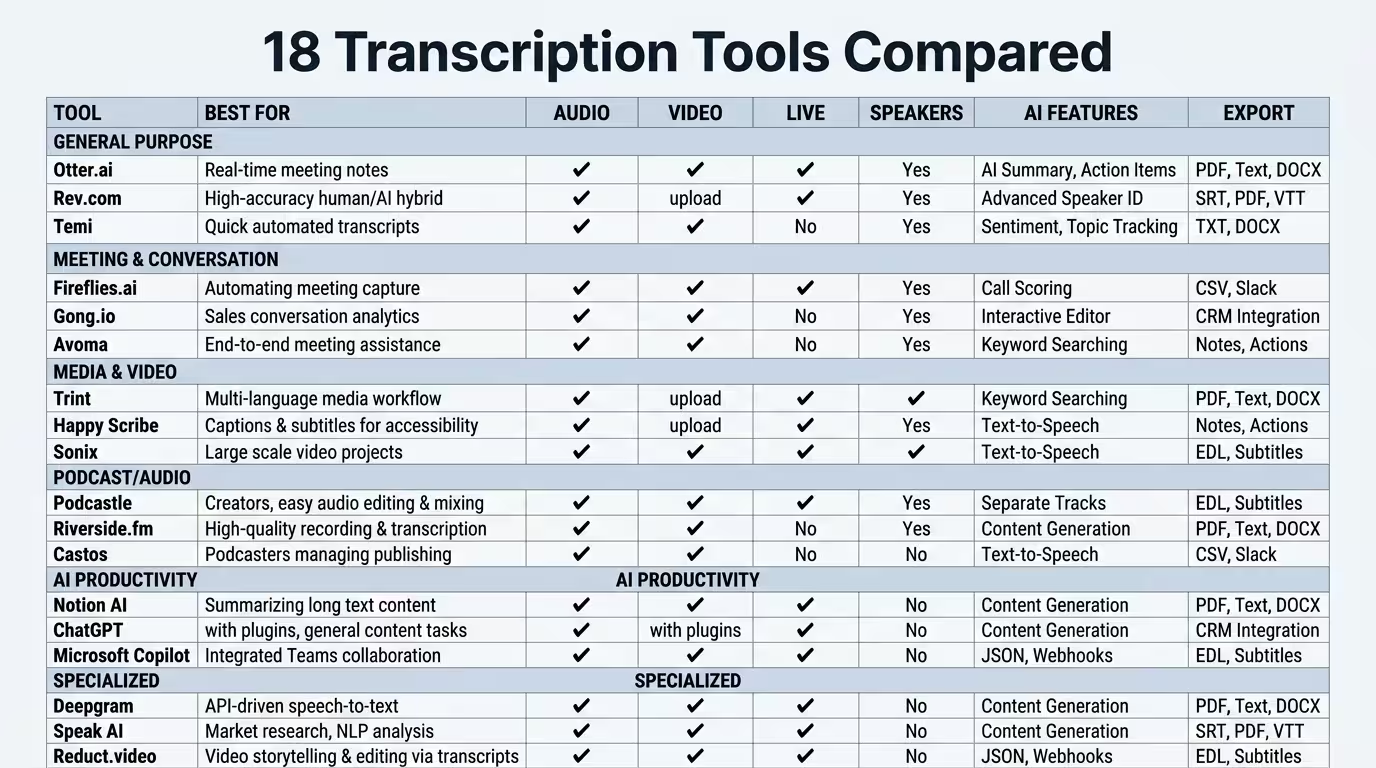
| Tool | Category | Best For | Accuracy | Starting Price |
|---|---|---|---|---|
| Otter.ai | Audio | Live meetings | 85–95% | Free / USD 8.33/mo |
| Sonix | Audio | Fast AI transcription | Up to 99% | USD 10/hr |
| Rev | Audio | Legal/human accuracy | 99%+ | USD 1.50/min (human) |
| GoTranscript | Audio | Affordable human transcription | 99.4% | USD 0.84/min |
| Scribie | Audio | Hybrid human-AI accuracy | 99.9% | USD 0.80/min |
| Whisper (OpenAI) | Audio | Free open-source | High | Free |
| HappyScribe | Video | Subtitles + multilingual | 85–99% | EUR 17/mo |
| ElevenLabs | Video | Multilingual precision | High | Pay-as-you-go |
| Vizard.ai | Video | Social media repurposing | 98.5% | Free / USD 16/mo |
| NoteGPT | Video | Students + YouTube | Good | Free |
| Evernote Transcribe | Video | Notes integration | Good | Evernote plan |
| Video Transcriber AI | Video | Free unlimited | Varies | Free |
| Descript | Audio + Video | Editing by transcript | ~95% | Free / USD 12/mo |
| Trint | Audio + Video | Journalism + media | High | USD 48/mo |
| Notta | Audio + Video | Multilingual teams | High | Free / USD 8.25/mo |
| Riverside.fm | Audio + Video | Podcasts + recording | High | Free / USD 15/mo |
| Fireflies.ai | Audio + Video | Sales + recruiting | High | Free / USD 10/mo |
| UniScribe | Audio + Video | Students + research | Good | Free |
Best Transcription Solutions by Use Case
Choosing by category is the starting point. Choosing by use case gets you to the right answer faster.
For educators and learning designers: Otter.ai for live classes; UniScribe for analysing recorded lectures; HappyScribe for creating accessible subtitles on course videos.
For podcasters and audio content creators: Sonix for fast, accurate transcript generation; Descript for full post-production editing by text.
For video creators and social media managers: Vizard.ai for repurposing long videos into short-form social content; HappyScribe for professional subtitle files.
For journalists and media professionals: Trint for synchronised transcript editing during playback; GoTranscript for human-grade accuracy on complex or noisy recordings.
For legal and medical professionals: Rev and GoTranscript for human-verified accuracy with compliance guarantees.
For sales and business teams: Fireflies.ai for meeting intelligence; Otter.ai for lighter, more affordable meeting transcription.
For budget-conscious creators: Whisper (technical users), Video Transcriber AI (video files), NoteGPT (YouTube content), and UniScribe (students and researchers) all offer genuinely useful free access.
For multilingual and international teams: Notta for live multilingual meetings; ElevenLabs for high-accuracy video transcription across 99 languages.
Free vs Paid Transcription: What You Actually Get
The free tier question comes up in every transcription conversation. The honest answer: free tools have improved dramatically, but the gap between free and paid remains real.
What free transcription typically includes:
- Limited minutes per month (Otter.ai: 600/month; Notta: 120 min/month)
- Lower accuracy on complex audio
- Minimal export options (often plain text only)
- No speaker detection
- No AI summaries or editing features
What paid transcription adds:
- Higher accuracy on real-world, imperfect audio
- Speaker identification and labelling
- Multiple export formats (SRT, VTT, DOCX, PDF)
- AI-generated summaries, chapters, and action items
- Team collaboration and shared workspaces
- Priority processing speed
- Customer support
For occasional personal use, the free tiers from Otter.ai, Notta, UniScribe, or NoteGPT will handle basic needs adequately. For business use, content production, or anything requiring reliable accuracy and structured output, a paid plan at USD 8 to 22/month is a justifiable operational cost.
Human transcription sits in its own category. When accuracy at the 99%+ level is essential, Rev, GoTranscript, and Scribie deliver results that no AI tool currently matches consistently on difficult or technical audio.
FAQ
What is the most accurate transcription solution in 2026? For AI accuracy, Sonix and ElevenLabs consistently deliver up to 99% on clean audio. For human-verified accuracy, GoTranscript leads independent testing at 99.4%, followed closely by Scribie at 99.9% through its hybrid model.
What is the best free transcription tool? For meeting transcription: Otter.ai’s free tier (600 minutes/month). For video transcription: NoteGPT or Video Transcriber AI. For technical users: OpenAI Whisper (free and open-source).
Which transcription tool is best for YouTube videos? NoteGPT handles YouTube URL imports simply and freely. Vizard.ai is the best choice if you also need to create social media clips and captions from that content.
Is AI transcription accurate enough for professional use? For most professional contexts, yes. Sonix, ElevenLabs, and Descript deliver accuracy rates that are practical for content creation, research, and business documentation. For legal, medical, or broadcast use where errors carry serious consequences, human-verified services like Rev or GoTranscript remain the standard.
What transcription tool is best for podcasters? Descript is best for podcasters who need both transcription and audio/video editing in one platform. Sonix is the better choice for podcasters who want fast, accurate transcripts to repurpose into blog content without full editing workflows.
Can I transcribe in multiple languages? Yes. Notta supports real-time transcription and translation in 58 languages. ElevenLabs covers 99 languages for video. Sonix supports 49 languages. HappyScribe handles 80+ languages.
What is the difference between audio-only, video-to-text, and hybrid transcription tools? Audio-only tools are optimised for voice recordings, meetings, and podcasts without a visual component. Video-to-text tools are built for video files and YouTube URLs, often including subtitle and caption export. Hybrid platforms handle both formats in one workflow, which suits creators and teams working across content types.
Which transcription service is best for legal teams? Rev is the standard for legal transcription, offering 99%+ accuracy, HIPAA compliance, and a professional services tier. GoTranscript is a strong, more affordable alternative with similar accuracy and NDA compliance.
How much does transcription cost on average in 2026? AI transcription ranges from free to USD 0.25/minute (Rev AI) or USD 10/hour (Sonix). Human transcription costs between USD 0.80/minute (Scribie) and USD 1.50/minute (Rev human). Subscription models offer better value for regular users, starting from USD 8/month.
What is the best transcription solution for students in Nigeria? NoteGPT and UniScribe offer free, browser-based transcription without sign-up requirements, making them ideal for students managing data costs and limited budgets. For better accuracy on locally accented audio, Notta’s free tier is worth considering.
Transcription has moved from a specialist service into a core productivity capability. Whether you are turning podcast episodes into written content, making lecture recordings accessible, capturing client insights, or building searchable media archives, the right transcription tool removes the manual burden and returns your time to higher-value work.
The 18 solutions in this guide represent the most capable options across three practical categories. Audio-only tools like Sonix, Otter.ai, and GoTranscript each solve a distinct problem: speed, live collaboration, and human accuracy. Video-to-text platforms like Vizard.ai, HappyScribe, and ElevenLabs convert your video library into text assets ready for captions, blogs, and search. Hybrid platforms like Descript, Fireflies.ai, and Notta handle both formats while layering on editing, intelligence, and collaboration capabilities.
Start with one tool that matches your primary need. Use the comparison table and use-case guide to make your selection with confidence. Once you experience the workflow shift that comes from having accurate, structured text from your audio and video content, there is no going back to manual notes.
Ready to take the next step? Explore how transcription and AI tools fit into a wider content production and distribution workflow, from capturing raw audio to publishing polished content across platforms. Or, if you want hands-on guidance building your content system around transcription and AI, book a Transformation Clarity Call (TCC) with DSE Consultants and let us map the right workflow for your specific goals.