

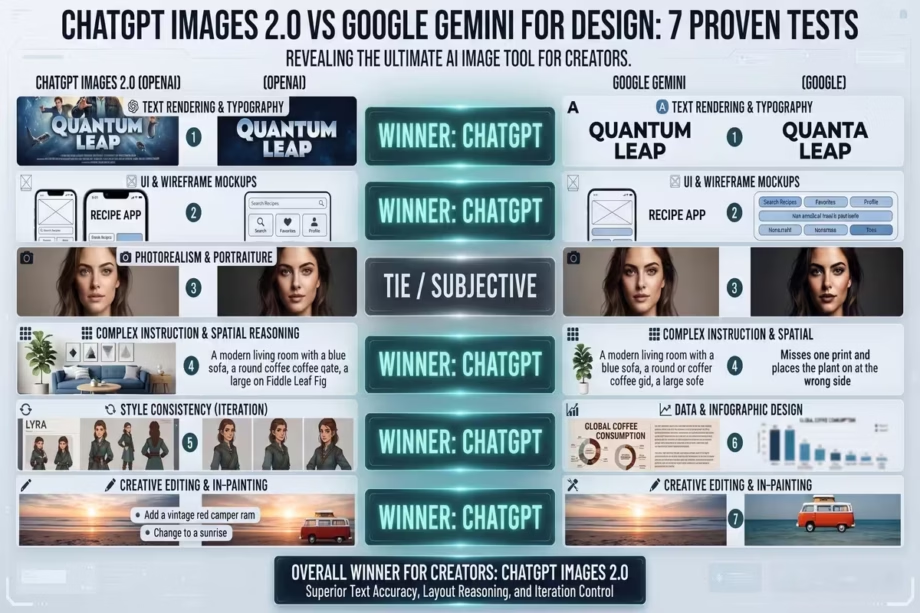
Can an AI image generator actually design for you, not just generate pictures?
That question sat with me after watching a creator test ChatGPT Images 2.0 and Google Gemini Nano Banana Pro side by side across real design tasks. Not toy prompts. Real work: YouTube thumbnails, magazine covers, birthday invitations, car landing pages, logo design, brand kits, and food app UI mockups. The kind of work that usually takes hours in Photoshop, Illustrator, and Canva combined.
The results were lopsided. And the gap between these two AI image tools tells us something important about where AI-assisted design is heading in 2026.
If you are a creator, entrepreneur, content producer, or small business owner trying to figure out which AI image generation tool deserves your time and money, this article breaks down seven real-world design tests, explains what each tool got right and wrong, and shows you how to build a faster creative workflow with AI. By the end, you will know exactly which tool to reach for depending on your project and how a new Canva feature called Magic Layers could change your post-generation editing process completely.
DISCLOSURE
Disclosure: We create content designed to help you succeed. To keep our work going, Digital Solutions Edge is reader-supported; we may earn a small commission from some of our recommendations when you click links or purchase through us. Rest assured, we only recommend solutions we trust and use ourselves, backed by our THRIVE 247 philosophy. Thank you for being part of our community!
Why AI image generation for design matters now
There is a difference between generating an image and generating a design. Most AI image tools have been good at the first part for a while now: give it a prompt, get a picture. Design asks for more. It requires layout thinking, typography awareness, colour grading, compositional hierarchy, and the ability to produce something that looks intentional, not accidental.
That gap between “nice picture” and “usable design” used to be massive. You would generate an image in Midjourney or DALL-E, then spend the next hour in Photoshop cutting it out, adding text, adjusting colours, and tweaking the composition until it looked like a human made it. The AI did maybe 30% of the work. You did the other 70%.
According to Figma’s 2025 AI Report, 33% of designers now use AI to create design assets like images or copy, while 22% rely on it for generating first drafts of interfaces. Those numbers are climbing because the tools are getting better at the “design” part, not just the “image” part.
The question this article answers is simple: between ChatGPT Images 2.0 and Google Gemini’s Nano Banana Pro image model, which one actually designs, and which one just generates?
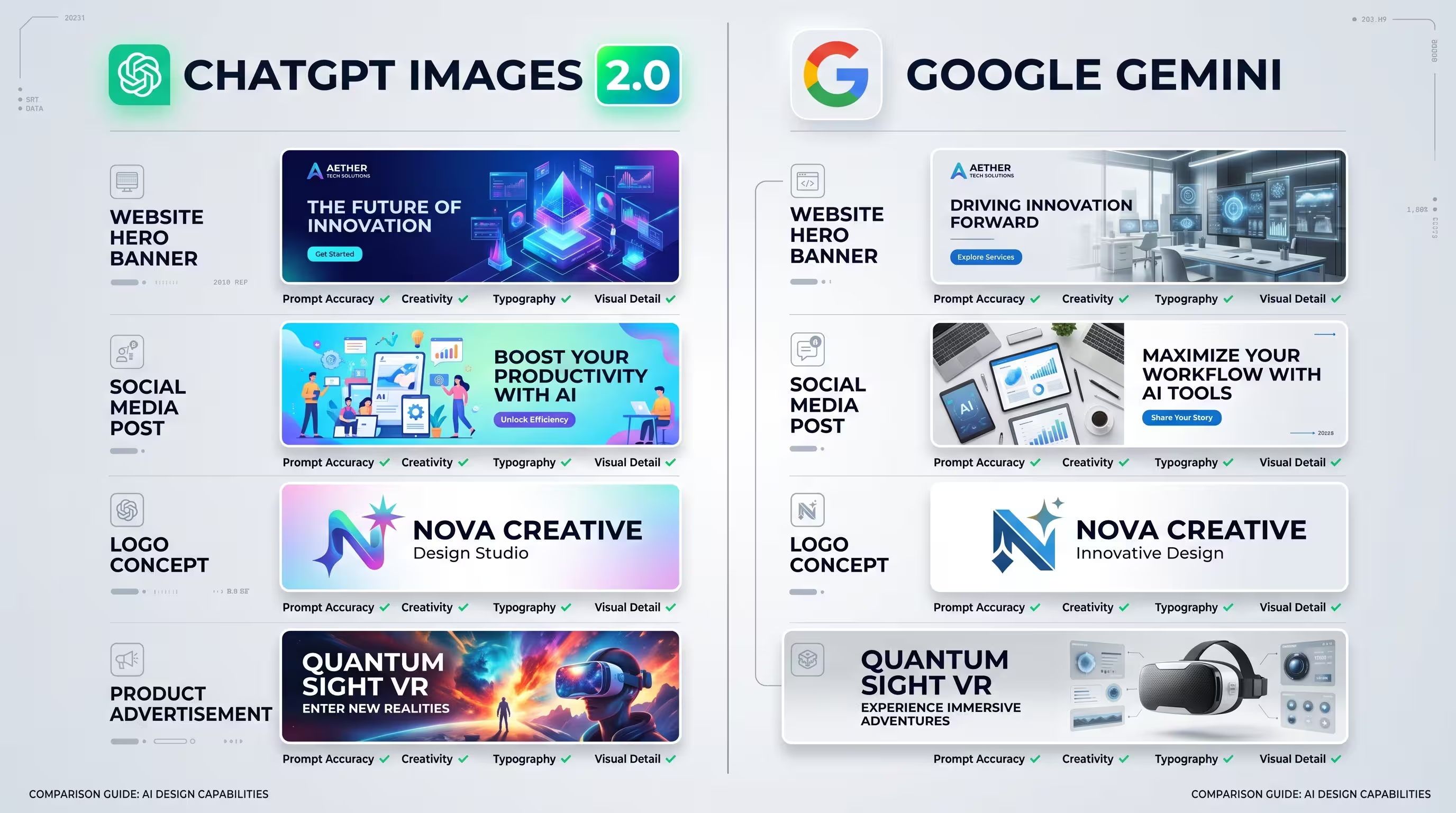
The tools: ChatGPT Images 2.0 and Google Gemini Nano Banana Pro
Before getting into the tests, here is what each tool brings to the table.
ChatGPT Images 2.0 was announced alongside GPT-5.5 and is OpenAI’s first image model with native thinking capabilities. It can plan, reason about composition, and check its own outputs before finalising an image. It runs in two modes: Instant (free for everyone) and Thinking (reserved for paid ChatGPT subscribers). The model handles text rendering across multiple languages with strong accuracy and supports up to 2K resolution. It can generate up to 8 images from a single prompt. (XDA Developers, 2026).
Google Gemini Nano Banana Pro is Google’s image model launched in November 2025. The original Nano Banana (Gemini 2.5 Flash Image) went viral after its August 2025 launch. Nano Banana Pro supports up to 4K resolution and performs well with photorealistic outputs and atmospheric scenes, particularly for outdoor and landscape imagery. For cost reasons, the faster Nano Banana 2 (Gemini 3.1 Flash Image) is Google’s default image generation model across most consumer products. (Google).
Both tools accept reference images and text prompts. Both can iterate on previous outputs within a conversation. The comparison that follows used identical prompts across both platforms to keep the test fair.
Test 1: YouTube thumbnail design
The first test came from an actual project. A creator needed a YouTube thumbnail for a video about the Ashanti king Osei Tutu. The source material was a low-quality screenshot from a video interview between two people.
The workflow without AI would look like this: take the screenshot into a background removal tool, bring the cutout into Photoshop, colour grade the image, add cinematic lighting effects, create movie-style golden text in a condensed bold font, layer the text behind the characters, export, and upload. That process can easily take 45 minutes to an hour.
The prompt approach: The creator first asked each tool to produce a cinematic render of the interview image. Then, in a follow-up prompt, they asked for dramatic, condensed bold fonts with golden textures behind the characters, styled like a movie poster.
ChatGPT Images 2.0 result: The first attempt came back too dark but structurally sound. The second attempt added text but distorted one person’s face. The third attempt, with the extra text removed, produced a thumbnail the creator described as “perfect” and used it directly without any Photoshop work. Three iterations, maybe five minutes total. That thumbnail went on to become one of the channel’s highest-viewed videos in months.
Gemini Nano Banana Pro result: The cinematic render had decent lens flares and some atmospheric effects, but the overall output remained “quite close to flat.” The image needed substantially more post-processing to reach thumbnail quality.
The scoring here is clear. ChatGPT produced a finished design in three shots. Gemini produced a starting point that still required manual work.
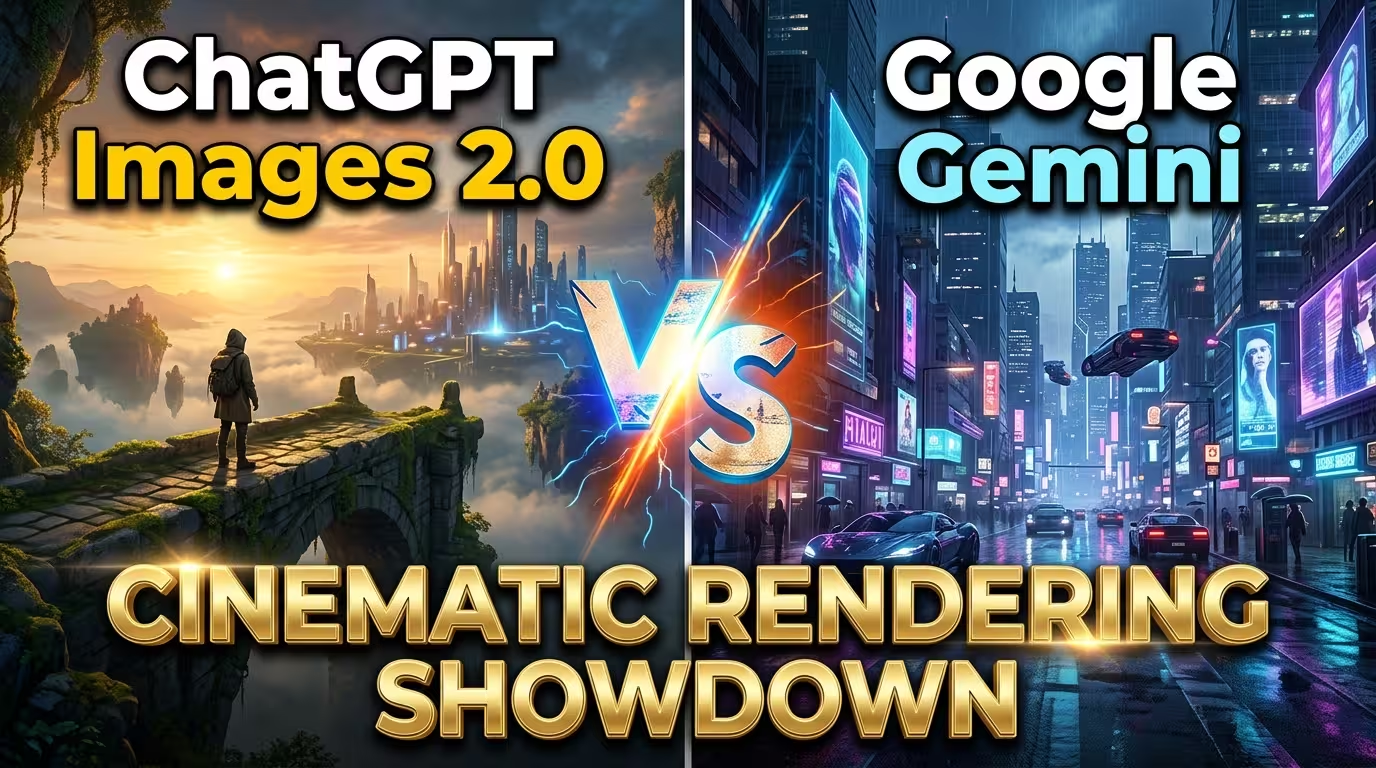
Test 2: Magazine cover design
This is where things got interesting. The creator took a reference photo of a woman and asked each tool to create a full magazine cover for a publication called “Queen Mothers.” The prompt included only the magazine title and the subject’s name. No body copy. No layout instructions. No design references.
ChatGPT Images 2.0 result: The output was startling. The tool generated a complete magazine cover layout with the subject’s image, a masthead, issue number, date, subtitle text, and supporting cover lines. The copy it invented had some relevance to the subject’s actual work. Over several iterations (refining resemblance, adjusting wardrobe, background, and seating details), the outputs kept improving. By the final version, the tool had even added a price in the corner with both dollar and local currency rates. The currency conversion was wrong, but the fact that it thought to include pricing details on a magazine cover shows a level of design awareness that goes past image generation.
The creator’s own assessment: “I know I would do a much better magazine design than this, but this looks like a standard magazine design. It looks much better than some magazine designs I have seen around.”
Gemini Nano Banana Pro result: The same prompt produced an output where the resemblance broke, the pose changed, and the typography layout looked off. A friend of the creator described the Gemini version as “a bit like a generic design” where no attention was paid to the typography. The ChatGPT version, by contrast, felt like the text was “part of the image” and “much more intentional.”
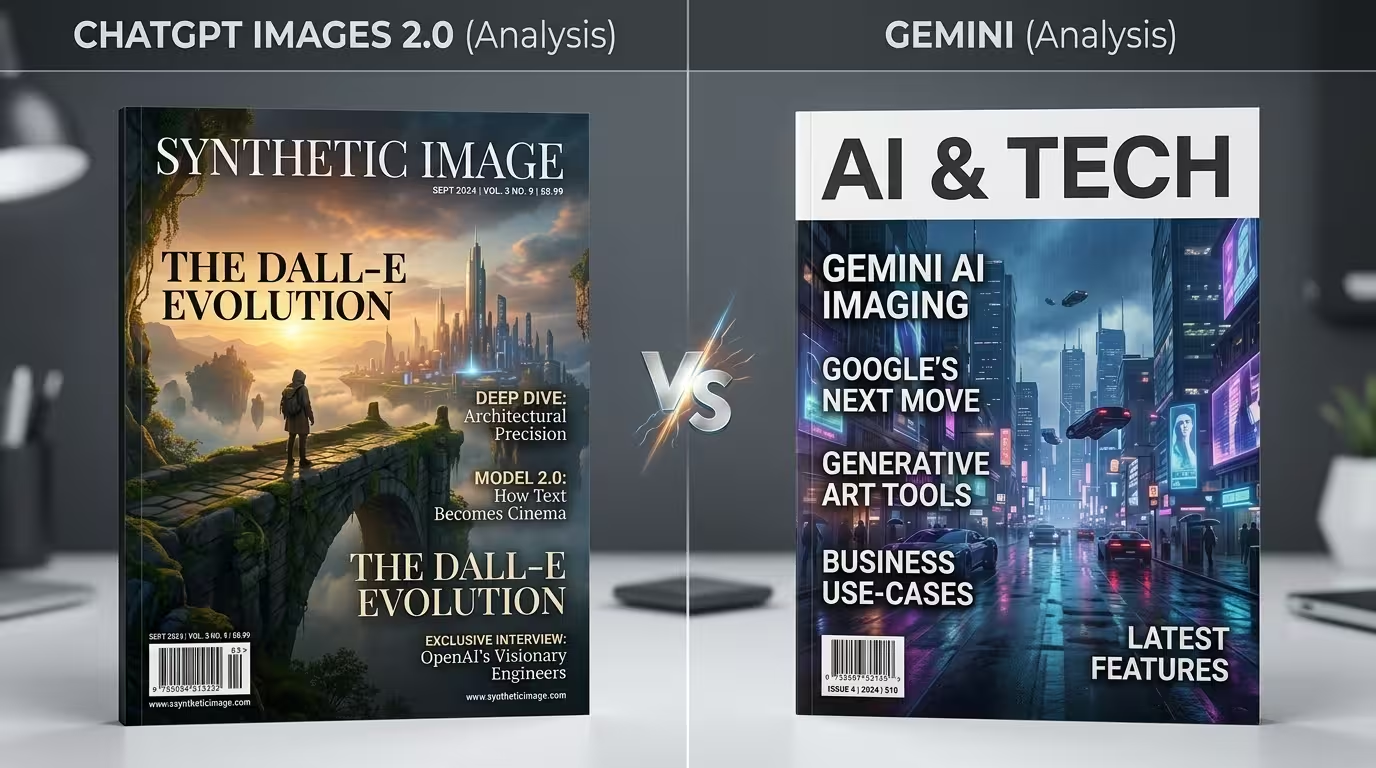
Test 3: Birthday invitation poster
For this test, the creator used an AI-generated image of a wealthy woman (created in Magnific and Midjourney) and asked both tools to design a birthday invitation card. The prompt was deliberately loose: “Simple birthday invitation card for the rich woman in the image reference attached. She is inviting other rich people. So, the design has to be classy, modern, and simple. Her name is Lady Inkuto.” The date and venue details were included.
The vagueness was intentional. The creator wanted to see what each tool would do with creative freedom.
Gemini Nano Banana Pro result: “Not bad,” the creator said, “but I feel like it looks like a very modern, classy funeral poster.” The design missed the celebratory tone entirely.
ChatGPT Images 2.0 result: The tool designed a logo for Lady Inkuto featuring a crown, laid out the invitation with clean hierarchy, and produced something the creator described as “something that I would design.” It looked like a real invitation to an upscale party, not a design exercise.
Same prompt, same reference image. One tool produced something that reads “funeral.” The other produced something that reads “celebration.” That difference matters when a client is waiting.
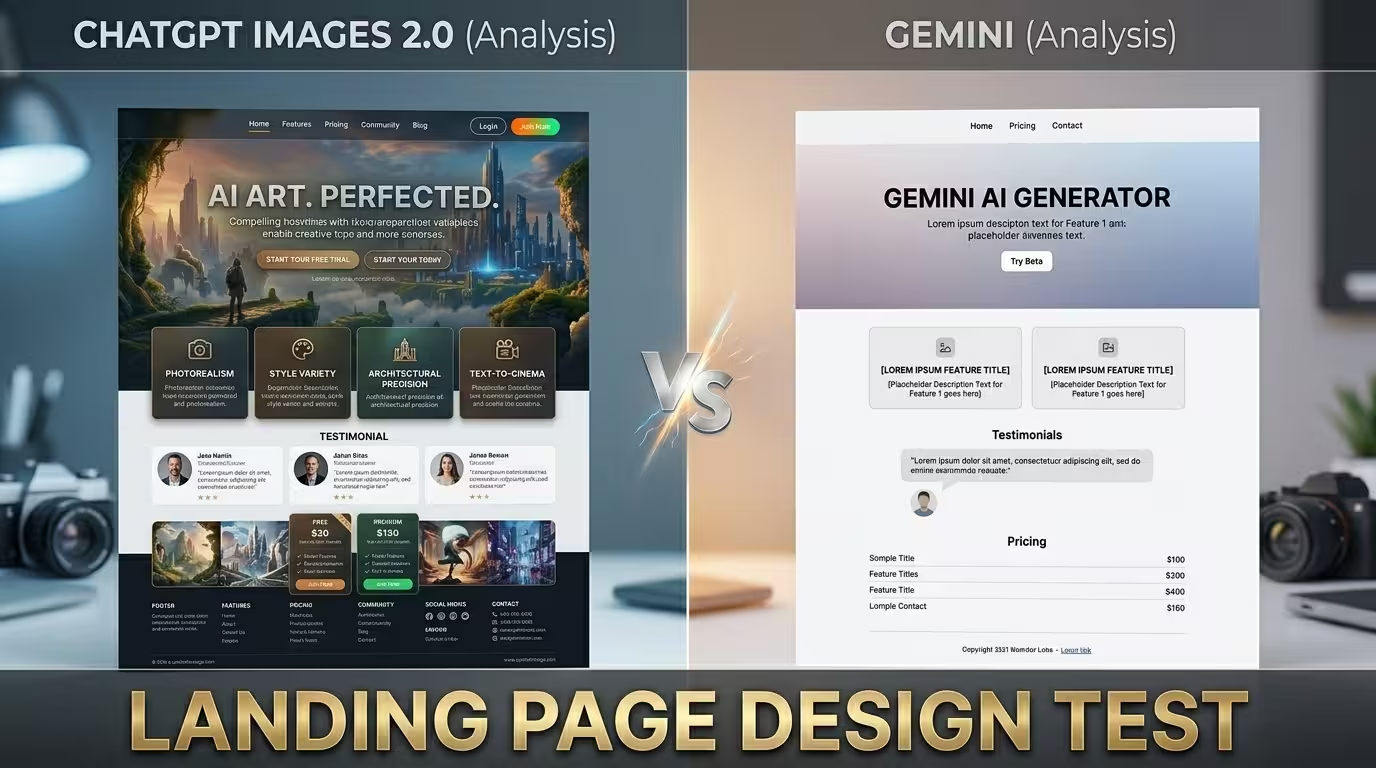
Test 4: Premium car landing page (UI design)
The creator pushed both tools into UI design territory. Using a reference image of a luxury car (also generated in Magnific), the prompt read: “Design a premium landing page with bold condensed fonts behind the car with the words ‘the best.’ Add micrographics and a menu bar that make it look like a premium landing page selling the beauty of the car. Minimal text, breathable layout.”
Gemini Nano Banana Pro result: The output was “okay” and “not bad,” but it read more like a generic image with some text overlaid.
ChatGPT Images 2.0 result: The output included car specifications at the bottom, micrographics on both sides, a logo (not the correct one, but a plausible placeholder), a navigation menu (Home, Model, etc.), and a composition that looked “stupidly good.” The layout had breathing room, the typography sat behind the car at the correct depth, and the overall piece looked like something a designer had actually composed.
UI and landing page design require spatial reasoning. The tool needs to understand information hierarchy, where a menu bar goes, what micrographics look like, and how text interacts with a central hero image. ChatGPT demonstrated that understanding. Gemini produced something closer to an enhanced image.
Test 5: Jewellery product poster
The prompt here tried to lock in a specific art direction: “Design a poster using architectural design principles. The poster has geometric serif fonts on a clean background with minimal vibe advertising premium jewellery.”
Gemini Nano Banana Pro result: The creator was direct: “This design is actually quite bad.” The text was garbled (“Premium pre-doom jewellery”), the layout lacked the architectural precision requested, and the overall output missed the brief.
ChatGPT Images 2.0 result: Clean, geometric, minimal. It followed the architectural design principle instruction and produced a poster that felt like it belonged in a luxury retail context. The creator’s assessment: “It listened much more to my prompt.”
The same story keeps repeating across these tests. ChatGPT Images 2.0 parses design intent from prompts with higher fidelity than Gemini, particularly when the prompt describes a specific aesthetic or design system.
Test 6: Logo design for a sports team
The brief: design a logo for a basketball team called “Panton Phoenix.” The prompt specified no curved edges and requested the Phoenix’s head to sit above a shield element.
Gemini Nano Banana Pro result: Some parts were visually appealing, but it ignored the “no curved edges” instruction and placed the Phoenix incorrectly relative to the shield. Good pieces, wrong assembly.
ChatGPT Images 2.0 result: The Phoenix head sat above the shield as requested; curved edges were absent, and the overall composition followed the brief. The creator acknowledged it was not perfect but said, “I think ChatGPT listened much more to the prompt. It was much more adherent to the prompt.”
For logo design, prompt adherence is everything. A logo with the wrong structural elements is not a “close enough” situation. It is a redo. ChatGPT’s willingness to follow specific structural constraints gives it a clear edge for this kind of work.
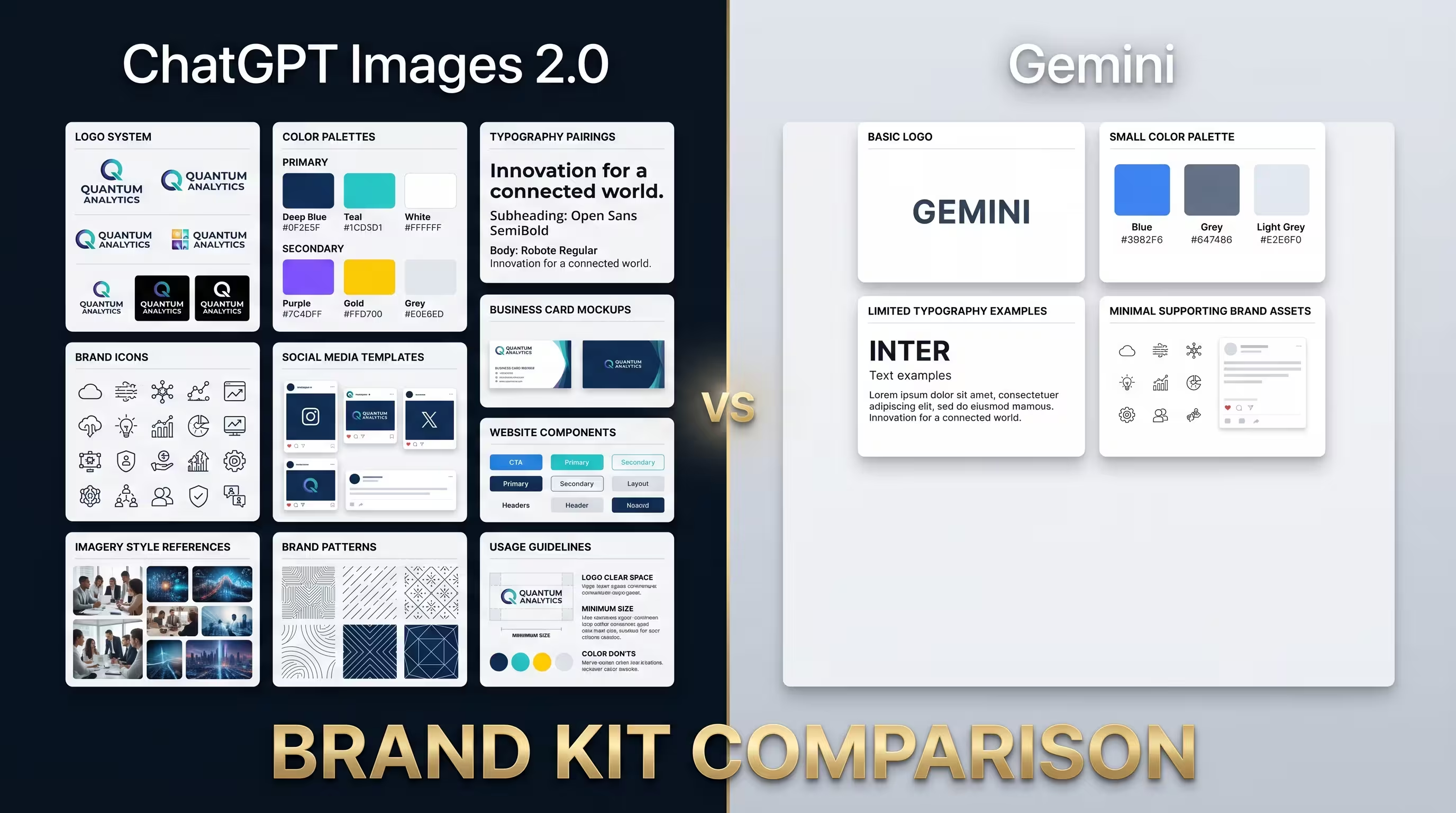
Test 7: Full brand kit with jersey mockups
This was the most ambitious test. The creator asked both tools to produce a full brand kit for the Panton Phoenix team: colour codes, typography, jersey mockups, all laid out in a bento grid design.
ChatGPT Images 2.0 result: The output included the team logo, a logo explanation (made up, but structurally correct), jersey mockups, logo clear space guidelines, colour palettes with named swatches, typography samples, patterns and textures, iconography, do’s and don’ts, and social media icon applications. The creator noted that while the tool assumed football instead of basketball (because the sport was not specified in the initial prompt), the breadth of the brand kit was impressive for a single prompt.
After adding basketball context in a follow-up prompt, ChatGPT produced basketball-specific jerseys and updated the kit accordingly.
Gemini Nano Banana Pro result: Gemini also assumed football and produced some “actually quite nice” jerseys with font specifications. The output was functional but less comprehensive in scope.
The brand kit test reveals something about each tool’s ambition. ChatGPT treated “brand kit” as a system design challenge and tried to deliver a comprehensive identity package. Gemini treated it more like a mockup task and delivered components without the same breadth.
Bonus: Food app UI design
A simpler prompt asked each tool to design a food delivery app UI.
Gemini Nano Banana Pro: The food images looked good, but the interface repeated the same image across multiple screens. The creator called this “something a lazy designer would do.”
ChatGPT Images 2.0: The output included a delivery address field, search functionality, phone UI elements (status bar, bottom navigation), varied food items with distinct restaurant names, and icons that looked like they came from a professional icon library. The creator felt ChatGPT’s UI design capability was “much better” than Gemini’s, though neither tool produced something they would call great.
The Canva Magic Layers game changer
Halfway through these tests, the creator introduced something that could reshape the entire AI-to-design pipeline: Canva’s Magic Layers feature.
Magic Layers, launched in public beta in March 2026, takes a flat image (PNG or JPG) and separates it into individual editable layers inside Canva’s editor. Text elements become live text boxes. Visual components become movable objects. The relationships between elements are preserved (PetaPixel, March 2026).
Canva co-founder Cameron Adams explained the thinking: “There’s been an explosion of AI-generated content that has, until now, been a dead end. You’d get a finished image you couldn’t edit, refine, or make your own. We think AI should spark creation, not stop it” (Canva Newsroom, March 2026).
The creator tested Magic Layers on two outputs from the comparison: the car landing page design and the Panton Phoenix logo. Both came back as fully editable designs. The text was live. The car could be moved independently. The micrographics were separate elements. The logo components were separated into individual layers with editable text.
“This is stuff of magic,” the creator said. “I don’t know how they are doing this.”
The workflow implication is significant. You can now:
- Generate a design image in ChatGPT Images 2.0 (or any AI tool)
- Upload the flat image to Canva
- Use Magic Layers to separate it into editable components
- Refine the text, swap elements, adjust colours, and export a production-ready file
That pipeline turns a five-minute AI generation into a ten-minute finished design, compared to the hour-plus it would take to do everything manually. Magic Layers is currently in beta and supports single-page PNG and JPG files, with expanded capability in development.
What these tests tell us about AI design in 2026
Seven tests. One consistent pattern.
ChatGPT Images 2.0 outperformed Google Gemini Nano Banana Pro across nearly every design task. The advantages cluster around three things.
First, prompt adherence to design tasks. ChatGPT parsed design-specific instructions (condensed bold fonts, geometric serif, architectural principles, bento grid layout) with higher fidelity. Gemini tended to produce images with design elements attached, rather than producing actual designs.
Second, typography and layout awareness. This was the widest gap. ChatGPT’s text rendering felt integrated with the composition. Gemini’s text often looked overlaid, like a separate pass pasted on top.
Third, design system thinking. When asked for a brand kit, ChatGPT produced a system: logo, clear space, colour palette, typography, patterns, iconography, and usage guidelines. Gemini produced components. The difference between a system and a collection of parts is the difference between a brand and a set of files.
Gemini was not without strengths. Its photorealistic image quality, particularly for atmospheric outdoor scenes, was competitive. According to MindStudio’s 30-prompt comparison study, Gemini produces stronger landscape and environmental imagery with atmospheric depth, while ChatGPT edges ahead for polished commercial photography and portraits (MindStudio, April). The jerseys in the brand kit test were genuinely good. And its 4K resolution support is a real advantage for print work.
But for design work, specifically, where layout, typography, information hierarchy, and compositional intent matter, ChatGPT Images 2.0 has a clear lead.
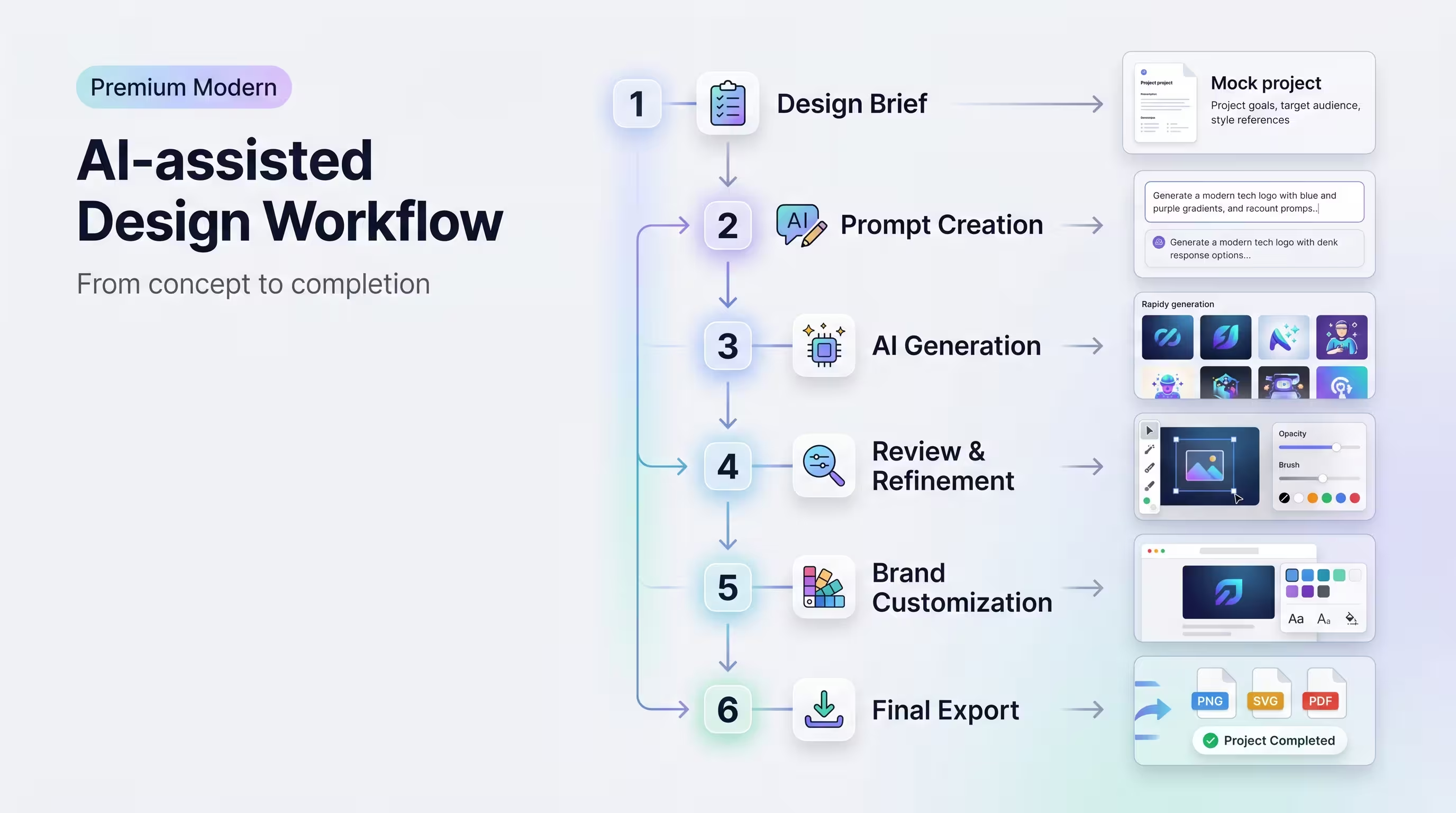
How to build an AI-assisted design workflow
Based on these tests and the current state of AI image generation tools, here is a practical workflow for creators and entrepreneurs who want to produce professional design work faster.
Step 1: Start with a clear design brief. Write your prompt like a creative brief, not a caption. Include the design format (poster, landing page, magazine cover), the mood (cinematic, minimal, architectural), the typography style (condensed bold, geometric serif), specific text to include, and any structural requirements (text behind subject, bento grid, menu bar).
Step 2: Generate in ChatGPT Images 2.0 for design-heavy work. For anything requiring layout, typography, or compositional thinking, ChatGPT is the stronger tool as of mid-2026. Use the Thinking mode for complex prompts if you have a paid subscription.
Step 3: Use Gemini for photorealistic imagery. If your project needs atmospheric photography, landscape imagery, or environmental scenes, Gemini’s output is competitive and sometimes superior, especially at 4K resolution.
Step 4: Iterate within the conversation. Both tools remember context within a chat session. Build on previous outputs rather than starting fresh each time. Specify what to keep and what to change.
Step 5: Bring outputs into Canva Magic Layers. Upload your AI-generated design as a PNG or JPG. Run Magic Layers to separate it into editable components. Refine text, swap elements, adjust colours, and export.
Step 6: Final polish in your preferred editor. For high-stakes work, take the Canva output into Photoshop, Figma, or your production tool for final adjustments. The AI got you 80% of the way there. Your expertise handles the remaining 20%.
This workflow is not about replacing design skills. A person who understands colour theory, typography, and composition will get dramatically better results from these tools than someone who does not. The AI amplifies what you already know. It does not substitute for knowing it.
FAQ: ChatGPT Images 2.0 vs Gemini for design
Is ChatGPT Images 2.0 free to use for design work? ChatGPT Images 2.0 runs in two modes. Instant mode is available to free users with limited daily generations. Thinking mode, which produces higher-quality design outputs, requires a paid ChatGPT subscription (Plus or Pro). For serious design work, the paid tier is worth it.
Can Google Gemini Nano Banana Pro produce good designs? Gemini produces strong photorealistic images, and its 4K resolution output is useful for print. For design tasks requiring layout, typography, and compositional thinking, it falls behind ChatGPT Images 2.0 based on the tests documented here. Google is actively developing the model, and future updates could close the gap.
Do I still need Photoshop if I use AI image generation tools? For many tasks, you can get production-quality results without Photoshop by combining an AI image generator with Canva Magic Layers. For high-end commercial work, fine retouching, or pixel-perfect brand deliverables, Photoshop remains the standard.
What are Canva Magic Layers and how does it help with AI-generated designs? Magic Layers is a Canva feature (launched in March 2026, currently in public beta) that takes a flat image file and separates it into individually editable layers. Text becomes live text. Visual elements become movable objects. This means you can take an AI-generated design image and edit every component without rebuilding it from scratch.
How many iterations does it usually take to get a usable design from ChatGPT Images 2.0? Based on the tests in this article, usable designs came in one to three iterations. The YouTube thumbnail required three tries. The birthday invitation produced a strong result on the first attempt. Writing specific, design-aware prompts reduces the number of iterations needed.
Can AI image tools create logos that are ready for commercial use? AI-generated logos are useful as starting concepts and direction-setters, but they should not go directly into commercial use without refinement. The outputs contain AI-generated text rendering that may have imperfections, and they are exported as raster images rather than vector files. Use them as a reference, then recreate the concept in a vector tool like Illustrator or Figma.
Which AI image tool handles text rendering better? ChatGPT Images 2.0 handles text rendering with noticeably higher accuracy and design integration. Its text feels like part of the composition rather than a separate overlay. Gemini’s text rendering is improving but still produces more garbled or poorly placed text in design contexts.
What prompting style works best for AI design generation? Write prompts like creative briefs. Specify the format (poster, landing page, UI), art direction (cinematic, minimal, architectural), typography (condensed bold, geometric serif), specific copy, and structural instructions (text behind subject, bento grid). Vague prompts produce vague designs. Precise prompts with design vocabulary produce stronger outputs.
Here is what seven design tests tell us.
ChatGPT Images 2.0 is doing something different from what we have seen before. It is no longer just an image generator with text rendering bolted on. It produces designs with layout logic, typographic hierarchy, and compositional intent that a creator can use with minimal editing. The YouTube thumbnail test showed it replacing an entire Photoshop workflow. The magazine cover test showed it thinking in design systems, not pixels. And the brand kit test showed it producing a full identity package from a single prompt, something I would not have expected even six months ago.
Gemini Nano Banana Pro is not a bad tool. Its photorealistic output and 4K resolution make it solid for image generation. But for design work, it is not there yet. The typography is weaker, the layout awareness is less developed, and it does not follow design-specific prompt instructions as closely.
Combined with Canva’s Magic Layers feature, the pipeline from “idea in your head” to “editable design in your hands” has collapsed from hours to minutes. For creators and small business owners who need professional visual output without a full design team, that changes the economics of design work completely.
Try this workflow on your next project. Generate a design in ChatGPT Images 2.0, run it through Canva Magic Layers, and refine from there. Then tell us in the comments what you created and which tool you prefer.
If you need personalised support building your brand identity, digital content strategy, or design workflow, book a Transformation Clarity Call (TCC) with the DSE consulting team. We help creators and entrepreneurs build systems that work.