



Here is a question that trips up thousands of freelancers, small business owners, and digital creators every year: Should I use a personal PayPal account or a business one, and can I actually have both running at the same time without violating PayPal’s terms?
The short answer is yes. You can have one personal PayPal account and one business PayPal account. But the longer answer reveals a web of fees, feature differences, legal considerations, and strategic use cases that most people never stop to understand, and that misunderstanding costs them real money.
PayPal processed over $1.53 trillion in total payment volume in 2023 alone (PayPal Investor Relations, 2024). It remains one of the most widely used online payment platforms globally, powering everything from personal money transfers to enterprise-level checkout systems. Yet despite its ubiquity, a significant number of users are running the wrong account type for their situation.
In this comprehensive guide, you will get a clear, no-fluff breakdown of the PayPal personal vs business account debate. We cover the features, fees, legal rules, limitations, and real-world use cases so that by the end, you know exactly which account to use, when to use it, and how to manage both smartly if your situation calls for it.
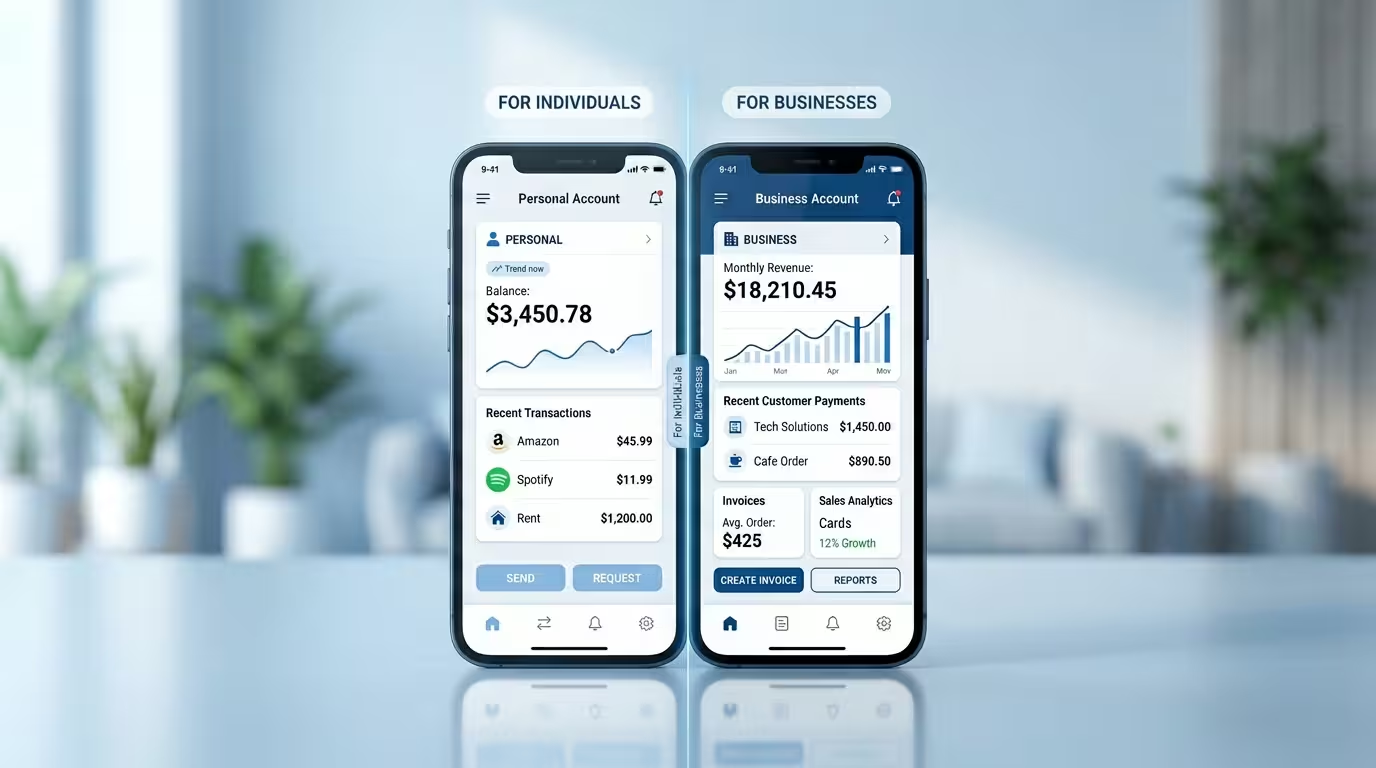
Table of Contents
Disclosure: Our content is engineered to help you make informed, data-driven, and smart decisions. Digital Solutions Edge is reader-supported; when you engage with our recommendations or click certain links, we may receive a commission. This support allows us to continue delivering the digital solutions you rely on. Thank you for being part of our community.
What Is PayPal? A Quick Overview
PayPal is a digital payments platform founded in 1998 and headquartered in San Jose, California. It allows individuals and businesses to send, receive, and manage money online across more than 200 markets and 25 currencies worldwide (PayPal About, 2024).
At its core, PayPal functions as a digital wallet. You link a bank account, debit card, or credit card, and PayPal acts as an intermediary for your transactions. This adds a layer of security because your financial details are not shared directly with merchants or payment recipients.
Over the decades, PayPal has expanded far beyond its original peer-to-peer transfer functionality. Today, it offers business checkout integrations, buy-now-pay-later services (Pay Later), working capital loans, invoicing tools, subscription billing, and even cryptocurrency support in select regions. The ecosystem is broad, which is precisely why understanding which account type you need matters so much.
One of the most significant recent developments in the PayPal ecosystem is the March 2026 rollout of cross-platform payments between PayPal and Venmo, its US-based subsidiary. PayPal users can now find and pay Venmo users, and Venmo users can find and pay PayPal users by searching a full phone number directly within their respective apps (Venmo, 2026). This integration extends PayPal’s reach meaningfully for international Personal account holders who want to be reachable by US-based contacts, though availability and full functionality vary by region.
PayPal Account Types Explained
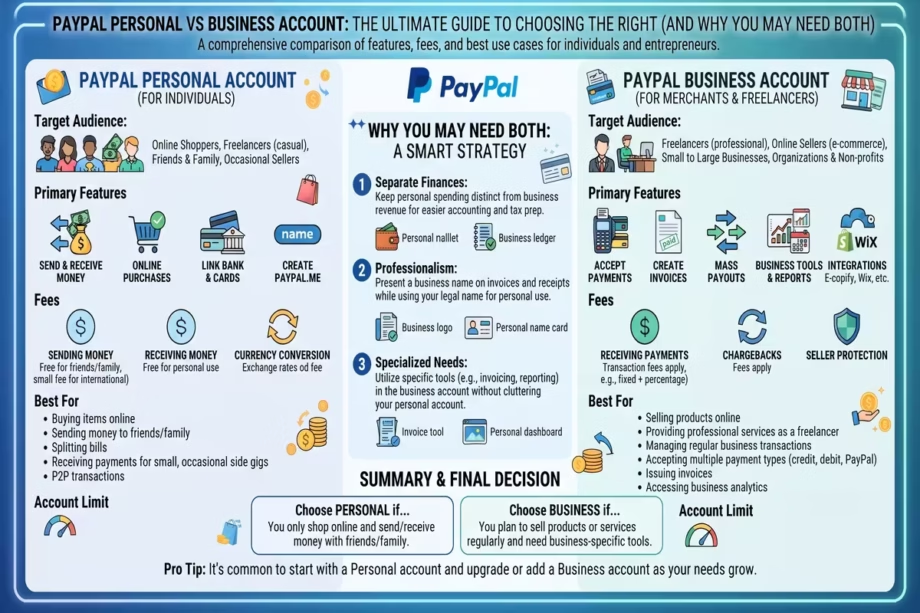
PayPal officially offers two primary account types: Personal and Business. Historically, there was also a Premier account, a middle-ground option for casual sellers. PayPal has since phased out the Premier designation in most regions, folding its core capabilities into the Personal account tier.
Here is how PayPal itself defines the two current account types, according to its official Help Centre:
Personal Account is designed for individuals who want to shop online, send money to friends and family, split bills, pay for services, and for casual sellers who want to receive payment online while still making personal purchases.
Business Account is designed for operating under a company or group name, accepting card and bank payments professionally, granting limited employee access, and accessing PayPal’s full suite of merchant tools, such as PayPal Checkout.
The distinction sounds simple. In practice, the two accounts diverge significantly across features, fees, compliance obligations, and positioning strategy.
PayPal Personal Account: Features, Benefits, and Limitations
What a Personal PayPal Account Can Do
The Personal account is the standard entry point for most PayPal users. It is straightforward, free to open, and covers the core use cases for individuals. Here is what you get:
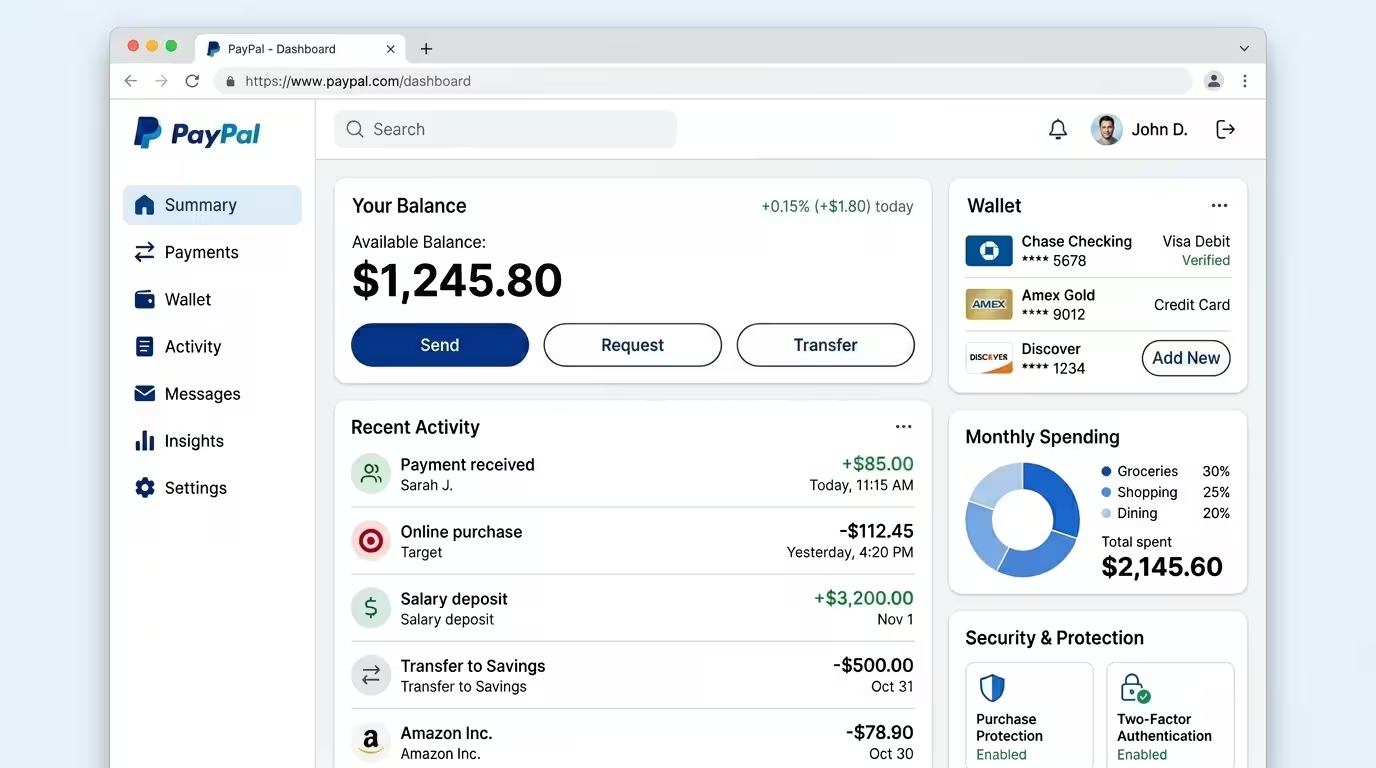
Send and receive money: You can transfer money to anyone with a PayPal account, whether domestically or internationally. This includes splitting expenses, paying rent to a landlord, or receiving payment from a client.
Shop online: PayPal Personal is accepted at millions of online retailers worldwide. You can check out using your PayPal balance, linked bank account, or card, adding a layer of purchase protection on eligible transactions.
Send as a gift or pay for shared expenses: The Friends and Family feature allows you to send money without transaction fees (when funded from a PayPal balance or bank account in the same country). This is ideal for personal transfers.
Casual selling: PayPal does not prohibit Personal account holders from receiving payments for goods or services occasionally. If you are selling items online irregularly, a Personal account may suffice initially.
Pay Later: In eligible countries, Personal account holders can access PayPal’s instalment payment features when shopping.
Cryptocurrency: In eligible countries, you can buy, hold, and sell select cryptocurrencies directly within a Personal account.
Venmo cross-platform payments: As of March 2026, eligible PayPal Personal account holders can send and receive money to and from US-based Venmo users by phone number, directly within the PayPal app. To be discoverable by a Venmo user, your phone number must be verified and set as your primary number on your PayPal account, and your Search Privacy settings must be enabled. This feature is not yet available in all regions, but it represents a significant expansion of PayPal’s peer-to-peer reach for international users with US-based contacts.
Benefits of a Personal PayPal Account
The Personal account’s biggest advantages are its simplicity and zero monthly fees. There is no subscription cost. You open it with just an email address and basic identity verification, making it one of the lowest-barrier payment tools available anywhere.
It is also an excellent tool for international money transfers at competitive rates compared to traditional bank wire transfers. For individuals receiving payments from abroad, even in a freelance capacity, the Personal account can work in the short term.
Limitations of a Personal PayPal Account
The Personal account is genuinely limited when commercial activity begins to scale. Here are the specific constraints you should understand:
No business branding: You cannot operate under a company or brand name. All transactions display your personal name, which can reduce professional credibility for client-facing payments.
No employee access: You cannot add team members or grant limited access to your account, which makes it unsuitable for any business with more than one person managing finances.
No access to merchant tools: PayPal Checkout, subscription billing, and advanced reporting tools are restricted to Business accounts.
Receiving fees on commercial transactions: When you use a Personal account to receive payments for goods and services, PayPal’s standard transaction fees apply. There is no discount or preferential rate for volume.
Risk of account restriction: If PayPal detects consistent commercial activity on a Personal account, it may flag or limit the account and prompt you to upgrade to a Business account. This is both a terms-of-service issue and a practical risk.
Tax reporting gaps: Without a Business account, you lose access to the detailed transaction reports and tax tools that make accurate record-keeping straightforward at filing time.
PayPal Business Account: Features, Benefits, and Limitations
What a PayPal Business Account Can Do
The Business account is PayPal’s merchant-grade offering. It carries the same core payment capabilities as the Personal account but layers a substantial set of professional tools on top. According to PayPal’s official documentation, a Business account allows you to:
Operate under a company or group name: Payments and invoices display your business name rather than your personal name, reinforcing brand identity with every transaction.
Accept debit card, credit card, and bank account payments: The Business account is built for high-volume receiving. You can accept payments from customers who do not have a PayPal account, including card-only payers, through PayPal’s guest checkout feature.
Grant employee access: A PayPal Business account can have up to 200 sub-users with different permission levels, making it viable for small-to-medium operations with financial teams.
Access PayPal Checkout: This is PayPal’s flagship merchant integration, allowing you to embed a professionally styled checkout button on your website or e-commerce store. It supports multiple payment methods in a single flow.
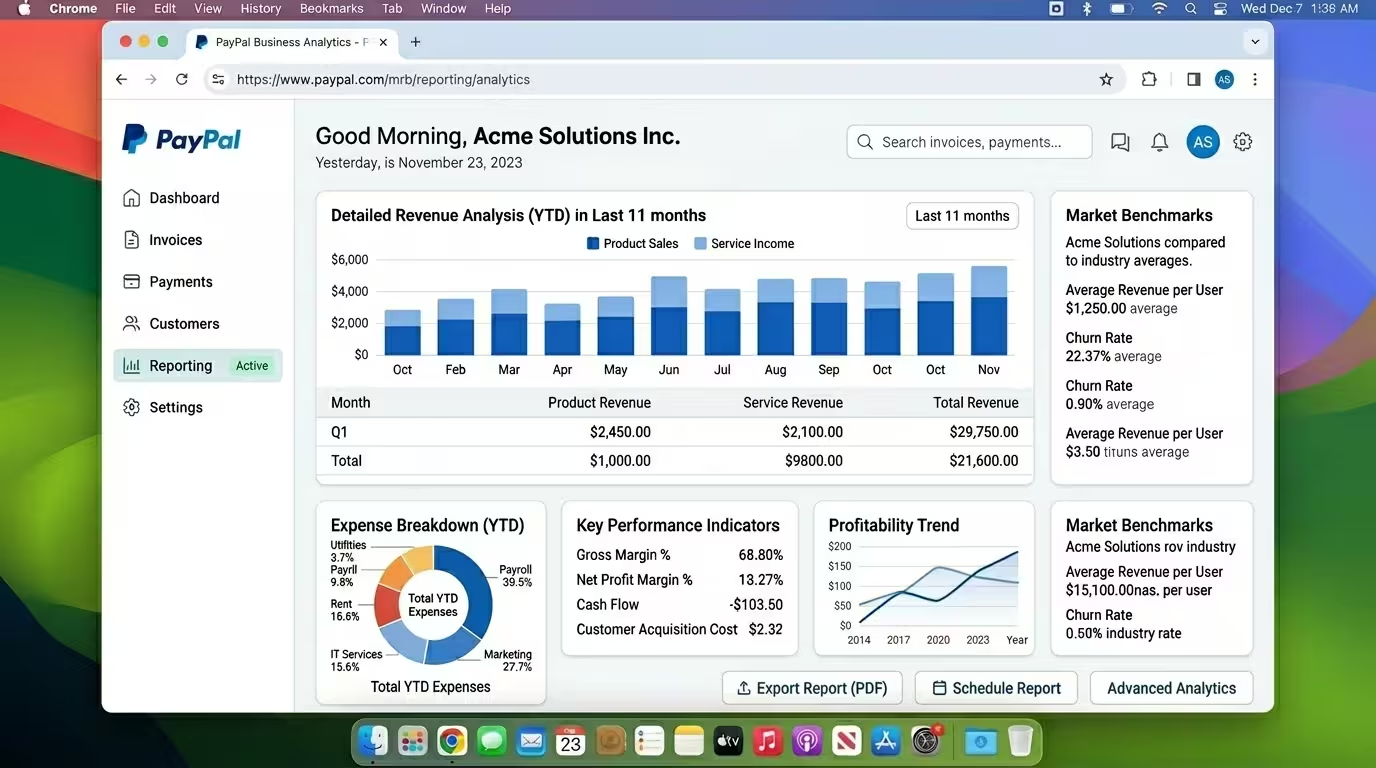
Issue professional invoices: The Business account includes a built-in invoicing system where you can create, send, and track invoices with your business name and details.
Subscriptions and recurring billing: Business accounts can set up and manage subscription plans for digital services, memberships, or recurring consulting retainers.
Advanced reporting and analytics: Business accounts get access to more detailed sales data, settlement reports, and transaction histories, which are critical for accurate bookkeeping and tax compliance.
PayPal Working Capital and Business Loans: Eligible Business account holders can access PayPal’s lending products based on their transaction history.
Benefits of a PayPal Business Account
The Business account is purpose-built for commercial activity. Its primary benefits are credibility, scalability, and compliance. Displaying your business name at checkout builds trust with customers. The invoicing and reporting tools make financial management more systematic. And operating under a Business account keeps you on the right side of PayPal’s terms of service when your transaction volumes grow.
For digital entrepreneurs, the ability to integrate PayPal Checkout directly into a WordPress site, Shopify store, or custom web application is a significant advantage. The setup is well-documented, widely supported by developers, and compatible with most major e-commerce platforms.
Limitations of a PayPal Business Account
The Business account is not without its own constraints. Here is what to watch for:
Transaction fees: Business accounts pay fees on every payment received for goods and services. In the US, this is typically 3.49% plus a fixed fee for digital payments, though rates vary by country, payment type, and volume. Personal-to-personal transfers (Friends and Family) are no longer permitted to Business accounts as of PayPal’s policy update.
More documentation is required: Opening and verifying a Business account typically requires more information than a Personal account, including business name, EIN or tax identifier (depending on country), and business type.
Cannot receive Friends and Family payments: As per PayPal’s updated policy, Business accounts can no longer receive Friends and Family (F&F) payments. All incoming payments to a Business account are treated as goods and services payments, which attract fees. This is an important distinction for anyone trying to avoid fees on personal transfers.
Overkill for casual use: If you sell online only occasionally and do not need merchant tools, a Business account introduces complexity and fee exposure that may not be warranted.
PayPal Personal vs Business: Head-to-Head Comparison
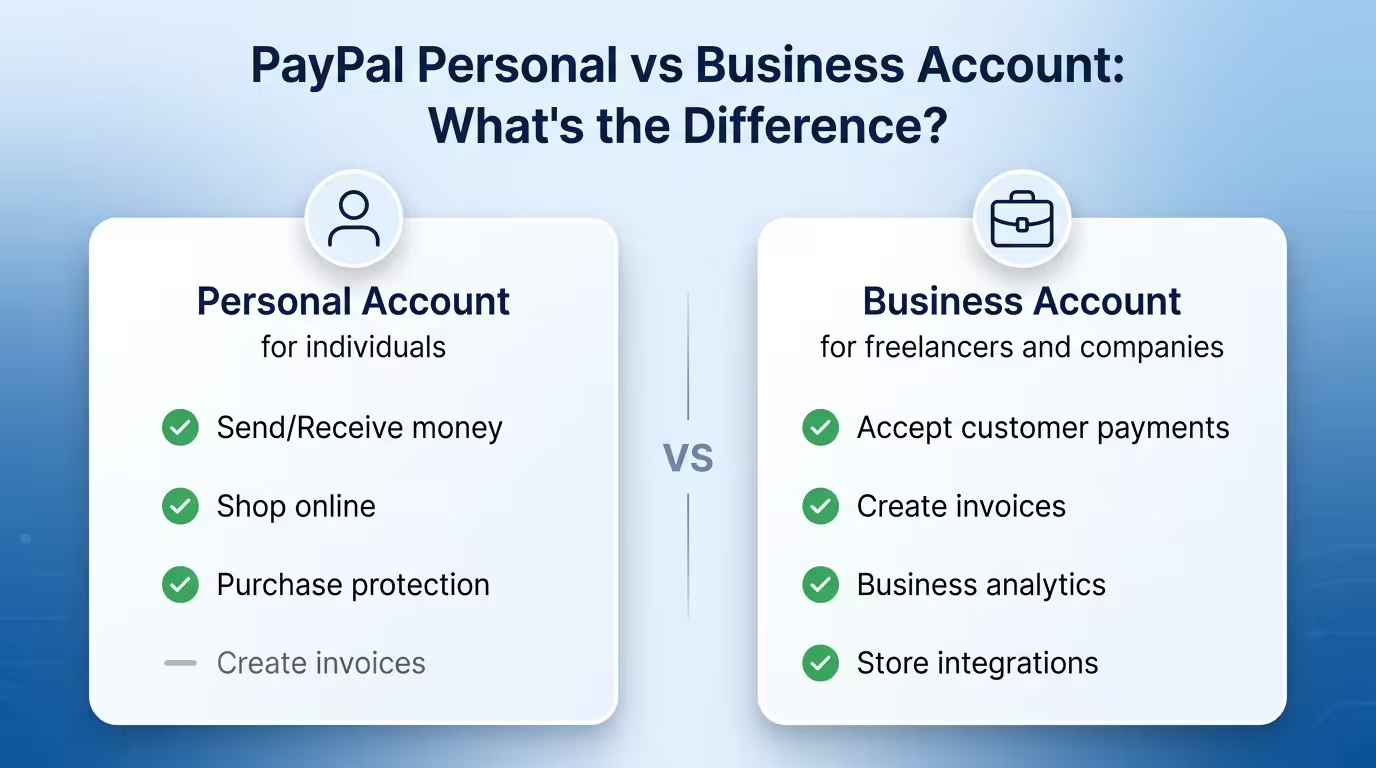
The table below consolidates the key differentiators between the two account types.
| Feature | Personal Account | Business Account |
|---|---|---|
| Account cost | Free | Free |
| Send money | Yes | Yes |
| Receive money | Yes | Yes |
| Friends & Family transfers | Yes | No (policy update) |
| Operate under a business name | No | Yes |
| Accept card payments (non-PayPal users) | Limited | Yes |
| Employee sub-user access | No | Up to 200 users |
| PayPal Checkout integration | No | Yes |
| Professional invoicing | Basic | Full-featured |
| Subscription/recurring billing | No | Yes |
| Advanced reporting | No | Yes |
| PayPal lending products | No | Yes (eligible accounts) |
| Cryptocurrency | Yes (eligible regions) | Limited |
| Monthly fee | None | None |
| Transaction fee (goods/services) | Standard | Standard (volume discounts possible) |
The Legalities: Can You Have Both a Personal and a Business PayPal Account?
This is the question at the heart of why most people search for this topic, and the answer deserves a precise, unambiguous response.
Yes, PayPal’s policy officially permits one individual to hold one Personal account and one Business account simultaneously. This is stated directly in PayPal’s User Agreement and confirmed by PayPal’s Help Centre documentation. There is no grey area here.
The Rules That Apply When Holding Both
The permission to hold both account types comes with specific requirements that are non-negotiable:
Unique email addresses: Each account must be registered with its own distinct email address. You cannot use the same email for both.
Separate phone numbers: Each account must have a unique verified phone number linked to it.
Separate financial instruments (recommended): While some users report being able to link the same bank account to both accounts, PayPal’s Help documentation explicitly states that you cannot use the same bank account on two different PayPal accounts. Linking separate bank accounts or cards to each other is the compliant and sensible approach.
Account purpose alignment: Using your Personal account for sustained commercial activity, or using your Business account for casual friend-and-family transfers, both create compliance issues. Each account should be used for its designated purpose.
What You Cannot Do
To be clear, PayPal’s rules do not permit:
- Two Personal accounts
- Two Business accounts
- Using a Personal account as a workaround to avoid business fees at a commercial scale
- Opening additional accounts after one has been permanently limited or banned
A Note for Nigerian and African Users
PayPal’s functionality varies significantly by country. In Nigeria, for example, PayPal has historically permitted account creation but restricted outbound payments and commercial receiving in ways that differ from US or UK accounts. If you are operating from Nigeria or another country with limited PayPal access, verify your country’s specific permissions on PayPal’s website before opening a Business account. The rules above apply to fully functional PayPal accounts. Restricted regional accounts may have additional layers of limitation.
How to Set Up and Link Both Accounts
If you have determined that you need both a Personal and a Business account, the setup process is relatively straightforward. Here is a step-by-step walkthrough.
Step 1: Ensure Your Personal Account Is Active and Verified
Before opening a Business account, make sure your Personal account is fully verified. This means confirming your email address, linking and confirming a bank account or card, and completing any identity verification PayPal requires in your country.
Step 2: Open Your Business Account with a Different Email
Go to paypal.com and sign up for a new account. When prompted, select “Business Account.” Use a completely different email address from your Personal account. Enter your business name as it will appear to customers, your business type, and your tax identification details.
Step 3: Link a Separate Bank Account or Card
Link a business bank account or a separate card to your PayPal Business account. This keeps your financial records clean and avoids the risk of linking conflicts between the two accounts.
Step 4: Verify Your Business Account
PayPal will request verification documents depending on your business type and country. For sole proprietors, this is often minimal. For registered companies, you may need to provide business registration documents.
Step 5: Link Both Accounts in PayPal Settings
PayPal now allows you to link your Personal and Business accounts for easier switching. To do this, log into one account, go to Settings, and look for the option to link a related account. This allows you to toggle between accounts from a single login session without logging out and back in separately.
Fees: What You Will Actually Pay
One of the most common sources of confusion in the PayPal personal vs business account conversation is the fee structure. Here is what you need to understand.
Personal Account Fees
Friends and Family (F&F) transfers: Free when funded from your PayPal balance or a linked bank account within the same country. A fee applies for currency conversions or when funded by a card.
Goods and Services (G&S) payments: When you receive a G&S payment on a Personal account (a client paying you for work, for example), PayPal charges the standard commercial transaction fee, which in the US is currently 3.49% plus $0.49 per transaction for digital payments. Rates vary by country.
International transfers: A cross-border transfer fee applies in addition to a currency conversion spread. This varies by country pair and currency.
Business Account Fees
Standard online payments: In the US, PayPal Business accounts pay approximately 3.49% plus a fixed fee per transaction for PayPal-based digital payments. Standard card payments (not PayPal wallet) attract around 2.99% plus a fixed fee for card-present transactions.
Invoicing: No additional fee beyond the standard receiving rate.
Chargebacks: PayPal charges a fee (around $20 in the US) for each chargeback filed by a customer, unless the transaction is covered by Seller Protection.
Currency conversion: A spread is applied whenever PayPal converts currency for international transactions. This spread typically sits between 3% and 4% above the mid-market exchange rate (Paypal, 2025).
Key point: Both account types pay similar base fees for receiving goods and services payments. The Business account does not offer lower fees simply by virtue of being a Business account. Volume-based discounts (Merchant Rate) are available for high-volume Business accounts that apply separately.
Use Cases: Who Should Use Which Account?
You Should Use a Personal Account If:
- You are an individual who shops online and occasionally pays friends back for shared expenses
- You send or receive money within your family or social circle
- You sell items online very occasionally (for example, clearing out second-hand goods once or twice a year)
- You do not need professional invoicing, business branding, or merchant integrations
- You are testing PayPal’s platform before committing to a Business account
You Should Use a Business Account If:
- You sell products or services online consistently
- You have clients who need professional invoices with your business name
- You operate an e-commerce store and need PayPal Checkout integration
- You need to manage payments across a team with multiple users
- You want to accept card payments from customers who do not have PayPal accounts
- You want access to reporting tools for accurate tax filing
- You are a registered business entity of any kind (sole trader, LLC, limited company, etc.)
You Should Consider Running Both If:
- You have both personal finances and a business to manage, and you want them cleanly separated
- You are a freelancer or consultant who wants to receive client payments under a business name while also using PayPal for personal shopping.
- You want to benefit from PayPal’s account-linking feature to manage everything in one place without commingling funds.
- You need to keep personal and business financial records separate for tax and accounting purposes.
PayPal for Freelancers, Creators, and Consultants
If you are a freelancer, content creator, coach, or consultant, PayPal occupies a particular position in your payment toolkit. It is widely recognised, easy to set up, and supported by most freelance platforms and marketplaces globally.
The Case for a Business Account as a Freelancer
Running client payments through a Personal account is technically possible in the short term, but it creates three practical problems over time. First, your personal name appears on every invoice and payment confirmation, which can undermine brand credibility. Second, when your PayPal transaction volume grows, the platform may flag your Personal account for commercial use and prompt a mandatory upgrade. Third, without invoicing tools and proper transaction categorisation, tax season becomes unnecessarily complicated.
A Business account under your trading name (even if you operate as a sole trader) solves all three of these problems cleanly. You can register as “Jane Smith Creative” or “DSE Consulting” without needing a registered company. PayPal accepts sole proprietors with their personal details plus a trading name.
Managing Dual Accounts as a Freelancer
The most practical setup for a freelancer who uses PayPal both professionally and personally is simple: keep the Business account exclusively for client payments and business purchases, and use the Personal account for personal shopping, splitting bills, or making personal transfers. Link them in PayPal settings for easy toggling, but never commingle the two pools of funds.
This separation makes your bookkeeping cleaner, your tax reporting more straightforward, and your professional communications more credible.
PayPal Limitations and Known Issues
No payment platform is without its pain points, and PayPal comes with a well-documented set of limitations that every user should understand before relying on it as a primary financial tool.
Account Freezes and Fund Holds
PayPal has a reputation for freezing accounts or placing holds on funds, particularly for new sellers or accounts that exhibit unusual transaction patterns. Funds can be held for up to 21 days in some cases while PayPal reviews activity. This is a known risk for freelancers and small businesses that depend on timely cash flow. The best way to reduce this risk is to verify your account fully, maintain a consistent transaction history, and keep a clean dispute record.
Dispute and Chargeback Risk
PayPal’s dispute resolution system, while beneficial for buyers, can be challenging for sellers. A buyer can file a dispute through PayPal’s Resolution Centre, and if PayPal sides with the buyer, funds can be reversed from the seller’s account. Understanding PayPal’s Seller Protection policy and knowing which transactions qualify for coverage is essential for any business using PayPal as a primary payment channel.
Currency Conversion Costs
PayPal’s currency conversion fees are higher than many specialist alternatives. If you frequently receive or send international payments with currency conversion, the spread can add up significantly over time. For high-volume international payments, specialist platforms like Wise, Payoneer, or Grey (for Nigerians) may offer more competitive rates.
Limited Functionality in Some Countries
PayPal’s features are not uniform globally. In several African, Asian, and South American markets, key features such as outbound transfers, full merchant receiving capabilities, or access to lending products may be restricted. Always verify what is available in your specific country before building a payment workflow around PayPal.
No Integration with All Local Banks
In many markets outside of the US and Europe, linking local bank accounts to PayPal can be limited or unavailable. Users in these markets often rely on PayPal-linked cards or alternative withdrawal methods, which add friction and potential cost to the process.
Venmo Cross-Platform Discoverability Has Regional Limits
The March 2026 Venmo-to-PayPal cross-platform feature is a welcome development for international users with US-based contacts, but it comes with setup requirements that are easy to miss. For a US Venmo user to find and pay you, three conditions must all be true: your phone number must be added and confirmed on your PayPal account; that phone number must be set as your primary number; and your Search Privacy settings must be toggled on within your PayPal profile under Data and Privacy. If any of these settings are off or incomplete, you will simply not appear in Venmo’s search results. International users should also include their full country code (for example, +44 for UK numbers) when sharing their number with US contacts. The feature is not yet available in all regions, so confirm availability for your country before relying on it as a payment method.
PayPal Alternatives Worth Considering
PayPal is the market leader, but it is one option in a growing ecosystem of digital payment platforms. Depending on your location, volume, and use case, one or more of these alternatives may serve you better in some scenarios.
Wise (formerly TransferWise): Excellent for international transfers and currency conversion. Wise uses the mid-market exchange rate and charges a small, transparent fee. It is a strong complement to PayPal for international business payments. wise.com
Payoneer: Widely used by freelancers and remote workers, particularly in regions where PayPal access is limited. Payoneer integrates with major platforms like Upwork, Fiverr, and Amazon and supports multi-currency receiving accounts. payoneer.com
Stripe: For businesses that need a developer-friendly, deeply customisable payment gateway, Stripe surpasses PayPal on flexibility and integration depth. It supports more payment methods and provides better tools for subscription businesses. stripe.com
Square: Ideal for businesses with a physical presence as well as online operations. Square offers a cohesive ecosystem covering point-of-sale hardware, invoicing, and online checkout. squareup.com
Grey (for Nigerians): Grey provides virtual USD, GBP, and EUR accounts for Nigerians, enabling receipt of international payments that can then be converted to naira. It is a practical bridge for those with restricted PayPal access. grey.co
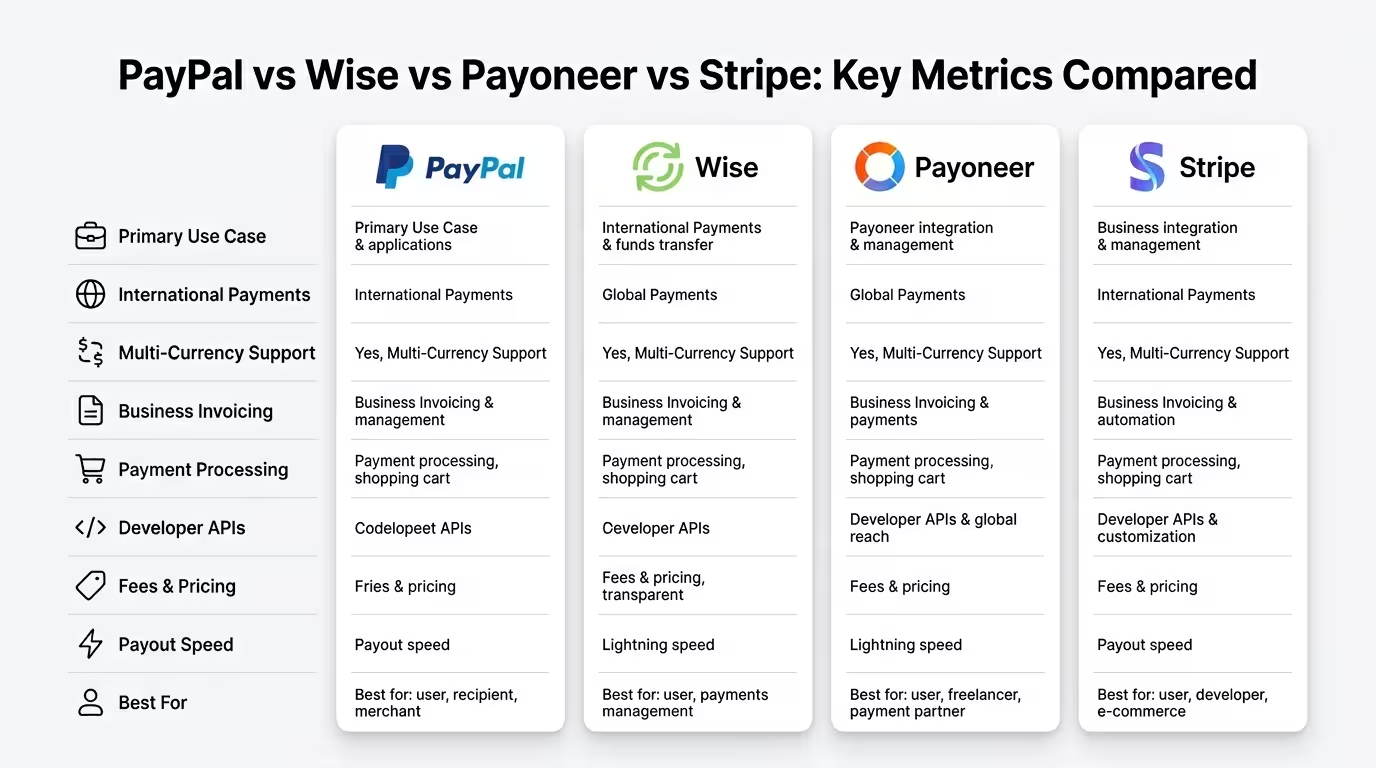
None of these alternatives is a complete replacement for PayPal in every scenario. The most effective approach for active digital entrepreneurs is often a multi-platform strategy where each tool serves its strongest use case.
FAQ
Can I have a personal PayPal account separate from a business PayPal account? Yes. PayPal’s official policy permits one individual to hold one Personal account and one Business account simultaneously. Each account must use a unique email address and phone number. You can link them in PayPal Settings to manage both from a single login without logging out between accounts.
Is it free to open a PayPal Business account? Yes. Both Personal and Business PayPal accounts are free to open. PayPal charges transaction fees when you receive payments for goods and services, but there is no monthly subscription fee for either account type.
Can I use the same bank account for both my personal and business PayPal accounts? No. PayPal’s official documentation states that the same bank account cannot be linked to two different PayPal accounts. You should link a separate bank account to each PayPal account to maintain compliance and clean financial separation.
What happens if I use a Personal PayPal account for business purposes? PayPal’s system monitors transaction patterns. If consistent commercial activity is detected on a Personal account, PayPal may limit the account, require an upgrade to a Business account, or hold funds pending review. Beyond the platform risk, using a Personal account for business can complicate your tax reporting and create bookkeeping problems.
Can a sole trader or freelancer open a PayPal Business account? Yes. You do not need a registered company to open a PayPal Business account. Sole traders, freelancers, and self-employed individuals can open a Business account using their personal details alongside a trading name. This is the recommended approach for any freelancer receiving regular client payments.
Can Business accounts receive Friends and Family payments? No. PayPal updated its policy to prohibit Friends and Family transfers to Business accounts. All payments received by a Business account are treated as goods and services transactions, which attract the standard transaction fee.
How do I switch between my personal and business PayPal accounts? If you have linked your Personal and Business accounts through PayPal Settings, you can switch between them without logging out. Simply access the account switcher from your account profile in the PayPal app or website.
Are PayPal fees the same for Personal and Business accounts? The standard goods-and-services transaction fee applies to both account types when receiving commercial payments. The Business account does not automatically offer lower fees. High-volume Business accounts may qualify for reduced rates through PayPal’s Merchant Rate programme by applying separately.
What if I am in Nigeria? Can I open a PayPal Business account? PayPal’s availability and functionality in Nigeria are limited compared to the US and Europe. While it is possible to create a PayPal account in Nigeria, outbound payments and full merchant receiving capabilities may be restricted. For Nigerians needing to receive international client payments, platforms like Payoneer, Grey, or Chipper Cash are often more practical primary solutions, with PayPal used as a supplementary option where accepted.
Can PayPal close both accounts if I violate the rules? Yes. If PayPal determines that you have violated its User Agreement (for example, by opening more than one Personal account, using accounts for prohibited activities, or providing false information), it can permanently limit or close all accounts associated with you and withhold any funds pending for up to 180 days during review.
What is the biggest practical benefit of running both accounts? The clearest benefit is financial separation. Keeping personal and business funds in separate PayPal accounts simplifies bookkeeping, supports accurate tax reporting, and ensures that your business income and personal spending do not commingle. For freelancers and small business owners, this separation alone is worth the minor administrative effort of managing two accounts.
Can a UK or international PayPal user receive money from a US Venmo user? Yes, provided several conditions are met. Since March 2026, PayPal and Venmo have enabled cross-platform payments, meaning a US Venmo user can find and pay a PayPal user by searching their full phone number. For this to work on your end, you need to: (1) add and confirm your phone number on your PayPal account; (2) set it as your primary phone number under Settings; and (3) enable the Search Privacy toggle in your Profile under Data and Privacy. The US-based Venmo user must search using their full international number, including country code, for example, +44, followed by their UK number. Note that this feature is not available in all regions, so check PayPal’s current country-specific settings to confirm it is active for your account.
The PayPal personal vs business account question is one of those decisions that looks simple on the surface but carries meaningful financial, legal, and operational implications the deeper you go. Getting it right from the start saves you from account restrictions, messy bookkeeping, and lost credibility with clients.
Here is the core takeaway: if you are an individual who uses PayPal for personal shopping and occasional money transfers, a Personal account is all you need. If you sell products or services, invoice clients, or run any kind of commercial operation, a Business account is the right tool, and there is no fee penalty for making the switch. If you have both personal finances and a business to manage, PayPal officially supports holding one of each, with clear rules about keeping them properly separated.
The smartest digital entrepreneurs do not treat PayPal as a singular, one-size-fits-all solution. They treat it as one layer of a broader payment infrastructure that includes specialist international transfer tools, accounting integrations, and alternative platforms for markets where PayPal’s functionality is limited.
Your next step depends on where you are today. If you are still using a Personal account for client payments, consider upgrading or opening a separate Business account this week. If you are already running both, review whether they are properly linked, separated, and compliant with PayPal’s terms. And if PayPal’s geographical restrictions are limiting what you can do, explore the alternatives listed in this guide.
Ready to optimise your full digital payment strategy? Book a Transformation Clarity Call (TCC) with DSE Consultants and let us help you build a payment and revenue infrastructure that works for your specific business model, location, and growth stage.
If this guide gave you clarity, share it with a fellow freelancer, creator, or entrepreneur who is still navigating this question. The DSE community grows strongest when knowledge moves freely.