


Here is a question most WordPress site owners never ask themselves: “How much revenue has my last pop-up campaign generated?”
Not impressions. Not open. Not even email captures. Actual, traceable, attributable revenue.
Pause on that for a moment.
Most website owners cannot answer that question with any confidence. They know popups are working in some abstract sense. They see a few new subscribers here, a cart recovery there. But the direct line between a pop-up campaign and a specific sales outcome? That remains a frustratingly blurry picture. That blur costs real money.
This is the problem at the centre of pop-up marketing for most creators, course builders, ecommerce operators, and content-driven businesses. They adopt a pop-up tool because it is free or familiar, and they never stop to interrogate whether it is actually delivering measurable returns.
At Digital Solutions Edge, we do not make tool recommendations lightly. We test, audit, and evaluate every platform we recommend against the operational demands of our audience: educators, coaches, media creators, consultants, small business owners, and developers who need tools that work the first time and keep working at scale.
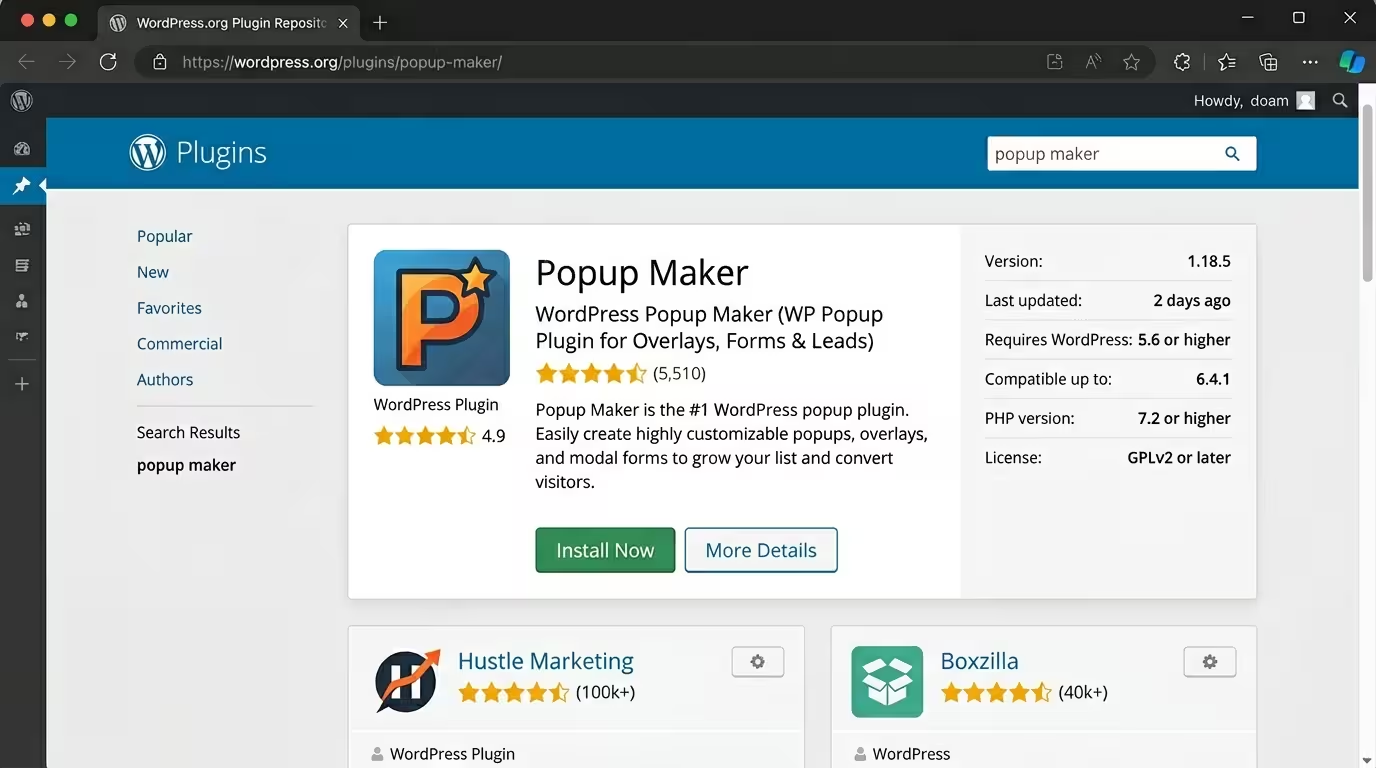
Popup Maker is one of those tools. Trusted by over 780,000 active WordPress installations, rated 4.9 out of 5 stars with more than 4,270 five-star reviews on WordPress.org, and uniquely positioned as the only WordPress pop-up plugin with complete pop-up-to-purchase revenue attribution, Popup Maker earns its place at the top of our recommended stack.
This in-depth review covers everything: features, use cases, pricing, honest pros and cons, a direct comparison with major alternatives, and exactly why we at DSE recommend it for creators, course builders, ecommerce operators, and agencies building serious online businesses.
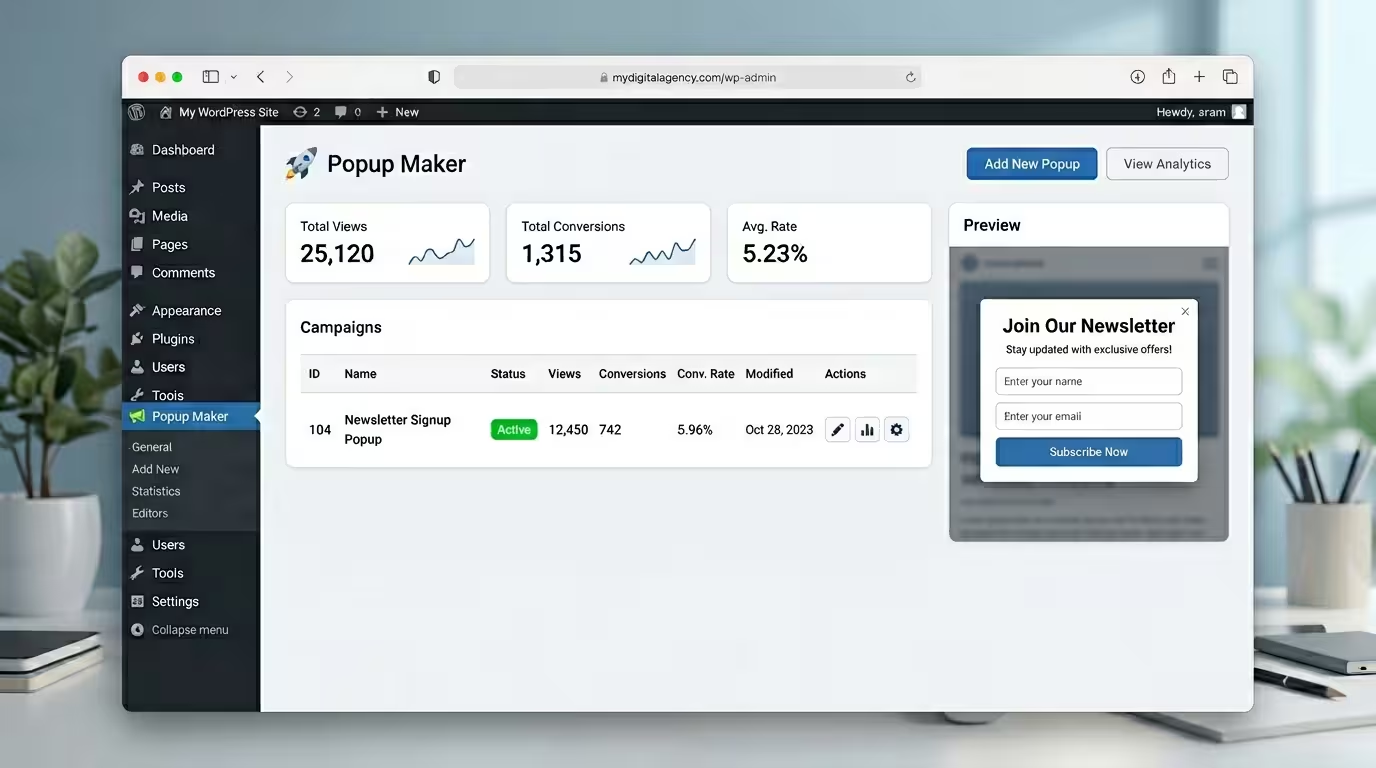
Table of Contents
Disclosure: Our content is engineered to help you make informed, data-driven, and smart decisions. Digital Solutions Edge is reader-supported; when you engage with our recommendations or click certain links, we may receive a commission. This support allows us to continue delivering the digital solutions you rely on. Thank you for being part of our community.
What Is Popup Maker?
Popup Maker is a WordPress popup plugin developed by Code Atlantic LLC, a Florida-based software company. It was built with one clear mission: to make it easy to create, customise, and get measurable results from pop-ups on any WordPress-powered website.
The plugin began as a free, open-source solution and has grown into the most actively installed pop-up plugin in the WordPress ecosystem. What distinguishes Popup Maker from the dozens of competitors in its category is a combination of three things: a genuinely capable free version, a flexible and deep premium tier, and a revenue attribution system that no other WordPress popup plugin currently offers.
The platform is hosted on your WordPress installation. Your data stays on your server. There are no monthly traffic-based fees, no per-impression charges, and no third-party SaaS dependency that could hold your campaigns hostage if you miss a payment.
Popup Maker is built for:
- Content sites and blogs that want to grow email lists, promote content upgrades, and capture subscribers without paying per pageview.
- E-commerce stores (WooCommerce and Easy Digital Downloads) that need cart abandonment recovery, upsell prompts, and purchase-triggered personalisation.
- Online course platforms running on LifterLMS that need automated enrollment pop-ups and student progress-based targeting.
- Agencies and freelancers managing multiple client sites who need an affordable, scalable, and documented solution they can deploy repeatedly.
- Membership and community platforms that need to display access-based content, restriction notices, and login prompts.
Why Popup Marketing Still Works in 2026
Before we assess any specific tool, you deserve a clear-eyed answer to the underlying question: Do pop-ups still convert?
The data is direct. According to benchmark analysis across more than 10,000 campaigns published in early 2026, the average pop-up conversion rate sits at approximately 3.49%, while top-performing campaigns regularly achieve conversion rates above 8%. The highest-performing 10% of pop-up campaigns across major platforms convert at 42.35%, meaning nearly half of the visitors who see these pop-ups take the intended action.
Exit-intent popups, which appear precisely as a visitor is about to leave a page, convert over 15% of abandoning visitors. Click-triggered popups, where the pop-up opens in response to a deliberate user action, achieve a conversion rate of 22% on average. And campaigns using countdown timers, which create authentic urgency around genuine time-limited offers, see a conversion rate improvement of 25% to 112% compared to standard static popups.
For mobile users specifically, the 2026 data shows mobile popup conversion at 4.98%, outperforming desktop at 3.67%, a 36% performance advantage driven by the continued dominance of mobile browsing across every major sector.
The evidence is consistent: pop-ups work. They have always worked. What changed is that the quality of execution now determines the result. A poorly timed, non-targeted, visually clumsy pop-up will underperform. A well-crafted, behaviour-triggered, relevance-matched pop-up will outperform almost every other on-page marketing element available.
Popup Maker is the infrastructure layer that makes the second type achievable without requiring a development team, a SaaS subscription that scales with traffic, or any compromise on data ownership.
Popup Maker’s Core Features: A Complete Deep Dive
The Free Version: More Than You Expect
Most freemium tools lead with a free version that is essentially a crippled demo designed to frustrate you into upgrading. Popup Maker’s free version is built differently.
The free plan includes unlimited popups, unlimited impressions, and unlimited pageviews. There is no visitor cap. No branding watermark on your popups. No artificial ceiling that suddenly becomes a problem the moment your site starts gaining traction. You can create as many campaigns as your site needs, themed and styled to match your brand, and serve them to every single visitor, forever, at no cost.
Core free features include:
- Unlimited pop-up creation: Create as many pop-ups as your campaigns require. Each pop-up is editable via the standard WordPress editor, meaning the learning curve is close to zero if you already use WordPress.
- Basic triggers: Time-delayed auto-open, click-activated triggers on any clickable element (buttons, images, navigation items, sidebars), and scroll triggers to fire popups after a visitor has read a defined percentage of a page.
- Conditional targeting: Show popups on specific pages, posts, post categories, tags, custom post types, or sitewide. Target logged-in versus logged-out users and filter by user role.
- Cookie controls: Set display frequency caps to prevent pop-up fatigue. Configure different cookie durations for form submissions versus simple closures, giving you fine-grained control over re-engagement timing.
- Form plugin integration: Embed forms from WPForms, Contact Form 7, Gravity Forms, Ninja Forms, and other popular builders directly inside your popups.
- Page builder compatibility: Works with Elementor, Beaver Builder, and the native WordPress Block Editor (Gutenberg).
- Google Fonts integration: Access and apply Google Fonts within popup themes for typography that matches your brand identity.
- Custom animations: Choose from slide, fade, and other entrance and exit animations to control the visual feel of your pop-up campaigns.
- Mobile-first design: Every popup is fully responsive and designed to render cleanly on all screen sizes.
- Developer hooks and filters: A comprehensive set of PHP hooks, JavaScript events, and CSS customisation points for developers who need to extend default behaviour.
The Pro Plan: Professional Popup Marketing at Scale
The Pro plan, priced at $99 per year (with a first-year discount to $59.40 at the time of publication), moves Popup Maker from capable to comprehensive.
Pro features add:
- Advanced Analytics Dashboard: A full reporting suite built into your WordPress dashboard, tracking views, interactions, and conversions per pop-up campaign. No third-party analytics platform required. Your data stays on your server.
- Dashboard Widgets: At-a-glance performance metrics on your WordPress admin home screen, so conversion data is visible without navigating into a separate analytics section.
- Exit-Intent Technology: The flagship trigger for retention and cart recovery. When the plugin detects a visitor’s cursor movement indicating they are about to leave the page, the pop-up fires at exactly the right moment to make one more meaningful offer. This feature alone justifies the Pro investment for any e-commerce or course-selling site.
- Scroll Triggers (Advanced): Extended scroll-based triggers with more granular control over depth and timing thresholds.
- Advanced Targeting Conditions: Target by user role, login status, device type, geographic location, referral source, browser, operating system, and visitor behaviour patterns. A single pop-up can have multiple stacked conditions, giving you surgical precision over who sees what and when.
- Scheduling: Set popups to run during specific dates and time windows. This is essential for seasonal campaigns, product launches, flash sales, and recurring event promotions.
- FluentCRM Integration: Deep two-way connectivity with FluentCRM for list tagging, workflow triggers, and smart link management. Build audience segments directly from pop-up interactions.
- Professional CTA Management: Export and import CTA configurations, run bulk operations across campaigns, and use vanity URLs for cleaner campaign tracking.
- Vanity URLs: Custom, readable tracking URLs for pop-up campaigns that simplify reporting and link management across your marketing stack.
The Pro+ Plan: Revenue Attribution and Commerce Intelligence
The Pro+ plan, priced at $249 per year (with a first-year discount to $149.40 at the time of publication), adds the features that separate Popup Maker from every other WordPress popup plugin in its category.
The headline capability is complete revenue attribution: the ability to trace every pound or dollar of revenue directly back to the pop-up campaign that contributed to the conversion. Not clicks. No email captures. Actual purchase value, tracked through the full customer journey.
Pro+ features add:
- Revenue Attribution Engine: Track popup-to-purchase journeys for WooCommerce and Easy Digital Downloads stores. See which pop-up campaigns generate the most revenue, not just the most clicks.
- Revenue Dashboard: A dedicated revenue analytics screen showing exactly how much income each popup generates. Compare campaigns by revenue, ROI, and conversion efficiency.
- WooCommerce Advanced Integration: Cart management, discount code automation, cart abandonment tracking, and purchase history conditions for hyper-targeted retargeting.
- Easy Digital Downloads Advanced Integration: Digital product-specific pop-up triggers, purchase-triggered conditions, and revenue tracking for non-physical product catalogues.
- LifterLMS Course Enrollment Automation: Trigger course enrollment, award certificates, and update achievement records based on pop-up interactions. Target popups based on a student’s current course progress and learning history.
- Purchase History Conditions: Show popups based on what a visitor has already bought. Target previous customers differently from first-time visitors. Create upgrade prompts for users who purchased a specific product tier.
- ROI Reports: Campaign-level return-on-investment reporting that produces the evidence you need to justify pop-up marketing to stakeholders, clients, or yourself.
Popup Types You Can Build With Popup Maker
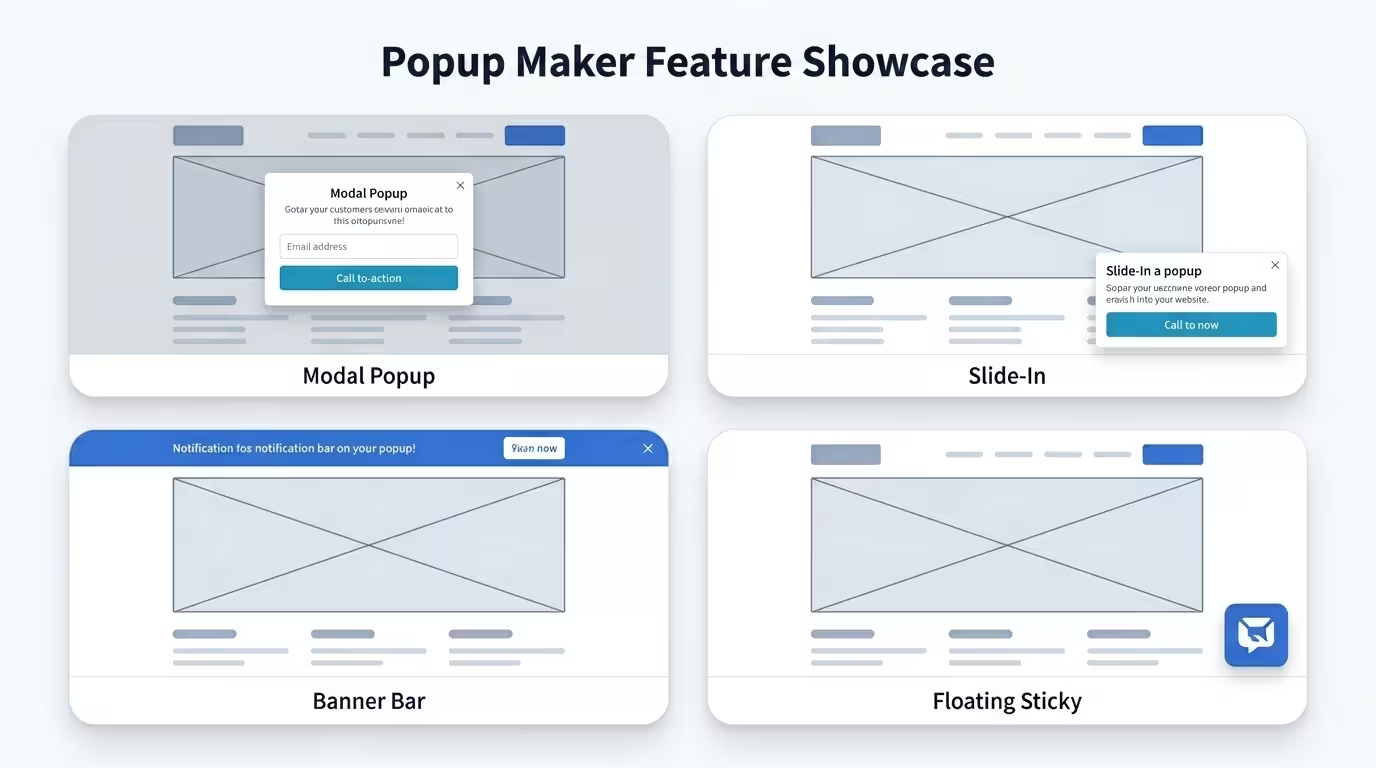
Popup Maker goes beyond the standard centred lightbox. The platform’s positioning, sizing, and animation controls let you build a comprehensive range of overlay formats:
Modal Popups: Traditional centred lightboxes with overlay backgrounds. Ideal for high-priority announcements, email opt-in campaigns, and content upgrades.
Slide-Ins: Popups that slide in from the bottom corner or side of the screen. Less disruptive than full modals, ideal for newsletter sign-ups and secondary offers on long-form content pages.
Banner Bars: Horizontal bars that appear at the top or bottom of the viewport. Excellent for site-wide promotions, shipping announcements, and event countdowns.
Floating Stickies: Fixed-position popups that stay visible as the user scrolls. Used for persistent offers, ongoing promotions, and soft engagement prompts.
Video Lightboxes: Popups designed to play video content, including YouTube and Vimeo embeds, in a focused overlay.
Notification Toasts: Small, non-intrusive notification-style popups for short, action-specific messages.
Loading Screens: Full-page overlays displayed during page transitions, used for age verification, cookie consent confirmations, and splash screens.
Tooltips and Inline Popups: Contextual popups attached to specific page elements, triggered on hover or click.
AJAX Login Modals: Popups that allow registered users to log in without leaving the current page, reducing friction in gated content workflows.
Smart Triggers and Precision Targeting
The quality of a pop-up campaign is determined less by its design and far more by its timing and targeting. Popup Maker’s trigger and targeting system is the most comprehensive available in a WordPress-native popup plugin.
Available Triggers
- Time-Delayed Auto-Open: Fire the pop-up after a defined number of seconds on the page. Customisable per pop-up.
- Scroll Trigger: Open the pop-up when a visitor scrolls to a defined percentage of the page. Particularly effective on long-form content where depth of engagement signals genuine interest.
- Click Trigger: Attach a pop-up activation to any clickable element: buttons, images, text links, navigation items, widget areas, or custom HTML elements. Zero JavaScript knowledge required.
- Exit Intent: Detects the specific mouse movement pattern associated with a visitor leaving the active tab. Fire the pop-up at the peak moment of departure intent.
- Inactivity Trigger: Open a re-engagement pop-up when a visitor has been inactive on the page for a set duration.
- Form Submission: Trigger a new pop-up when a form inside or outside a pop-up is successfully submitted. Build multi-step conversion sequences without custom development.
Targeting Conditions (50+ Available in Pro)
Popup Maker’s conditional targeting system supports layered rule logic. A single pop-up can have multiple conditions that all must be true before it fires.
Available targeting dimensions include:
- Specific posts, pages, or custom post types
- Post categories, tags, or custom taxonomies
- Archive pages, homepage, search results, 404 pages
- User login status (logged in or logged out)
- User role (administrator, editor, subscriber, customer, student, custom roles)
- User metadata fields
- Device type (desktop, tablet, mobile)
- Geographic location
- Referral source or URL
- Browser and operating system
- WooCommerce: cart contents, cart value, product purchased, product category, purchase history
- Easy Digital Downloads: equivalent purchase-based conditions
- LifterLMS: course enrollment status, lesson completion, quiz results, membership status
This targeting depth is the feature that separates Popup Maker’s Pro plans from every other WordPress popup plugin at a comparable price point. Building a pop-up that only appears to logged-in users who are on a specific product category page, arriving from a specific referral source, on a mobile device, who have not purchased in the last 30 days: that is achievable within Popup Maker without writing a single line of code.
Integrations: How Popup Maker Connects Your Entire Stack
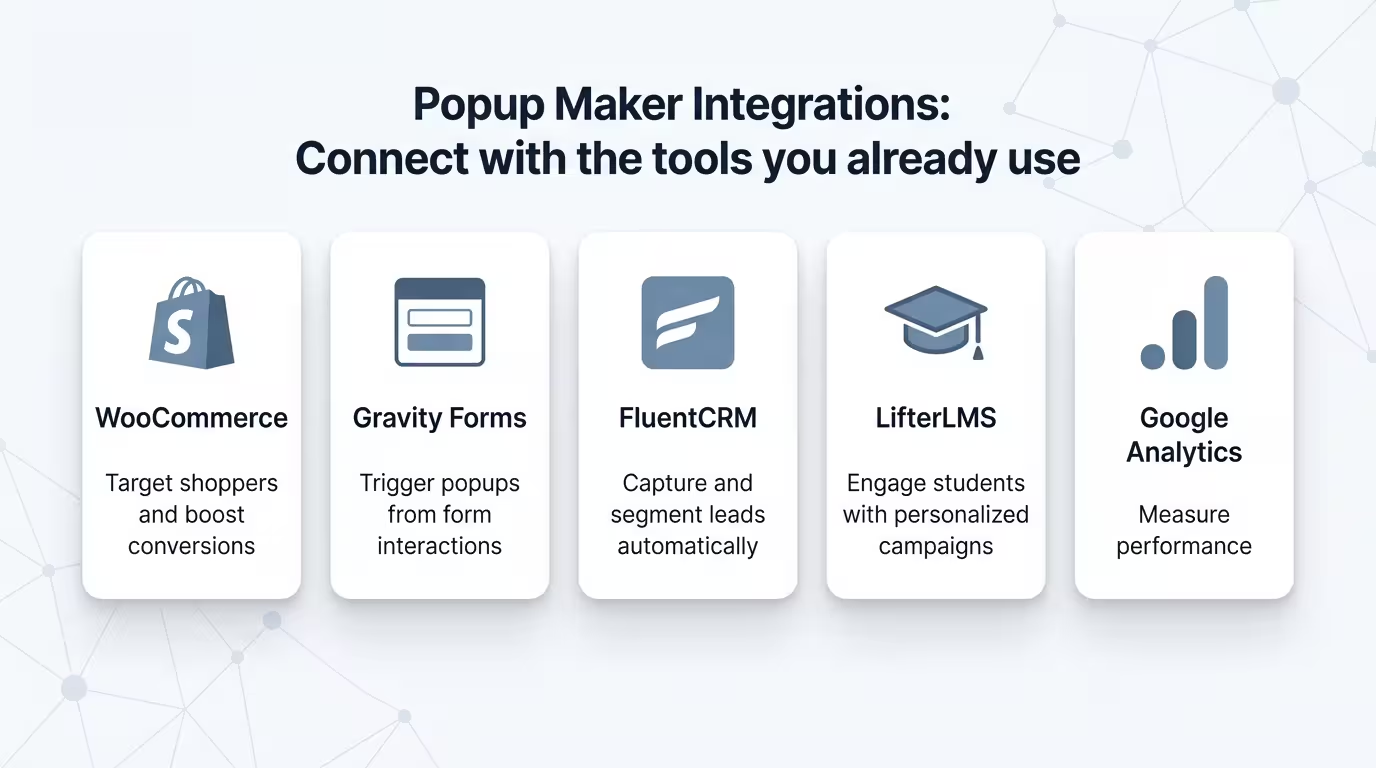
Popup Maker integrates with more than a dozen of the most widely used plugins in the WordPress ecosystem. Below is a category breakdown of confirmed integrations:
Form Plugins:
- Gravity Forms
- WPForms
- Ninja Forms
- Contact Form 7
- Formidable Forms
- Forminator
- Fluent Forms
- HTML Forms
- WS Form
- Elementor Pro Forms
CRM and Email Automation:
- FluentCRM (with tagging, workflow automation, and smart link support)
- WP Fusion (extended CRM connectivity for advanced automation)
- The Newsletter Plugin
eCommerce:
- WooCommerce (Basic integration in Pro; Advanced revenue attribution in Pro+)
- Easy Digital Downloads (Basic in Pro; Advanced in Pro+)
LMS:
- LifterLMS (Basic in Pro; Full enrollment automation in Pro+)
Community and Membership:
- BuddyPress
- bbPress
Automation:
- AutomatorWP
- Uncanny Automator
Analytics:
- Google Analytics 4 (event tracking via built-in support)
Page Builders:
- Elementor
- Beaver Builder
- Gutenberg (WordPress Block Editor)
Trusted Partner Brands:
- WP Engine
- Pagely
- Gravity Forms
- Beaver Builder
- LifterLMS
The depth of this integration ecosystem means Popup Maker does not exist as an isolated tool. It sits at the centre of your WordPress stack and passes data and actions bidirectionally across your forms, CRM, email platform, analytics layer, and ecommerce system.
Popup Maker Pricing: Complete Breakdown
Popup Maker operates on a straightforward, transparent pricing structure with three tiers.
Free Plan
Cost: £0 / $0, forever.
The free version is available directly from the WordPress plugin repository. Install it, activate it, and begin building immediately. The free plan includes unlimited popups, unlimited impressions, unlimited pageviews, basic triggers, conditional targeting, cookie controls, form plugin integrations, and full theme customisation. No credit card is required. There is no trial expiry.
This is not a stripped-down demo. It is a genuinely functional pop-up system that will serve the needs of content sites, personal brands, and early-stage businesses without any financial commitment.
Pro Plan
Regular price: $99 per year
First-year price (launch discount): $59.40 (40% off)
Licence: Single site
The Pro plan adds advanced analytics, exit-intent technology, advanced targeting conditions, scheduling, FluentCRM integration, professional CTA management, and basic integration support for WooCommerce, Easy Digital Downloads, and LifterLMS.
Best suited for: agencies, small businesses, content sites, membership platforms, and any site where growing an email list, recovering abandoned sessions, or improving engagement is a commercial priority.
Pro+ Plan
Regular price: $249 per year
First-year price (launch discount): $149.40 (40% off)
Licence: Single site
The Pro+ plan adds the full revenue attribution engine, advanced WooCommerce and EDD integration, LifterLMS course enrollment automation, purchase history targeting, the revenue dashboard, and full ROI reporting.
Best suited for: ecommerce stores, online course creators, digital product businesses, and agencies servicing commerce clients who need to prove pop-up ROI with actual revenue data.
Multiple site licences are available for both Pro and Pro+ at adjusted pricing for agencies and multi-site operators.
All plans include:
- Unlimited popups
- Unlimited theming
- Unlimited impressions
- Event-based triggers
- Conditional logic
- Detailed documentation
- Expert support
- 30-day money-back guarantee
Price comparison context:
OptinMonster starts at $108/year. Privy starts at $288/year. Justuno starts at $228/year. None of these platforms offers complete revenue attribution or WordPress-native data ownership. Popup Maker Pro+ at $149.40 in its first year delivers a feature set that genuinely outperforms its SaaS competitors at a lower per-year cost.
Real-World Use Cases for DSE Audiences
For Content Creators, Bloggers, and Media Publishers
The primary pop-up use case for content-heavy sites is email list growth. Popup Maker’s free plan handles this completely. Create a scroll-triggered popup that fires at 60% page depth (when the reader has proven they are genuinely engaged), embed a WPForms or Gravity Forms sign-up field inside the popup, and set cookie controls so the same visitor does not see the popup again for 30 days after dismissing it.
Add a content upgrade variant: create a click-triggered popup attached to an inline CTA button (e.g., “Download the Free Checklist”) that fires a modal with the corresponding opt-in form. This tactic consistently outperforms sidebar sign-up forms in conversion rate because it is contextual and intent-driven.
For DSE specifically, content upgrade popups aligned with long-form pillar articles represent one of the highest-converting list-building mechanisms available. The reader self-qualifies by clicking the upgrade prompt; the conversion follows naturally.
For E-commerce Operators (WooCommerce and EDD)
Exit-intent popups are the highest-value use case for any WooCommerce store. A visitor who has added a product to their cart and is now showing exit behaviour is a high-intent prospect. A well-crafted exit popup with a time-sensitive offer (5% off, free shipping, or a bonus item) can recover a meaningful percentage of these sessions.
With Popup Maker Pro+, this workflow becomes trackable. Every recovered cart that completes a purchase is attributed to the pop-up campaign that triggered the recovery. You can see exactly how much revenue your exit-intent campaign generated in a given month, compare it to the campaign’s cost, and make data-driven decisions about offer optimisation.
Cart-specific targeting (Pro+) lets you build popups that only appear when the cart contains items from a specific category or when the cart value is above a defined threshold. This level of precision was previously only available in expensive SaaS platforms like Justuno.
For Course Creators and Educators (LifterLMS)
Popup Maker Pro+ integrates directly with LifterLMS to automate course enrollment, certificate issuance, and achievement triggers based on pop-up interactions. A visitor who clicks “Enrol Now” on a pop-up can be automatically enrolled in the corresponding course without being redirected to a separate checkout page.
Targeting based on student progress means you can show mid-course pop-ups only to students who have completed a specific lesson, prompting them to unlock the next module, book a coaching call, or access a bonus resource. This level of contextual relevance in an LMS environment is rare and powerful.
For Agencies and Consultants
Agencies managing multiple client sites benefit from Popup Maker’s export and import functionality for CTA configurations, its comprehensive documentation, and its predictable, flat-fee pricing structure that does not scale with client traffic.
The multiple-site licence option means you can deploy Popup Maker across client sites without paying per-site SaaS rates. The detailed analytics dashboard becomes a client reporting tool, giving you conversion data to include in monthly performance reports.
For DSE’s consulting clients, Popup Maker is the popup infrastructure layer we deploy as part of every WordPress-based content and lead generation system we build.

Popup Maker Pros and Cons
Pros
Genuinely capable free version. Unlike most freemium tools, the free plan is a full-featured pop-up system, not a crippled preview. Unlimited popups, unlimited impressions, no branding watermark, and no traffic limits. This is a rare and meaningful commitment from the Popup Maker team.
No monthly fees, no traffic-based pricing. Competitors like OptinMonster, Privy, and Justuno charge monthly subscription fees that increase as your traffic grows. Popup Maker is a flat annual licence. Your costs do not escalate as your audience grows.
Complete revenue attribution (Pro+). No other WordPress pop-up plugin offers pop-up-to-purchase revenue tracking at this price point. For any business where pop-ups are a meaningful part of the conversion funnel, this is a transformational feature.
WordPress-native data ownership. All analytics, campaign data, and conversion tracking live on your server. You are not dependent on a third-party SaaS platform to access your own performance data.
50+ targeting conditions. The depth and layering of Popup Maker’s conditional targeting system are exceptional for a WordPress plugin. Building hyper-specific audience segments for pop-up campaigns does not require any code.
Extensive integration ecosystem. Connections to all major form plugins, CRMs, ecommerce platforms, LMS systems, and automation tools make Popup Maker a connective tissue layer, not just a standalone popup builder.
4.9-star rating with 4,270+ reviews. Third-party social proof from real users at this scale is a meaningful quality signal. The community around Popup Maker is active, the documentation is thorough, and support response times are consistently rated as fast and effective.
Developer-friendly. Open-source flexibility with comprehensive hooks, filters, JavaScript events, and an API means Popup Maker can be extended, customised, and integrated into complex custom builds without limitation.
30-day money-back guarantee on all paid plans. Zero financial risk to upgrade and evaluate the Pro or Pro+ features against your specific use case.
Cons
Exit-intent is locked behind the Pro plan. Exit-intent is arguably the single most valuable pop-up trigger for most commercial sites. Placing it exclusively in the paid tier means free users miss out on one of the highest-converting trigger types. This is a deliberate commercial decision that makes sense for the business, but it is a genuine limitation for free users.
The interface is not as visually polished as some competitors. Tools like OptinMonster and OptiMonk invest heavily in visual design and drag-and-drop builders. Popup Maker’s editor is functional and powerful, but it has a steeper initial learning curve for users who prefer a pixel-perfect visual design environment. Experienced WordPress users and developers will not find this a problem, but beginners may need a short adjustment period.
Advanced features may require some CSS or coding knowledge. For highly customised visual designs, working knowledge of CSS is helpful. The core system is no-code, but the ceiling of visual customisation goes higher for users who can write a few lines of CSS.
Multiple active popups can impact page speed. Like any plugin that injects JavaScript and CSS into the front-end, running many concurrent popups can affect page load times if not managed carefully. Using a well-configured caching plugin and keeping active pop-ups to a necessary minimum mitigates this effectively.
Revenue attribution requires Pro+. The most compelling feature in Popup Maker’s product suite sits in the highest tier. For businesses where complete revenue tracking is the primary requirement, the Pro+ investment is clearly justified. For others, it may feel like a tier jump for a single feature set.
Popup Maker vs. The Alternatives
Popup Maker vs. OptinMonster
OptinMonster is the most widely recognised pop-up plugin in the WordPress ecosystem and the most common alternative to Popup Maker. It offers a polished drag-and-drop builder, strong A/B testing, and a wide range of campaign types.
The critical distinction is the pricing and data model. OptinMonster starts at $108 per year and operates as a SaaS platform. Your campaign data is stored on OptinMonster’s servers, not yours. Traffic-based pricing tiers mean your cost increases as your site grows. OptinMonster does not offer pop-up-to-purchase revenue attribution.
Popup Maker Pro ($99/year, or $59.40 in the first year) delivers comparable conversion functionality, keeps all data on your server, charges a flat annual fee regardless of traffic, and includes exit-intent, advanced targeting, and analytics at a lower price point. Popup Maker Pro+ adds revenue attribution that OptinMonster does not offer at any tier.
Verdict: Popup Maker wins on data ownership, pricing predictability, and revenue attribution. OptinMonster wins on visual design experience and built-in A/B testing for users who prioritise aesthetics and split testing above all else.
Popup Maker vs. OptiMonk
OptiMonk is a strong competitor, particularly for e-commerce-focused use cases. It offers personalisation features and a range of pop-up templates designed specifically for Shopify and WooCommerce stores.
OptiMonk is a cloud-hosted SaaS platform. It starts at a higher price point and stores your data externally. It offers strong analytics for e-commerce conversion but lacks the WordPress-native integration depth and LMS capabilities that make Popup Maker the stronger choice for course creators and multi-use WordPress environments.
Verdict: Popup Maker wins for WordPress-native LMS, membership, and mixed-use sites. OptiMonk may have an edge for pure-play Shopify ecommerce environments.
Popup Maker vs. Elementor Pro Popups
Elementor Pro includes a pop-up builder as part of its broader page builder subscription. If you are already using Elementor Pro, the built-in pop-up functionality is convenient and visually strong.
The limitations are meaningful, though. Elementor’s pop-up builder lacks dedicated analytics, revenue attribution, and the depth of targeting conditions available in Popup Maker Pro. It is also part of a package that requires you to maintain an Elementor Pro subscription, which starts at $59/year but lacks all pop-up-specific features.
Verdict: Popup Maker is the stronger choice as a dedicated, analytics-driven pop-up system. Elementor’s pop-up builder is a convenience feature, not a conversion platform.
Popup Maker vs. BDOW (formerly Sumo)
BDOW (the rebrand of Sumo) offers a free tier with basic pop-up functionality and social sharing tools. The free version includes Sumo/BDOW branding on your popups, and the traffic-based pricing structure means costs grow as your site grows.
For basic early-stage list building, BDOW is a viable free option. For any serious conversion marketing programme, Popup Maker’s free version is more capable, more flexible, and without the branding requirement.
Verdict: Popup Maker is the superior free option and the clear choice at any paid tier.
Popup Maker vs. Bloom (Elegant Themes)
Bloom is the pop-up and opt-in tool bundled with an Elegant Themes membership (starting at $89/year). It features a clean drag-and-drop interface and basic trigger options.
Bloom lacks exit-intent technology in its standard configuration, does not offer revenue attribution, and has a more limited targeting condition set compared to Popup Maker Pro. It is also a plugin hosted entirely on your server, which means performance depends on your hosting quality.
Verdict: Popup Maker Pro offers more features, deeper targeting, and revenue attribution at a comparable price point. Bloom makes sense only if you are already invested in the Elegant Themes ecosystem.
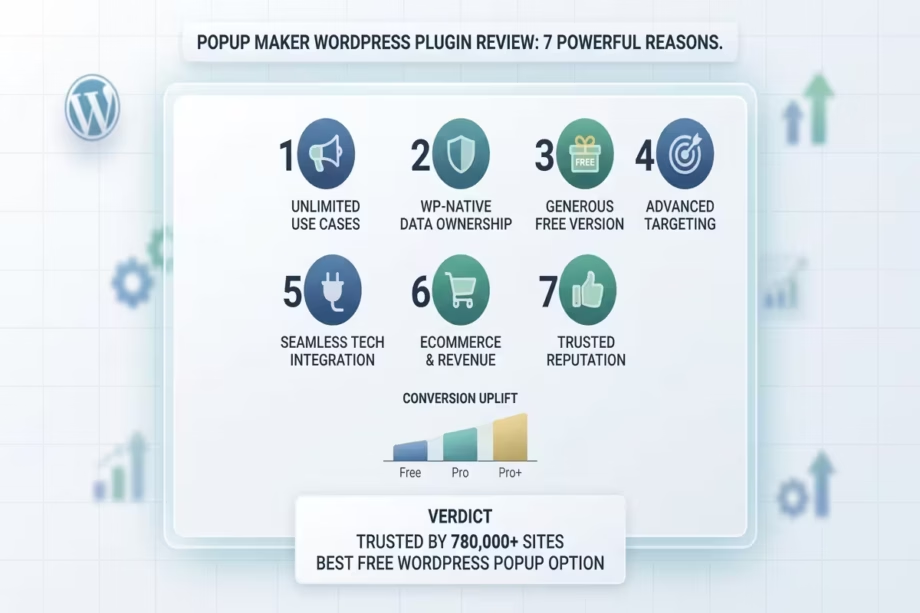
7 Powerful Reasons DSE Recommends Popup Maker
At DSE, our tool recommendations are grounded in three criteria: does the tool solve a real problem for our audience, does it offer genuine value relative to alternatives, and would we use it ourselves?
Popup Maker passes all three. Here is the DSE rationale, broken into the seven reasons that drive our recommendation.
1. The free version is genuinely usable. We do not recommend tools that force users into paid tiers to access meaningful functionality. Popup Maker’s free plan can run a complete list-building programme for a content site or early-stage business without any financial commitment. That aligns with DSE’s principle of meeting our audience where they are.
2. Flat-fee pricing protects growth-stage businesses. When you are building your audience and your traffic is growing month on month, the last thing you need is a tool that charges you more for succeeding. Popup Maker’s flat annual licence means your pop-up costs are predictable and independent of your growth trajectory.
3. Revenue attribution is a game-changer for e-commerce and course creators. Knowing that a pop-up campaign generated a specific revenue figure transforms pop-up marketing from a “nice to have” into a provable business investment. For our e-commerce clients and course creator clients, Pro+ pays for itself in the clarity it brings to campaign optimisation decisions.
4. Data ownership is non-negotiable. At DSE, we consistently advise our audience to own their data and their infrastructure wherever possible. Popup Maker keeps all analytics, campaign configurations, and conversion data on your WordPress installation. You are never at the mercy of a SaaS provider’s pricing changes, policy shifts, or service interruptions.
5. The integration ecosystem matches our recommended stack. DSE’s recommended WordPress stack includes FluentCRM, Gravity Forms, WooCommerce, and LifterLMS. Popup Maker integrates deeply with all four, making it a natural and frictionless fit for clients and readers already operating within this ecosystem.
6. 780,000 installs and a 4.9-star rating are credible social proof. We reference this not to follow the crowd, but because volume-at-quality is a meaningful signal. A 4.9-star average across 4,270 reviews, maintained over years of active development, indicates a team that listens to users and ships improvements consistently.
7. The free trial-to-upgrade path is risk-free. Start with the free plan, validate the tool against your site’s specific needs, and upgrade to Pro or Pro+ only when you are ready. The 30-day money-back guarantee on paid plans means there is no financial risk to exploring the premium features. This is how tool adoption should work.
How to Get Started With Popup Maker
Getting Popup Maker active on your WordPress site takes under five minutes.
Step 1: Install from the WordPress Repository
Navigate to Plugins > Add New in your WordPress dashboard. Search for “Popup Maker”. Install and activate the plugin. The free version is live immediately, with no account creation required.
Step 2: Create Your First Popup
Go to Popup Maker > All Popups > Add New. Give your pop-up a name. Use the WordPress editor to design your pop-up content: add text, images, forms (by embedding a form shortcode), buttons, and any other content blocks.
Step 3: Configure the Popup Theme
In the Popup Theme section, set the size, position, overlay style, background colour, close button appearance, animations, and any custom CSS. Popup Maker ships with default themes you can customise, or you can build your own from scratch.
Step 4: Set Your Triggers
In the Popup Trigger section, choose your trigger type: auto-open (with optional time delay), click-triggered (by attaching a class or ID to any clickable element), or scroll-triggered (by setting a percentage depth). Configure the timing and condition logic for each trigger.
Step 5: Define Your Targeting Conditions
In the Popup Targeting section, set where the pop-up will and will not appear. Start simple: “Show on all posts in the [Topic] category to logged-out users only.” Add additional conditions as your campaigns mature.
Step 6: Set Cookie Controls
Configure how long the pop-up is suppressed after a visitor closes it, and separately, how long it is suppressed after a form submission. A 30-day suppression after closure and a 90-day suppression after submission is a sensible baseline.
Step 7: Publish and Test
Set the pop-up to Published status and test it across desktop and mobile. Use an incognito window to simulate a first-time visitor experience. Adjust trigger timing and targeting as needed based on initial observations.
Step 8: Monitor and Optimise (Pro)
With Proactive, access your Analytics Dashboard under Popup Maker > Analytics. Monitor views, interaction rates, and conversion rates per campaign. Use this data to iterate on your pop-up copy, offers, and targeting rules.
DSE Recommended Download
Popup Maker: The Best WordPress Popup Plugin — Free to Start
- Create Unlimited Popups & Tailored Themes
- Seamless Integration with Popular Plugins
- Boost Conversions & Engagement Instantly
Download Now — It’s Free | No strings attached. Simply enhance your site with better pop-ups.
Ready to upgrade? View Popup Maker Pricing Plans — Pro from $59.40 in your first year.
FAQ: Popup Maker Answered
Q1: Is Popup Maker genuinely free, or is it a free trial?
It is genuinely free with no trial expiry, no traffic limit, and no branding watermark on your pop-ups. The free version from the WordPress repository includes unlimited pop-up creation, unlimited impressions, basic triggers, conditional targeting, cookie controls, and form plugin integrations. You can use the free plan indefinitely with no payment required.
Q2: Does Popup Maker slow down my WordPress site?
Like any plugin that loads JavaScript and CSS on the front-end, Popup Maker adds some overhead. The performance impact is manageable and largely dependent on the number of active popups and the quality of your hosting and caching setup. Using a reputable caching plugin (such as WP Rocket or LiteSpeed Cache) and keeping unnecessary active pop-ups disabled will keep the performance impact minimal.
Q3: Does the free version include exit-intent popups?
Exit-intent is a Pro plan feature. The free version includes time-delayed auto-open, click-triggered, and scroll-triggered popups. To access exit-intent technology, an upgrade to the Pro plan at $99/year (or $59.40 in the first year) is required.
Q4: What ecommerce platforms does Popup Maker support?
Popup Maker integrates with WooCommerce and Easy Digital Downloads. Basic integration (targeting by cart and product status) is included in the Pro plan. Advanced integration (revenue attribution, purchase history targeting, discount automation) is available in the Pro+ plan. There is currently no native Shopify integration, as Popup Maker is a WordPress-native plugin.
Q5: Can I use Popup Maker on multiple websites?
Yes. Multi-site licences are available for both the Pro and Pro+ plans. Pricing for multiple site licences is available on the Popup Maker pricing page.
Q6: Does Popup Maker work with Elementor?
Yes. Popup Maker is compatible with Elementor (both free and Pro versions) and works with the Elementor page builder for designing pop-up content. Popup Maker is not dependent on Elementor Pro’s own popup functionality; they operate as separate, compatible systems.
Q7: What is the difference between Popup Maker Pro and Pro+?
The core difference is revenue attribution and commerce specialisation. Pro includes advanced analytics, exit-intent, advanced targeting, scheduling, and FluentCRM integration. Pro+ adds complete popup-to-purchase revenue tracking, the revenue dashboard, advanced WooCommerce and EDD integration, LifterLMS course enrollment automation, purchase history targeting, and ROI reports. Pro+ is designed for e-commerce stores, course creators, and agencies with commerce clients.
Q8: Is there a money-back guarantee?
All paid plans include a 30-day, 100% money-back guarantee with no setup fees and no risk. If the plugin does not meet your needs within 30 days of purchase, you can request a full refund.
Q9: Does Popup Maker store my data on external servers?
No. All analytics, campaign data, and conversion tracking are stored on your own WordPress server. Popup Maker does not send your visitor data or performance metrics to external SaaS platforms. This is a meaningful advantage for businesses with data sovereignty requirements or GDPR compliance obligations.
Q10: How does Popup Maker compare to OptinMonster?
Both are strong pop-up platforms for WordPress. OptinMonster operates as a SaaS with external data storage and traffic-based pricing that increases as your site grows. Popup Maker is WordPress-native, stores all data on your server, charges a flat annual fee, and includes complete revenue attribution (Pro+) that OptinMonster does not offer. Popup Maker Pro is also less expensive than OptinMonster’s entry-level paid plan.
Q11: Can I use Popup Maker for GDPR-compliant cookie consent popups?
Yes. Popup Maker’s cookie control settings and conditional targeting make it suitable for building GDPR-compliant cookie notices and consent prompts. The plugin gives you fine-grained control over when and how popups appear in relation to user consent status.
Q12: Does Popup Maker integrate with FluentCRM?
Yes. The Pro plan includes deep FluentCRM integration, supporting list tagging, workflow automation triggers, and smart link management based on pop-up interactions. This makes Popup Maker a natural complement to any WordPress site using FluentCRM as its primary CRM and email marketing platform.
Popup marketing is not a relic. It is not an annoying tactic that forward-thinking marketers have abandoned. The data from 2025 and 2026 is consistent: well-targeted, appropriately timed popups convert, and they convert at rates that exceed most other on-page marketing mechanisms.
The question is not whether to use pop-ups. The question is which pop-up system gives you the targeting precision, analytics depth, integration flexibility, and pricing model to build a pop-up programme that is measurable, scalable, and sustainable.
Popup Maker answers that question decisively. Its free plan removes every barrier to starting. Its Pro plan delivers the professional-grade tools that content sites, agencies, and membership platforms need to grow. Its Pro+ plan introduces revenue attribution capabilities that no other WordPress popup plugin offers, turning popup campaigns from cost centres into provable revenue drivers.
For DSE’s audience of educators, creators, ecommerce operators, consultants, and developers: Popup Maker belongs in your WordPress stack. Start with the free plan. Validate it against your specific use case. When the results call for it, upgrade to Pro or Pro+ with the confidence of a 30-day money-back guarantee.
Your visitors are already on your site. The question is whether you have the right tools to convert their attention into action.
Ready to start?
- Download Popup Maker Free — No credit card required. Unlimited popups from day one.
- View Pro and Pro+ Pricing — Save 40% on your first year with the current launch discount.
- Book a Transformation Clarity Call (TCC) with a DSE consultant to get a personalised pop-up strategy mapped to your site, your audience, and your revenue goals.
If this review helped you make a more informed decision, share it with a creator, educator, or business owner in your circle who is still guessing at popup performance rather than measuring it.